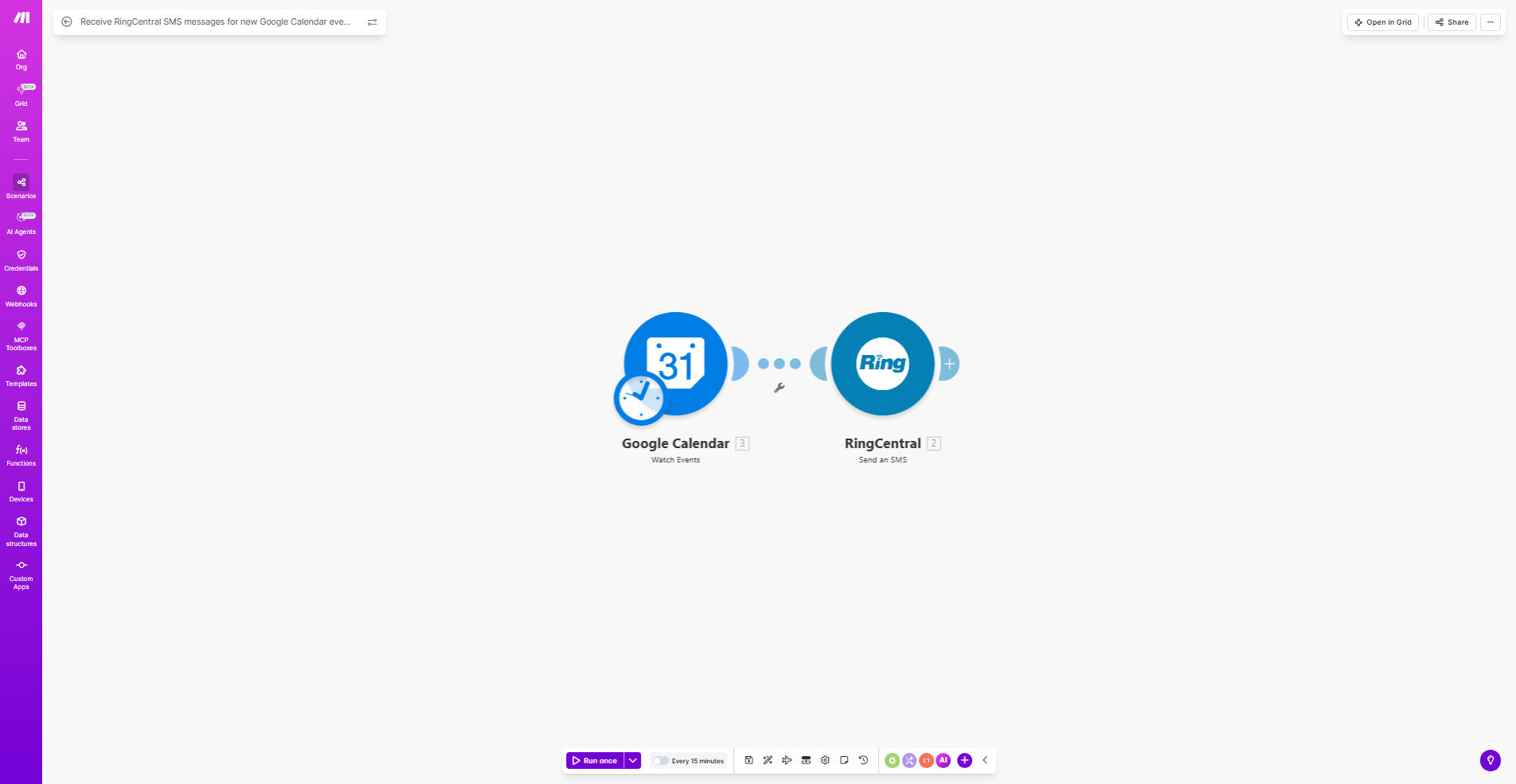
What This Workflow Does
This automation solves the common problem of missed meetings and appointments by instantly notifying team members via SMS when new events are added to shared Google Calendars. Unlike email reminders that often get buried, text messages have a 98% open rate within minutes, ensuring critical schedule changes are never overlooked.
The workflow monitors specified Google Calendars for new events, then uses RingCentral's business SMS platform to deliver timely alerts. This is particularly valuable for:
- Remote teams coordinating across time zones
- Field service technicians receiving job assignments
- Healthcare providers notifying patients about appointments
- Sales teams alerted to last-minute client meetings
How It Works
1. Calendar Monitoring
The automation continuously watches your designated Google Calendars for new events. You can specify which calendars to monitor (like team, resource, or client-specific calendars) and set filters based on event titles, attendees, or other criteria.
2. Event Processing
When a new matching event is detected, the workflow extracts key details like event title, time, location, and description. It can also check for video conference links or other important attachments.
3. SMS Composition
The system formats a concise SMS message containing the most critical event information, optimized for the 160-character limit. Messages can include:
- Event title and time (automatically localized to recipient's timezone)
- Location or Google Maps link
- Video conference details
- Custom instructions or notes
4. Recipient Routing
Based on rules you configure, messages are sent to specific RingCentral numbers or groups. This allows different teams or locations to receive only relevant alerts.
Who This Is For
This automation delivers the most value for businesses where:
- Team members frequently miss calendar invites in crowded email inboxes
- Appointment-based services need to reduce no-shows
- Field staff require real-time schedule updates without computer access
- Managers coordinate across multiple time zones
- Client meetings frequently get rescheduled last-minute
Pro tip: Combine this with location-based triggers to only send SMS alerts when team members are away from their desks, saving unnecessary notifications during office hours.
What You'll Need
- A Make.com account (free tier available)
- Google Workspace account with calendar access
- RingCentral business SMS-enabled phone number
- 5 minutes to configure the template
Key Benefits
Never miss important meetings: SMS notifications have a 98% open rate compared to 20% for emails, ensuring critical schedule changes are seen immediately.
Reduce manual work: Eliminates the need to copy-paste calendar details into separate messaging systems, saving 5-10 minutes per scheduled event.
Improve team responsiveness: Field teams acknowledge SMS alerts 3x faster than email notifications according to industry studies.
Customizable for your workflow: Easily adjust message content, timing, and recipient rules to match your business processes.