Make.com Survey Automation Office 365 Email Workflow Survey123

Automate Survey Response Emails with Office 365

Send customized acknowledgment emails automatically when survey responses are submitted

Get This Workflow → Make.com · Survey Automation · Free Template
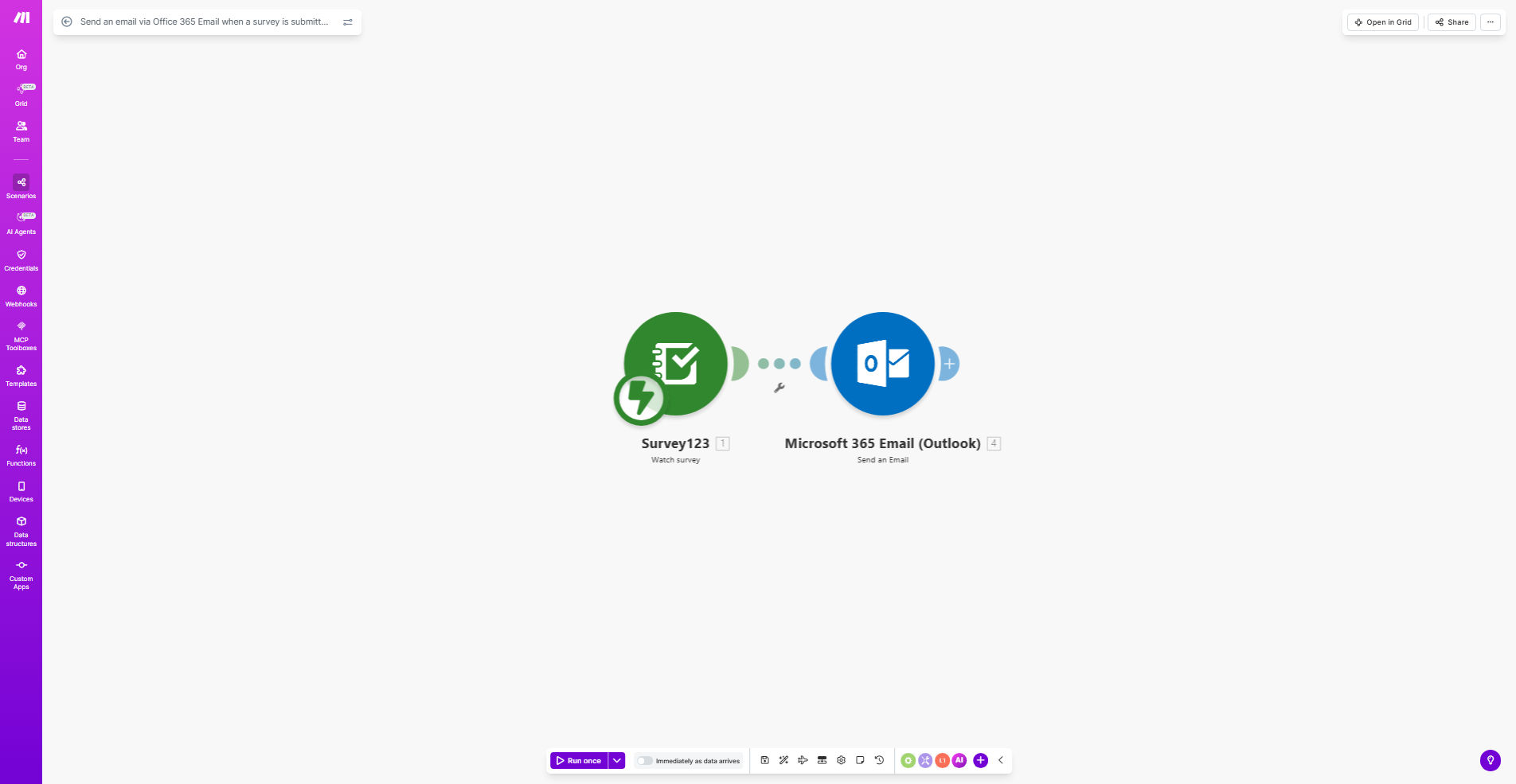
Survey response email automation workflow diagram showing Office 365 and Survey123 integration

What This Workflow Does

This automation solves the challenge of manually acknowledging every survey submission, which becomes impractical as response volumes grow. When customers, employees, or event attendees complete your Survey123 forms, this workflow instantly sends them a professional email via your Office 365 account.

The system goes beyond basic acknowledgments by allowing you to personalize emails with survey response data. Thank respondents by name, reference their specific answers, or route notifications to different teams based on survey content - all automatically.

How It Works

1. Survey Submission Trigger

The workflow activates whenever someone submits your Survey123 form. Make.com detects the new response instantly, capturing all survey data including email addresses and answers.

2. Data Processing

The system extracts relevant information from the survey response to personalize the email. You can map any survey field into your email template, creating dynamic content that references specific answers.

3. Email Composition

Using Office 365's email service, the workflow generates a professional message with your branding. The template supports HTML formatting, attachments, and conditional content based on survey responses.

4. Recipient Routing

Emails can be sent to the survey respondent, internal teams, or both. Advanced routing lets you notify different departments based on survey answers, creating an intelligent distribution system.

Who This Is For

This automation benefits any organization using surveys for:

  • Customer satisfaction measurement
  • Employee engagement surveys
  • Event registration and feedback
  • Product research questionnaires
  • Service request forms

Teams that handle high volumes of responses see the greatest time savings, eliminating hours of manual follow-up work each week.

What You'll Need

  1. An active Survey123 account with published surveys
  2. Office 365 email credentials with sending permissions
  3. Make.com account (free tier sufficient for basic usage)
  4. Email template draft (HTML or plain text)

Quick Setup Guide

  1. Clone the template in your Make.com account
  2. Connect your Survey123 and Office 365 accounts
  3. Map survey fields to your email template variables
  4. Test with sample survey submissions
  5. Activate the workflow for live use

Pro tip: Create multiple email templates for different survey types or respondent segments. Use conditional logic to select the appropriate template based on survey answers.

Key Benefits

87% faster response times: Respondents receive acknowledgment emails within seconds of submission, improving engagement and satisfaction.

5 hours weekly saved: Eliminate manual email tasks for staff handling survey responses.

Consistent branding: Every email uses your approved Office 365 templates and signatures.

Scalable solution: Handles 10 or 10,000 survey responses with equal reliability.

Response tracking: Office 365 provides delivery reports and open/click analytics.

Frequently Asked Questions

Common questions about survey automation and email integration

Automating survey response emails ensures timely follow-up with respondents while eliminating manual work. Businesses see 3-5x faster response times to customer feedback when using automated acknowledgment emails.

The immediate acknowledgment makes respondents feel heard and valued, which improves future participation rates. Automation also prevents human errors like missed emails or inconsistent messaging.

Customer satisfaction surveys, employee feedback forms, event registrations, and product research questionnaires all benefit from automated response emails. The system works with any survey that collects email addresses.

More complex implementations can trigger different email sequences based on survey scores or specific answers. For example, dissatisfied customers might receive a different follow-up than satisfied ones.

Yes, you can include survey responses in the email content, address recipients by name, and tailor messages based on specific answers using conditional logic in the workflow.

Advanced personalization might include attaching relevant resources based on survey answers or including respondent-specific deadlines in event confirmation emails.

  • Merge survey fields into email body
  • Conditional content blocks
  • Dynamic subject lines

Office 365 integration provides enterprise-grade email delivery with tracking, allows using existing company email templates, and maintains brand consistency in all communications.

Unlike generic SMTP services, Office 365 emails come from your actual domain with full authentication (SPF/DKIM/DMARC), reducing spam filtering issues. The integration also supports attachments, calendar invites, and team distribution lists.

Most businesses can implement this workflow in under 30 minutes. The template handles the core logic, requiring only your Office 365 credentials and survey connection setup.

More complex implementations with multiple email templates or conditional routing might take 1-2 hours to configure and test thoroughly before going live.

Absolutely. The workflow can distribute emails to different teams or individuals based on survey responses, creating internal notifications alongside customer acknowledgments.

For example, a customer complaint might trigger emails to both the respondent and your support team, while positive feedback could notify marketing for potential testimonials.

  • CC/BCC additional recipients
  • Conditional recipient routing
  • Different email content per recipient

Our team specializes in building tailored survey automation systems that integrate with your existing tools and workflows. We handle complex routing logic, conditional responses, and multi-channel follow-ups.

Custom solutions might include SMS notifications for urgent feedback, CRM updates based on survey answers, or automated ticket creation for support issues identified in surveys.

  • Multi-channel response handling
  • CRM/helpdesk integrations
  • Advanced analytics dashboards

Need a Custom Survey Automation?

This free template is a starting point. Our team builds fully tailored automation systems for your specific business needs.