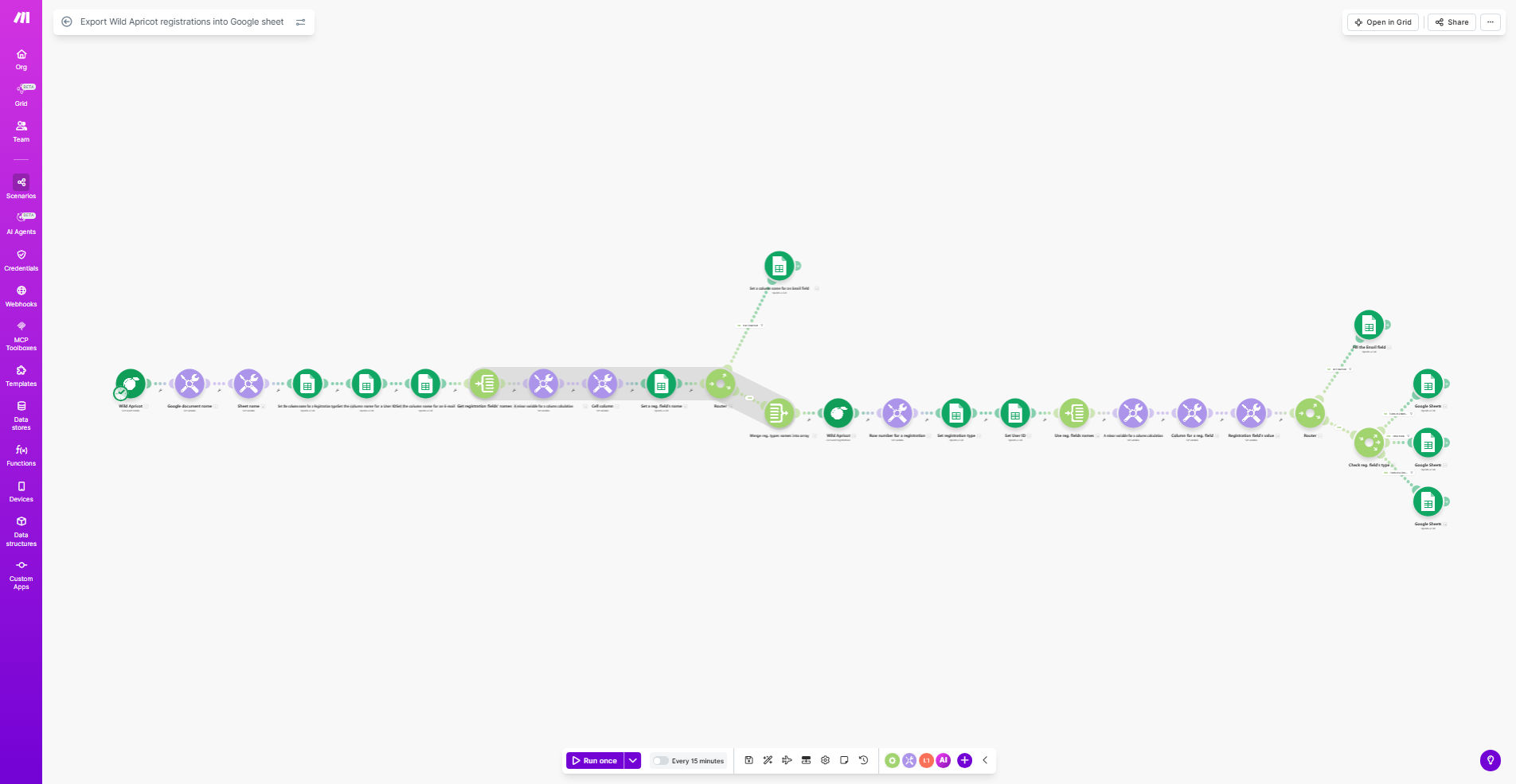
What This Workflow Does
This automation solves the common challenge of manually exporting and compiling Wild Apricot event registration data into spreadsheets for reporting and analysis. Instead of spending hours copying and pasting attendee information, this workflow automatically transfers all registration details from Wild Apricot to Google Sheets in your preferred format.
The template creates a seamless connection between your Wild Apricot account and Google Sheets, ensuring your registration data is always up-to-date and accessible to your entire team. It captures all standard registration fields including attendee names, contact information, registration dates, ticket types, and payment status.
How It Works
1. Trigger on new registrations
The workflow monitors your Wild Apricot account for new event registrations either in real-time or on a scheduled basis, depending on your configuration.
2. Extract registration details
For each new registration, the system retrieves all relevant information including custom fields completed during the registration process.
3. Format data for Google Sheets
The workflow organizes the registration data into the proper structure for your Google Sheet, ensuring consistent formatting across all entries.
4. Update your spreadsheet
The system adds each new registration as a row in your designated Google Sheet, maintaining all existing data and formulas in your spreadsheet.
Pro tip: Add a timestamp column to track when each registration was added to your sheet, helping you monitor the sync process.
Who This Is For
This workflow is ideal for event organizers, membership managers, and nonprofit administrators who use Wild Apricot for event registrations but need better reporting capabilities than the native platform provides. It's particularly valuable for:
- Nonprofits tracking attendance for grant reporting
- Associations managing member events
- Conference organizers needing real-time attendee lists
- Teams that collaborate on event data but don't all have Wild Apricot access
What You'll Need
- A Wild Apricot account with administrator access
- A Google account with Sheets access
- A Make.com account (free tier available)
- A Google Sheet prepared with your desired column structure
Quick Setup Guide
- Copy this template to your Make.com account
- Connect your Wild Apricot account in the Make.com settings
- Connect your Google account and select your target spreadsheet
- Map the Wild Apricot fields to your Google Sheet columns
- Set your preferred sync frequency (instant, daily, etc.)
- Run a test registration to verify the data flows correctly
Key Benefits
Save 5-10 hours per month by eliminating manual data exports and spreadsheet updates for each event.
Reduce errors caused by manual data entry with automatic field mapping that ensures consistent, accurate transfers.
Enable better reporting by having all registration data in Google Sheets where you can create pivot tables, charts, and custom analyses.
Improve team collaboration by making registration data accessible to staff who don't have Wild Apricot admin access.
Create historical records of all events in a standardized format for year-over-year comparison and trend analysis.