What This Workflow Does
This automation solves the tedious and error-prone process of manually transferring appointments from Acuity Scheduling to Google Calendar. Service businesses, consultants, and healthcare providers often lose valuable time copying appointment details between systems, risking double bookings or missed appointments when entries don't match.
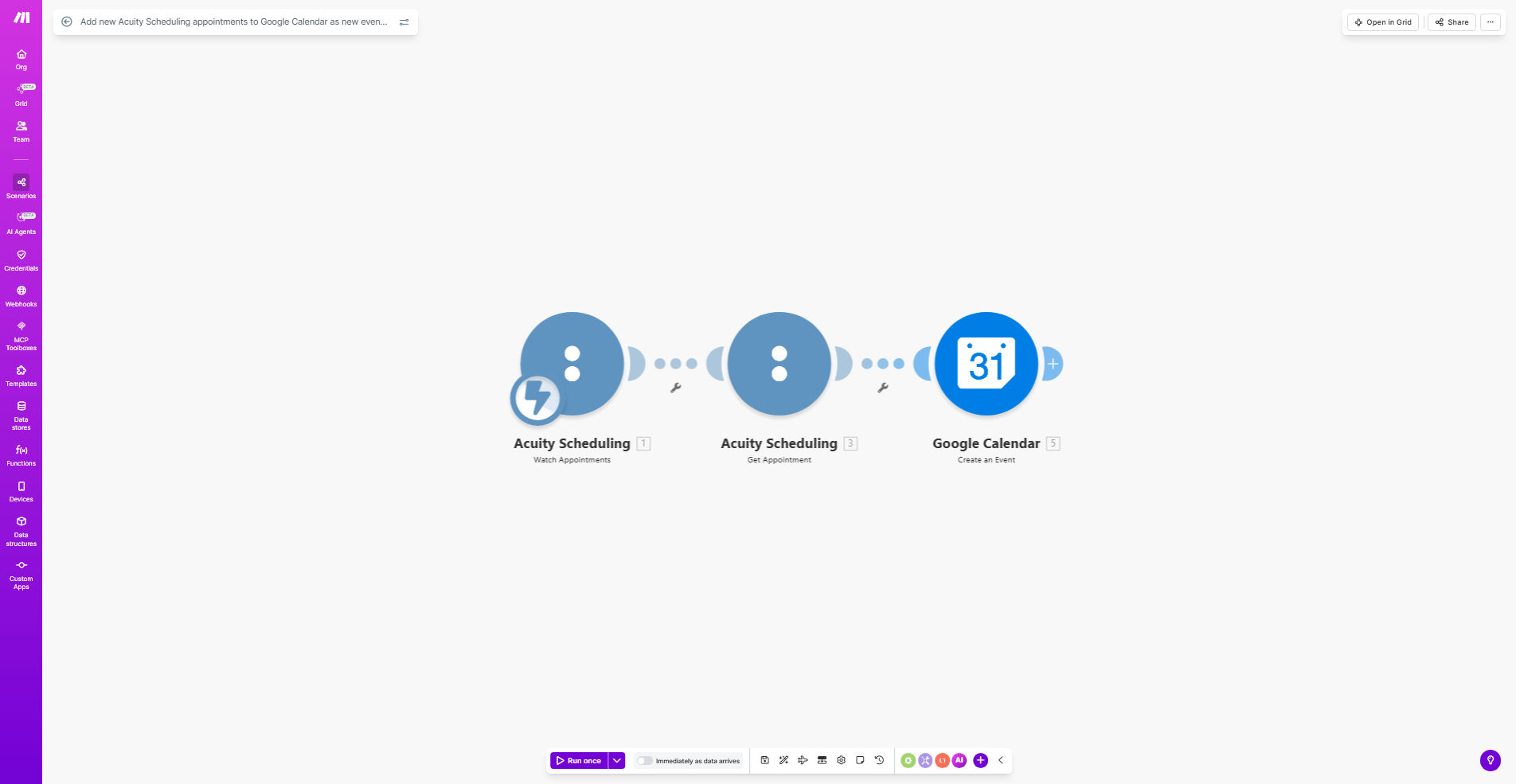
The workflow automatically creates a corresponding Google Calendar event every time a new appointment gets booked through Acuity Scheduling. It transfers all relevant details including client name, appointment time, service type, duration, and any custom fields you've set up in Acuity. This ensures your calendar always reflects your true availability and prevents scheduling conflicts.
How It Works
1. Trigger on new Acuity appointments
The workflow activates instantly when a client books an appointment through your Acuity Scheduling portal. Make.com detects the new booking through Acuity's API.
2. Extract appointment details
The system pulls all relevant information from the Acuity booking including date, time, duration, client information, service type, and any custom fields you've configured.
3. Create Google Calendar event
Using the extracted details, the workflow automatically generates a corresponding event in your specified Google Calendar with all appointment information pre-populated.
4. Confirm synchronization
The system verifies the calendar event was created successfully and can optionally send you a confirmation notification through email or Slack.
Pro tip: Extend this workflow to automatically send appointment reminders to clients by adding a step that triggers 24-48 hours before each synced calendar event.
Who This Is For
This automation is ideal for:
- Service businesses using Acuity Scheduling (consultants, therapists, tutors)
- Healthcare providers with online booking systems
- Teams managing shared calendars across multiple providers
- Businesses experiencing scheduling errors from manual calendar updates
- Anyone spending more than 1 hour weekly managing appointments across systems
What You'll Need
- An active Acuity Scheduling account
- A Google account with Calendar access
- A Make.com account (free plan works)
- Approximately 10 minutes for initial setup
Quick Setup Guide
- Copy this template to your Make.com account
- Connect your Acuity Scheduling account in the first module
- Connect your Google Calendar account in the second module
- Specify which Google Calendar should receive the events
- Test by creating a sample appointment in Acuity
- Turn on the scenario to go live
Key Benefits
Save 1-2 hours weekly by eliminating manual calendar entry. Each automated appointment saves 2-3 minutes of admin work.
Reduce scheduling errors by 90% since appointments sync instantly with perfect accuracy between systems.
Improve team coordination by having all appointments instantly visible in shared Google Calendars.
Never miss an appointment due to calendar mismatches between your booking system and availability calendar.
Scale your booking volume without adding administrative overhead as your business grows.