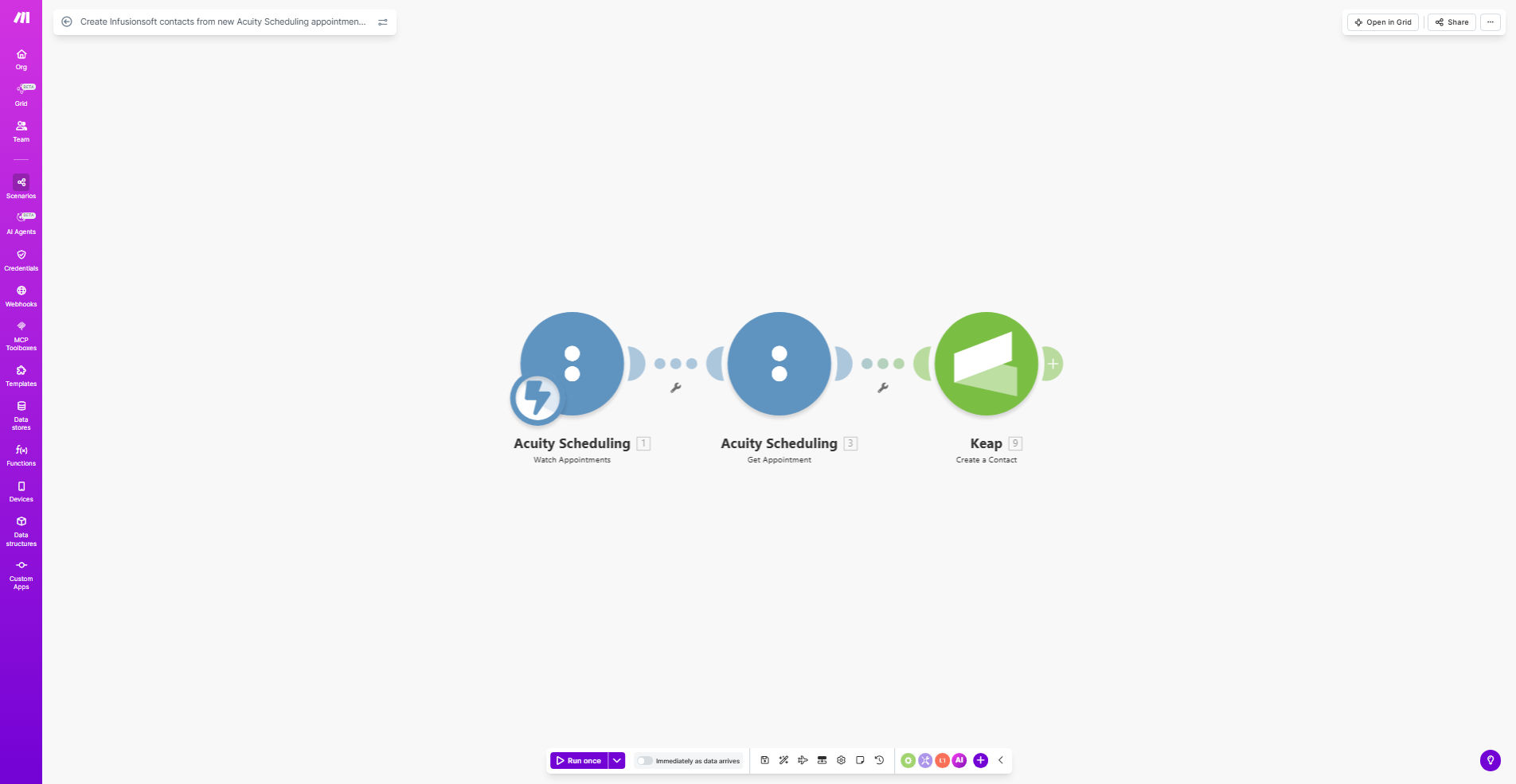
What This Workflow Does
This automation solves a critical challenge for service businesses using Acuity Scheduling for appointments and Infusionsoft (now Keap) for CRM and marketing. Without automation, staff must manually copy client information from booking confirmations into the CRM - a time-consuming process prone to errors and delays.
The workflow automatically creates a complete Infusionsoft contact record whenever someone books an appointment in Acuity Scheduling. It captures all relevant details including contact information, appointment type, date/time, and any custom intake form responses. This ensures your sales and marketing teams have immediate access to new leads without any manual data entry.
How It Works
1. Trigger on new Acuity appointments
The workflow monitors your Acuity Scheduling account for new appointments. Each time a client books a session, the automation immediately captures all their details.
2. Format data for Infusionsoft
The system processes the appointment data to match Infusionsoft's contact field requirements. It maps Acuity fields to the corresponding Infusionsoft fields, ensuring clean data import.
3. Create or update Infusionsoft contact
The workflow checks if the contact already exists in Infusionsoft. For new clients, it creates a complete contact record. For existing clients, it can update their profile with the new appointment details.
4. Add tags and trigger follow-up
Optionally, the automation can add relevant tags based on appointment type, assign follow-up tasks to team members, or trigger email sequences - all configured to your business processes.
Pro tip: Configure the workflow to add specific tags in Infusionsoft based on the appointment type (e.g., "Consultation", "Return Client", "VIP Service"). This enables powerful segmentation for targeted marketing.
Who This Is For
This automation is ideal for:
- Coaches and consultants who book discovery calls through Acuity
- Health and wellness practitioners scheduling client sessions
- Professional service firms managing client appointments
- Any business using Acuity for bookings and Infusionsoft for CRM
If you're currently wasting time copying client details between systems or missing marketing opportunities because new leads aren't in your CRM, this workflow will transform your operations.
What You'll Need
- An active Acuity Scheduling account
- An Infusionsoft (Keap) subscription
- A Make.com account (free plan available)
- API access enabled in both systems
- Field mapping between Acuity and Infusionsoft
Quick Setup Guide
- Copy the template to your Make.com account
- Connect your Acuity Scheduling account
- Connect your Infusionsoft account
- Map Acuity fields to Infusionsoft contact fields
- Configure any additional actions (tags, follow-ups)
- Test with a real appointment booking
- Activate the workflow
Key Benefits
Eliminate manual data entry - Save 5-15 minutes per appointment by automatically creating contacts instead of copying information manually.
Improve marketing responsiveness - New leads enter your CRM immediately, allowing faster follow-up while their interest is highest.
Reduce human errors - Automated data transfer prevents typos and missing information that often occur with manual entry.
Maintain complete client records - Every appointment automatically updates the contact's history in Infusionsoft.
Enable better segmentation - Automatic tagging based on appointment type creates powerful marketing segments.