What This Workflow Does
This automation solves the common problem of losing potential email subscribers when clients book appointments through Acuity Scheduling. Without automation, you'd need to manually copy client information from Acuity to AWeber - a time-consuming process that's easy to forget.
The workflow automatically captures every new Acuity Scheduling appointment and adds the client as a subscriber to your AWeber email list. It ensures you can immediately begin nurturing these new contacts with automated email sequences, special offers, and educational content - all without any manual data entry.
How It Works
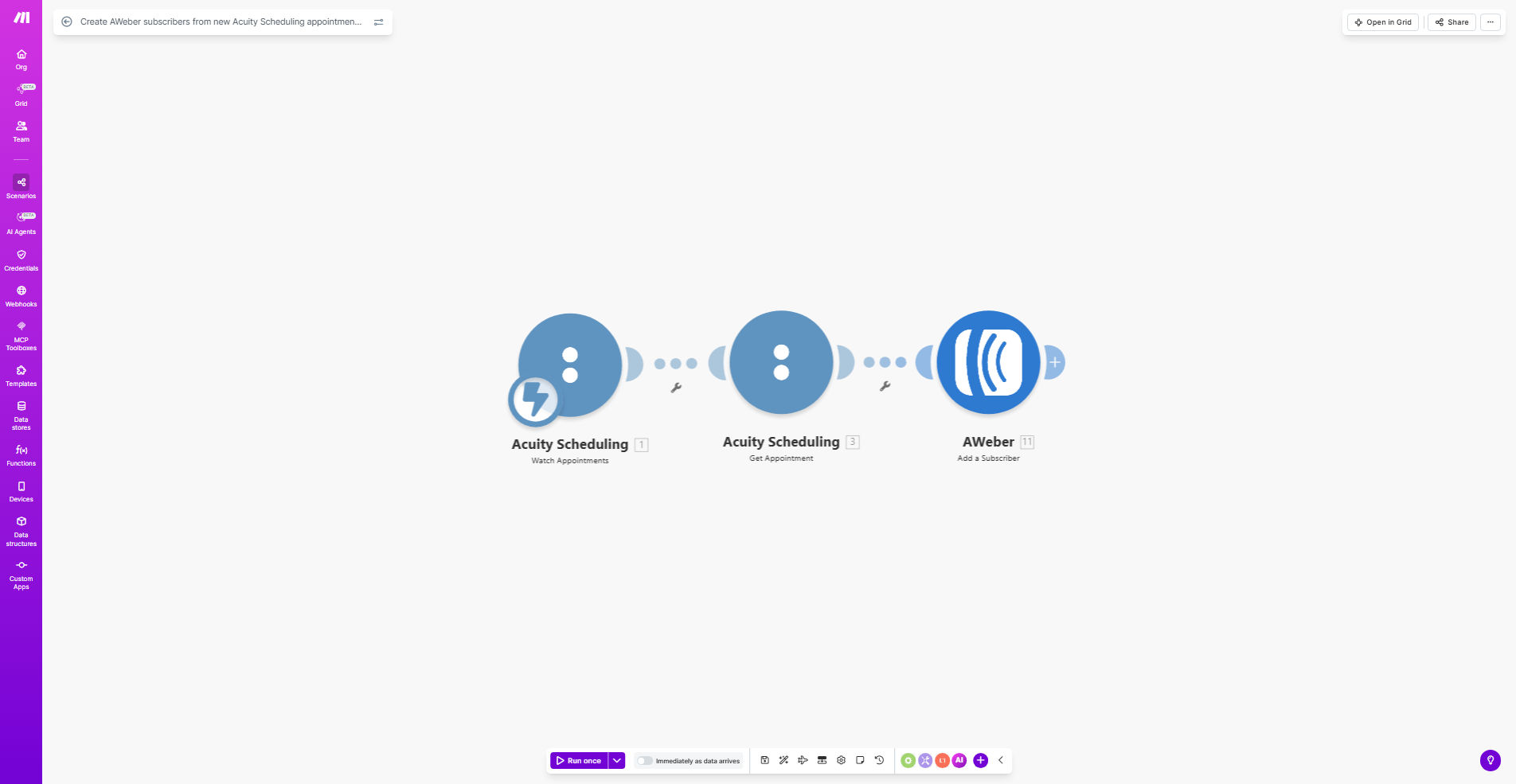
1. Trigger on new Acuity appointments
The workflow monitors your Acuity Scheduling account for new appointments. Each time a client books a session, the trigger activates.
2. Extract client information
The system pulls the client's name, email address, and any custom fields from the Acuity appointment. This data is formatted for AWeber's requirements.
3. Add to AWeber list
The workflow creates a new subscriber in your specified AWeber list using the collected information. You can configure custom fields and tags based on appointment details.
4. Handle duplicates
If the email already exists in AWeber, the workflow can update the existing record or skip the addition based on your preferences.
Who This Is For
This automation is ideal for:
- Coaches and consultants using Acuity for scheduling
- Service businesses that want to grow their email list
- Health practitioners needing automated client follow-up
- Marketing teams managing lead nurturing sequences
- Small businesses looking to automate administrative tasks
What You'll Need
- An active Acuity Scheduling account
- An AWeber account with at least one list created
- A Make.com account (free plan works for basic usage)
- API access enabled in both Acuity and AWeber
Quick Setup Guide
- Copy the template to your Make.com account
- Connect your Acuity Scheduling account in the first module
- Connect your AWeber account in the final module
- Map the Acuity fields to corresponding AWeber fields
- Test by creating a sample appointment in Acuity
- Activate the scenario when testing is complete
Key Benefits
Save 3-5 hours per week by eliminating manual email list management. The automation handles subscriber additions instantly.
Increase email list growth by 40-60% by capturing every appointment booker automatically - no more missed opportunities.
Improve client engagement with timely welcome sequences sent immediately after booking.
Enable better segmentation by tagging subscribers based on appointment type or custom fields.
Reduce human error with automated data transfer that's more accurate than manual entry.