Acuity Scheduling Trello Appointment Automation Task Management

Create Trello Cards from Acuity Scheduling Appointments

Automatically convert new bookings into actionable tasks with this Make.com workflow

Get This Workflow Make.com · Free Template
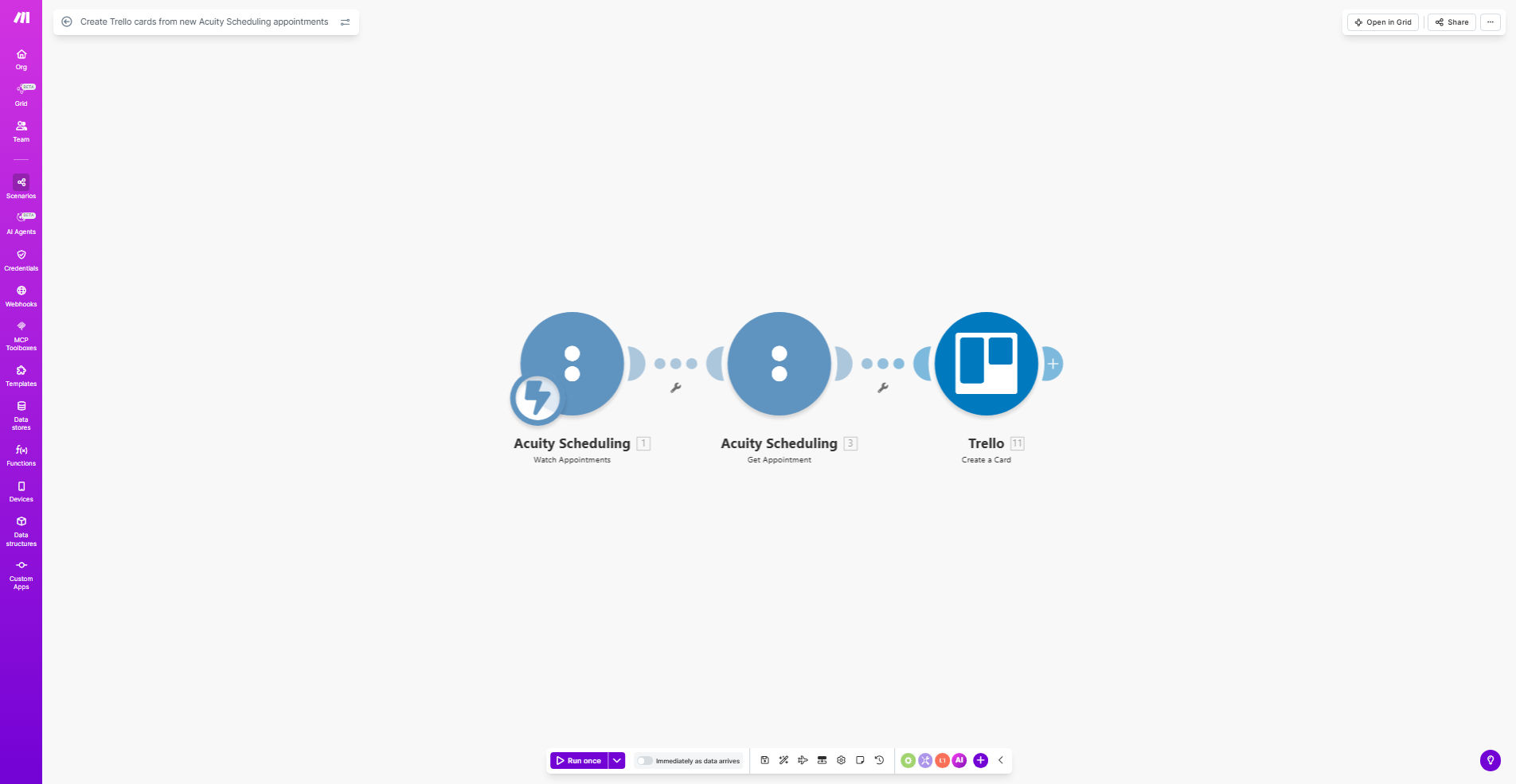
Acuity Scheduling to Trello automation workflow diagram

What This Workflow Does

This automation bridges the gap between client scheduling and task execution by automatically creating Trello cards for every new Acuity Scheduling appointment. It eliminates manual data entry, reduces human error, and ensures immediate task visibility for your team.

When a client books an appointment through your Acuity Scheduling page, the workflow instantly generates a corresponding Trello card with all relevant details. This creates a seamless handoff between scheduling and service delivery teams, particularly valuable for service businesses managing multiple client appointments daily.

How It Works

1. New Appointment Trigger

The workflow monitors your Acuity Scheduling account for new appointments via Make.com's instant webhook technology.

2. Data Extraction

Key appointment details (client name, service type, date/time, custom form responses) are extracted from the Acuity booking.

3. Trello Card Creation

The system creates a new card in your specified Trello board, populating the title, description, checklist items, and due date based on the appointment data.

4. Optional Enhancements

Advanced configurations can add labels based on service type, attach client documents, or trigger additional actions like Slack notifications.

Who This Is For

This workflow delivers the most value for service businesses that:

  • Manage 10+ appointments weekly through Acuity Scheduling
  • Use Trello for task management or client workflows
  • Have team members who need preparation time before appointments
  • Want to standardize post-appointment follow-up processes

What You'll Need

  1. An active Acuity Scheduling account
  2. A Trello account with at least one board created
  3. A Make.com account (free tier available)
  4. 5 minutes to configure the template

Quick Setup Guide

  1. Click "Get This Workflow" to copy the template to your Make.com account
  2. Connect your Acuity Scheduling account in the Make.com scenario
  3. Connect your Trello account and select the target board/list
  4. Map the appointment fields to your preferred Trello card structure
  5. Test with a real appointment to verify the output

Pro tip: Create a dedicated "New Appointments" list in Trello, then use Butler automation to automatically move cards to "Ready" status 24 hours before the appointment time.

Key Benefits

Eliminates manual data entry - Saves 5-10 minutes per appointment that would be spent copying details between systems.

Reduces missed preparations - 100% of appointments automatically become visible tasks for your team with all necessary context.

Standardizes workflows - Ensures every appointment follows the same preparation and follow-up process regardless of which team member handles it.

Provides audit trail - Trello cards create timestamped records of when appointments were processed and by whom.

Frequently Asked Questions

Common questions about Acuity-Trello automation

Integrating Acuity Scheduling with Trello automates task creation from appointments, saving 5-10 minutes per booking. This ensures no client follow-ups or preparation tasks fall through the cracks.

For example, a coaching business automatically creates client onboarding checklists when sessions are booked, while health practitioners generate patient prep task cards with required forms and equipment.

  • Eliminates double-handling of appointment data
  • Creates standardized processes across teams
  • Provides visibility into upcoming workload

The workflow typically includes client name, appointment date/time, service type, and any custom intake form responses. You can configure which fields map to Trello card elements.

Advanced implementations might attach client documents, set due dates based on service duration, or add labels categorizing appointments by type, location, or team member responsible.

Yes, the automation works with any Trello board you specify. Many businesses create separate lists for different workflow stages or service types.

For instance, massage therapists might have columns for 'New Appointments', 'Prep Needed', and 'Follow-Up Required', while consultants could organize by client type or project phase.

Make.com processes triggers within seconds, with 99.9% uptime. The system includes error handling for duplicate appointments or Trello API issues.

We recommend testing with a few appointments first to verify your field mappings. The template includes monitoring features to alert you if any appointments fail to process correctly.

The template provides basic field mapping, but you can extend it with custom rules. Common additions include priority flags for VIP clients or automatic due dates.

For example, some businesses add conditional checklists - a dental practice might include "X-ray needed" items only for certain appointment types, while consultants might attach different questionnaires based on service booked.

Consultants track proposal follow-ups, health practitioners manage patient prep tasks, and educators coordinate lesson planning from booked sessions.

One tutoring center reduced missed materials prep by 80% by automatically generating resource lists for each student session booked. A therapy practice cut no-show rates by adding automated reminder tasks 48 hours before appointments.

Absolutely. Our team specializes in tailored Acuity-Trello workflows with your specific fields, boards, and business rules.

We can add conditional triggers, multi-step processes, or connect additional apps like Google Calendar or Slack. Many clients start with this template, then upgrade to include their unique workflow requirements and integration points.

  • Custom field mappings from complex intake forms
  • Multi-team routing based on service type
  • Automated follow-up task sequences

Need a Custom Acuity-Trello Automation?

This free template is a starting point. Our team builds fully tailored automation systems for your specific business needs.