Call Tracking Note Automation Yodel.io Evernote Make.com

Automatically Create Evernote Notes from Yodel.io Calls

Never lose call details again - automatically log completed and missed calls directly to Evernote with timestamps and participant details.

Get This Workflow → Make.com · Call Tracking · Free Template
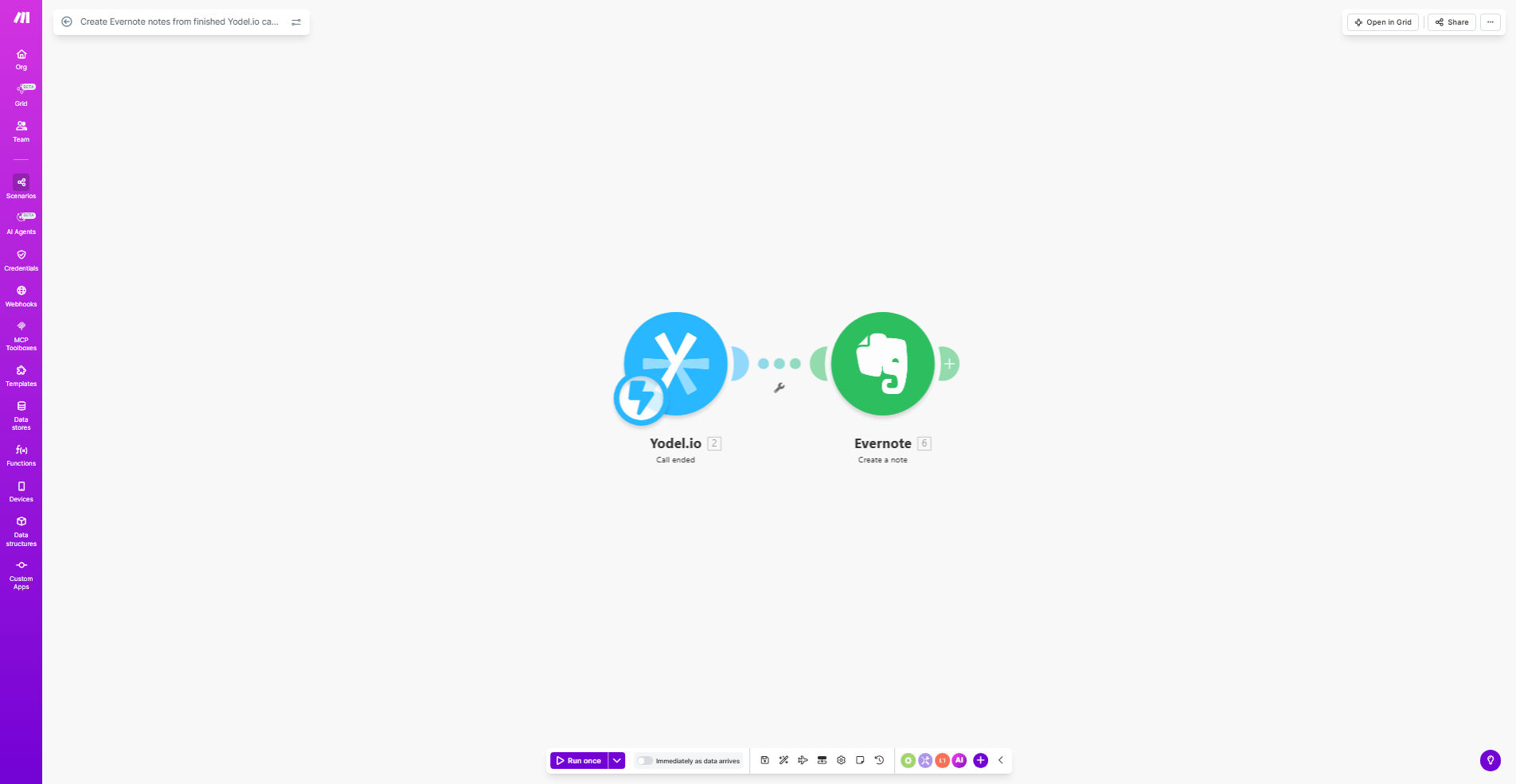
Automation workflow diagram showing Yodel.io calls being logged to Evernote

What This Workflow Does

This automation solves the common problem of losing valuable call details by automatically creating Evernote entries for every completed or missed call in Yodel.io. Instead of manually taking notes during calls or trying to remember details later, the workflow captures all relevant information the moment a call ends.

The system creates structured notes in your designated Evernote notebook containing caller information, call duration, timestamps, and any notes added during the call. This creates a searchable archive of all communications that integrates seamlessly with your existing note-taking workflow.

How It Works

1. Yodel.io triggers on call completion

The workflow activates whenever a call is marked as completed or missed in Yodel.io. The trigger captures all available call data including participants, duration, and timestamps.

2. Data is formatted for Evernote

Make.com processes the call information into a structured format optimized for Evernote. You can customize which fields are included and how they're presented in the final note.

3. Note is created in designated notebook

The workflow creates a new note in your specified Evernote notebook with all call details. Notes are tagged with relevant metadata for easy searching and organization.

Pro tip: Add custom tags based on call type (e.g., "inbound", "sales", "support") to create powerful search filters in Evernote.

Who This Is For

This automation is ideal for sales teams, customer support agents, consultants, and any professionals who rely on phone communications. It's particularly valuable for:

  • Remote teams needing shared call records
  • Businesses tracking customer interactions
  • Consultants billing by time who need accurate call logs
  • Any team using Evernote as their knowledge base

What You'll Need

  1. Active Yodel.io account with call logging enabled
  2. Evernote account with at least one notebook created
  3. Make.com account (free plan works for basic usage)
  4. API access enabled for both Yodel.io and Evernote

Quick Setup Guide

  1. Clone the template in your Make.com account
  2. Connect your Yodel.io and Evernote accounts
  3. Specify your target Evernote notebook
  4. Customize the note template if needed
  5. Test with a sample call and verify the note creation
  6. Activate the scenario for automatic processing

Key Benefits

Save 2-5 minutes per call by eliminating manual note-taking while ensuring more complete records than hurried post-call jottings.

Never lose call details with automatic logging of all completed and missed calls, including timestamps and participant information.

Improve team collaboration by having all call records in a shared Evernote notebook accessible to authorized team members.

Enhance customer service with instant access to complete call histories when handling follow-ups or escalations.

Create searchable archives using Evernote's powerful search to quickly find calls by date, participant, or custom tags.

Frequently Asked Questions

Common questions about call note automation between Yodel.io and Evernote

Automating call notes saves time and ensures no important details are lost. Manual note-taking after calls often leads to forgotten details or incomplete records. This workflow captures all call data automatically, creating organized Evernote entries with timestamps, participants, and call details.

For sales teams, this means never forgetting a prospect's request. For support teams, it provides complete context for follow-ups. The automation works consistently whether you're handling one call or dozens each day.

The workflow captures caller information, call duration, timestamps, and any notes added during the call. You can customize which fields are transferred to Evernote, including adding custom tags or categorizing notes by call type (inbound/outbound/missed).

Typical note structure includes: Call date/time, participants, duration, call direction, any notes or tags added in Yodel.io, and a direct link back to the call recording if available.

Having automatic call records in Evernote helps teams provide better follow-up and maintain context across interactions. Customer service reps can quickly reference previous calls without switching apps, leading to faster resolution times and more personalized service.

When customers call back, agents see their complete history including past issues and resolutions. This eliminates frustrating "start from scratch" experiences and demonstrates your team's attention to detail.

Yes, Evernote's sharing features let multiple team members access and collaborate on call notes. The automation ensures everyone sees the same complete information, eliminating version control issues with manually taken notes.

Teams can add comments, action items, or follow-up notes directly in Evernote. Managers can review call logs without interrupting employees to ask for summaries or reports.

The template is fully customizable - you can adjust the note structure, add custom fields, or change the notebook destination. Common modifications include adding company branding, standardizing note templates, or integrating with other tools.

For example, you might add: Department tags, priority indicators, next action steps, or links to related documents in your knowledge base. The Make.com interface makes these adjustments straightforward.

The workflow triggers for both completed and missed calls, ensuring you capture all incoming communication attempts. Missed call notes include the caller info and time, helping teams prioritize callbacks and track response times.

This creates accountability for following up on missed connections and provides data to analyze patterns in call volume and response times across your team.

Absolutely. GrowwStacks specializes in building tailored call logging systems that integrate with your existing tools. We can add features like sentiment analysis, action item extraction, or integration with your CRM beyond this basic template.

Our automation consultants will work with you to design a system that matches your specific workflow needs, whether you're a solo consultant or a large support team. Common enhancements include:

  • CRM synchronization
  • Custom reporting dashboards
  • Advanced tagging systems
  • Integration with task managers

Need a Custom Call Note Automation?

This free template is a starting point. Our team builds fully tailored automation systems for your specific business needs.