Make.com Call Recording Google Drive Automation Yodel.io

Automatically Save Yodel.io Call Recordings to Google Drive

Never lose important customer conversations - automatically backup every call recording to your secure Google Drive storage

Get This Workflow → Make.com · Free Template
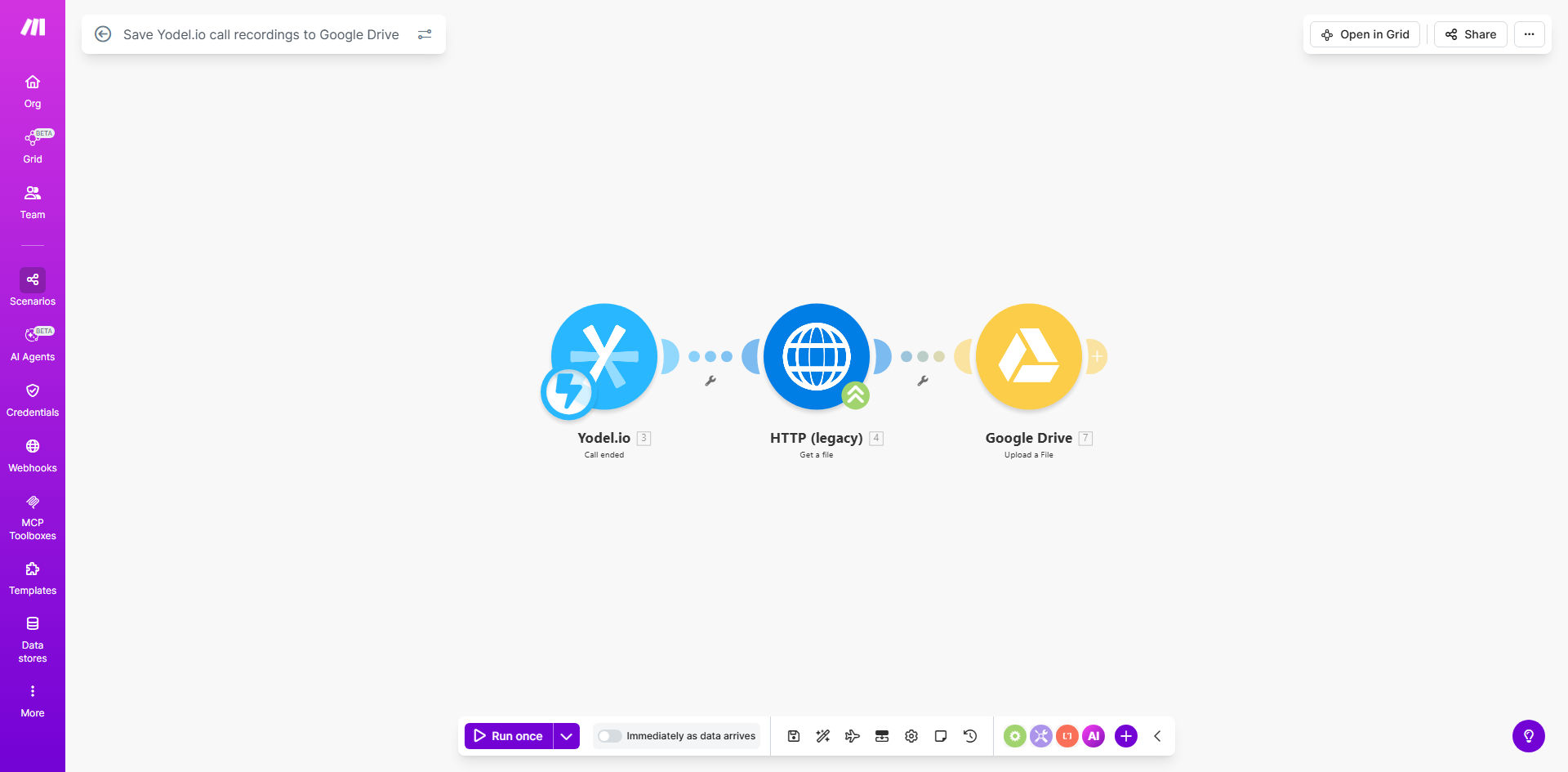
Make.com workflow diagram for saving Yodel.io call recordings to Google Drive

What This Workflow Does

This automation solves the common problem of lost or disorganized call recordings by automatically saving every Yodel.io recording to your Google Drive. Customer service teams, sales departments, and compliance officers often struggle with manually downloading and organizing call recordings - this workflow eliminates that tedious process.

Whenever Yodel.io generates a new call recording, Make.com instantly detects it and uploads the file to your specified Google Drive folder. The system maintains all recording metadata including timestamps, caller information, and duration while providing enterprise-grade backup security.

How It Works

1. Trigger on New Recording

The workflow monitors your Yodel.io account for new call recordings via webhook or API polling. As soon as a recording is available, the automation begins processing.

2. Retrieve Recording File

Make.com securely accesses the recording file from Yodel.io's servers using authenticated API calls, ensuring no recordings are missed even during high call volumes.

3. Upload to Google Drive

The system then transfers the recording file to your designated Google Drive folder, maintaining the original file format and adding relevant metadata to the filename.

Pro tip: Configure your Google Drive folder structure to automatically organize recordings by date, department, or agent for easier retrieval.

Who This Is For

This workflow is ideal for:

  • Customer support teams who need to review calls for quality assurance
  • Sales organizations that want to analyze deal-winning conversations
  • Compliance departments requiring secure archiving of regulated calls
  • Training managers building libraries of exemplary customer interactions
  • Small businesses wanting to preserve important client communications

What You'll Need

  1. A Yodel.io account with call recording enabled
  2. A Google Workspace or personal Google Drive account
  3. A Make.com account (free tier available)
  4. Approximately 15 minutes for setup

Quick Setup Guide

  1. Click "Get This Workflow" to copy the template to your Make.com account
  2. Connect your Yodel.io account in the Make.com interface
  3. Authenticate your Google Drive account and select destination folder
  4. Test with a sample recording to verify the connection
  5. Activate the workflow to begin automatic backups

Key Benefits

Never lose important calls - Automatic backups ensure every customer conversation is preserved even if accidentally deleted in Yodel.io.

Save 2-5 hours per week - Eliminate manual downloading and uploading of recordings that typically takes customer service teams hours each week.

Enhanced security - Google Drive provides enterprise-grade encryption and access controls beyond what's available in most call center platforms.

Better organization - Recordings are automatically filed with consistent naming conventions and folder structures.

Easy sharing - Securely share specific recordings with team members or external parties without giving full system access.

Frequently Asked Questions

Common questions about call recording backup automation

Backing up call recordings ensures you never lose important customer conversations, compliance documentation, or training materials. Cloud storage provides redundancy if Yodel.io has technical issues and makes recordings easier to organize and share with team members.

Many businesses have lost critical call evidence due to platform limitations or accidental deletions. Automated backups create an independent archive that follows retention policies regardless of what happens in your primary system.

Automation eliminates manual downloads and uploads, saving hours per month. It ensures every recording is backed up immediately, reducing risk of data loss from human error or forgetting to save important calls.

For a team handling 50 calls daily, manual backups would require about 2 hours of repetitive work each week. Automation frees staff for higher-value activities while providing more reliable protection.

Google Drive offers enterprise-grade security with encryption in transit and at rest. You control sharing permissions and can enable additional security measures like two-factor authentication for sensitive recordings.

For compliance-sensitive industries, you can implement additional protections:

  • Set expiration dates for shared links
  • Restrict downloads for specific files
  • Enable detailed access logging

Yes, the workflow can be customized to sort recordings by date, agent, department, or call type into designated Google Drive folders for better organization and retrieval.

For example, you could create a folder structure like: /Recordings/2023/Q3/Sales/[Agent Name]/ with recordings automatically filed based on call metadata. This makes finding specific conversations much faster than scrolling through one long list.

The workflow includes error handling to retry failed uploads and can notify your team via email or Slack if persistent issues occur, ensuring no recordings are missed.

Common temporary issues like network interruptions are automatically resolved through retry logic. For more serious problems, the system alerts your IT team so they can intervene before data is lost.

With this template, setup takes under 15 minutes. You just need to connect your Yodel.io and Google Drive accounts, select your destination folder, and activate the workflow.

The pre-built template handles all the complex API integration work, so you don't need technical expertise. Just follow the guided connection process in Make.com's visual interface.

Absolutely! Our team specializes in building tailored call recording systems with advanced features like transcription, sentiment analysis, and CRM integration beyond basic backup functionality.

We can create custom solutions that:

  • Automatically tag recordings by topic or outcome
  • Integrate with your CRM to attach calls to client records
  • Generate AI-powered call summaries and action items
  • Enforce compliance with automatic redaction of sensitive data

Need a Custom Call Recording Automation?

This free template is a starting point. Our team builds fully tailored automation systems for your specific business needs.