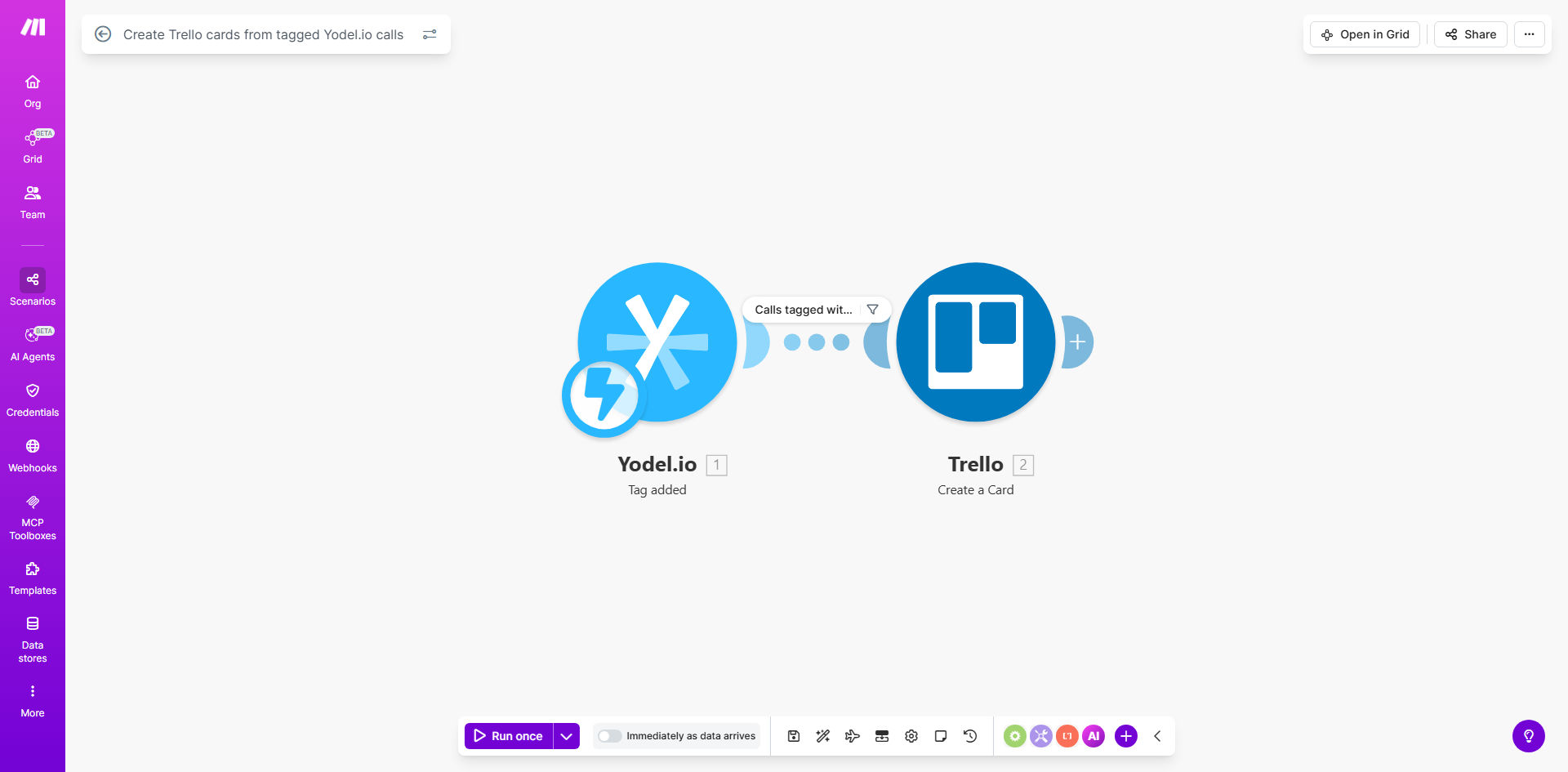
What This Workflow Does
This automation solves the common challenge of manually tracking customer support follow-ups by automatically converting tagged Yodel.io calls into organized Trello cards. Every time your team tags a call (like "Follow-up" or "Technical Issue"), the workflow instantly creates a corresponding card in your designated Trello board with all relevant call details.
Support teams often waste valuable time transcribing call notes into task management systems. This workflow eliminates that manual work while ensuring no important customer requests slip through the cracks. The integration maintains context by including call recordings, duration, and tags directly in the Trello card description.
How It Works
1. Trigger when a call is tagged
The workflow monitors your Yodel.io account for new tags added to calls. You can configure it to watch for specific tags or process all tagged calls.
2. Extract call details
Make retrieves key information from the call including customer name, phone number, call duration, recording URL, and the specific tag applied.
3. Create Trello card
The system automatically generates a Trello card in your specified board and list, populating the title with the call tag and description with all relevant details.
Pro tip: Configure your Trello board with lists that match your common call tags (like "Follow-ups", "Technical Issues") for perfect organization.
Who This Is For
This workflow is ideal for customer support teams, account managers, and sales teams who:
- Receive high volumes of customer calls through Yodel.io
- Need to track follow-up actions from calls
- Use Trello for task management and team collaboration
- Want to reduce manual data entry between systems
What You'll Need
- A Yodel.io account with call tagging enabled
- A Trello account with at least one board created
- A Make.com account (free plan sufficient)
- Admin access to connect both apps to Make
Quick Setup Guide
- Click "Get This Workflow" to copy the template to your Make.com account
- Connect your Yodel.io account in the first module
- Connect your Trello account in the Trello card creation module
- Specify which Trello board and list should receive the new cards
- Test by tagging a call in Yodel.io and verifying the card appears in Trello
- Adjust card formatting as needed for your team's preferences
Key Benefits
Reduce manual work by 80%: Eliminate the need to manually create Trello cards from call notes, saving each team member 30+ minutes daily.
Never miss follow-up: Automatically capture every tagged call as a trackable task, reducing dropped balls in customer support workflows.
Full call context: Trello cards include direct links to call recordings and timestamps so team members have all context they need.
Real-time collaboration: Team members can immediately see, assign, and comment on new support tasks without waiting for handoffs.
Customizable workflow: Easily adapt the template to route different boards, lists, or card formats based on your team's specific processes.