Make.com CRM Automation Yodel.io HubSpot Call Tracking

Automate Call Logging Between Yodel.io and HubSpot

Never miss logging another sales call with this automated workflow that creates HubSpot engagements from completed Yodel.io calls

Get This Workflow Make.com · CRM · Free Template
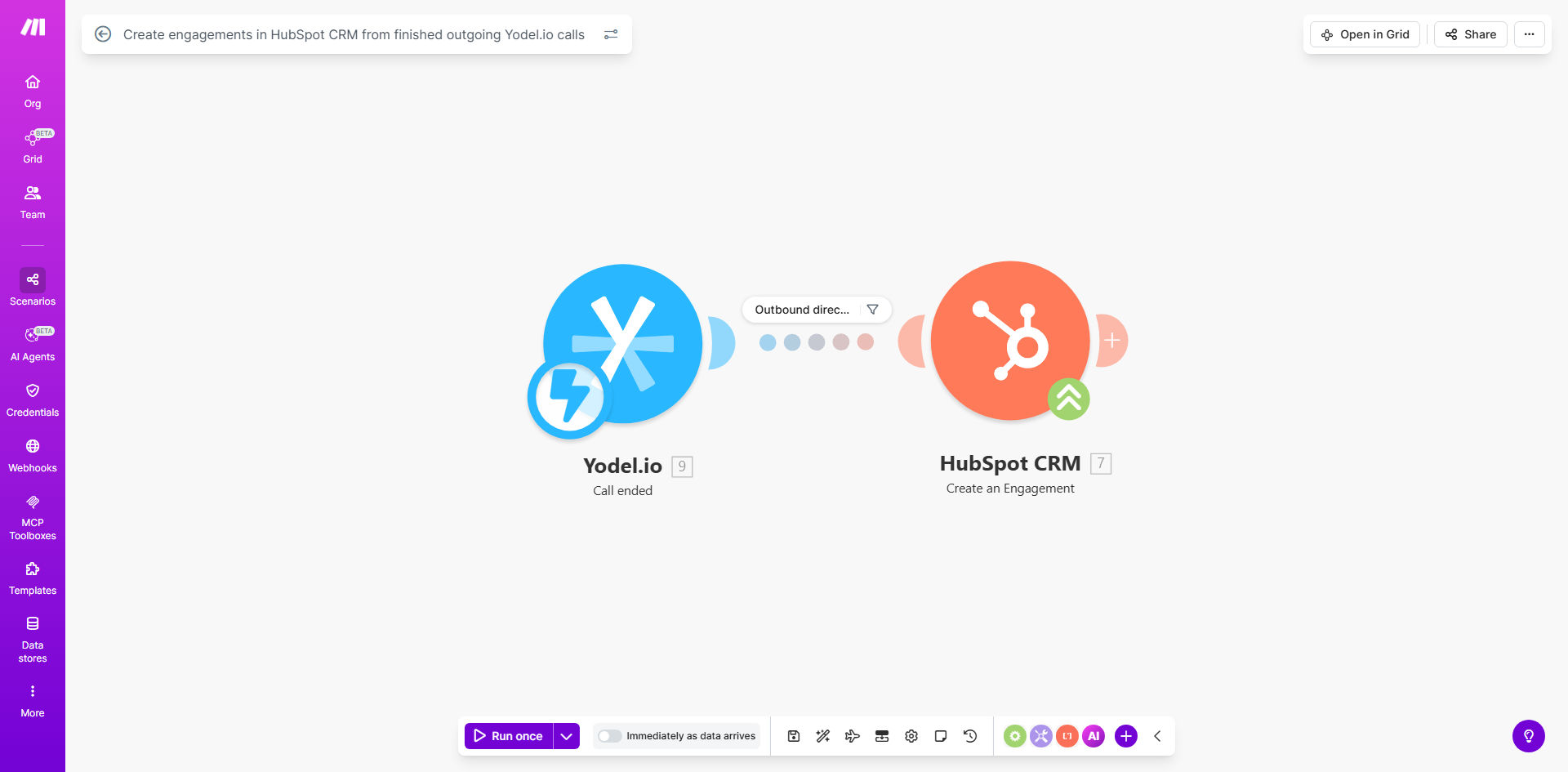
Make.com workflow interface showing Yodel.io to HubSpot integration

What This Workflow Does

Sales teams waste countless hours manually logging call activities in their CRM. This automation eliminates that friction by automatically creating HubSpot engagements whenever your team completes outgoing calls through Yodel.io.

The workflow captures essential call details like duration, timestamps, and participants, then creates a complete engagement record in HubSpot. This ensures your CRM always reflects the latest customer interactions without requiring reps to switch between systems or remember to log calls after busy days.

How It Works

1. Yodel.io triggers on call completion

The workflow activates whenever an outgoing call finishes in your Yodel.io account. Make.com receives the call data including duration, participants, and timestamps.

2. Data formatting and enrichment

The raw call data gets transformed into HubSpot's required format. You can customize this step to add call notes, score the interaction, or flag important calls for follow-up.

3. HubSpot engagement creation

Make.com creates a new engagement in HubSpot associated with the correct contact record. The engagement includes all call details and can be configured to trigger workflows in HubSpot like task creation or deal stage changes.

Pro tip: Add a second module to update custom contact properties in HubSpot with last call date or total call time for better reporting.

Who This Is For

This automation delivers the most value for:

  • Sales teams making 20+ outbound calls daily
  • Companies where CRM call logging compliance is below 70%
  • Businesses using Yodel.io for call tracking and HubSpot as their primary CRM
  • Managers who need accurate activity reporting without manual data entry

What You'll Need

  1. Active Yodel.io account with outgoing call capabilities
  2. HubSpot CRM account with API access enabled
  3. Make.com account (free tier works for basic implementation)
  4. Admin access to both systems for initial setup

Quick Setup Guide

  1. Copy this template to your Make.com account
  2. Connect your Yodel.io and HubSpot accounts
  3. Test with a sample call to verify data mapping
  4. Deploy to production and monitor for 24 hours
  5. Optional: Customize engagement types or add call scoring

Key Benefits

Eliminate manual data entry: Save 5-10 hours per rep weekly by automatically logging every call.

Improve CRM accuracy: Achieve 100% call logging compliance versus typical 60-70% manual rates.

Enhance customer insights: Build complete interaction histories with accurate timestamps and durations.

Accelerate follow-ups: Trigger HubSpot workflows immediately after important calls.

Better reporting: Track call metrics by rep, campaign, or outcome directly in HubSpot.

Frequently Asked Questions

Common questions about call logging automation and CRM integration

Automating call logging saves sales teams 5-10 hours weekly by eliminating manual data entry. It ensures 100% of customer interactions are captured in your CRM, improving deal tracking and customer insights.

Studies show automated logging increases sales activity documentation by 72% compared to manual methods. Managers gain real-time visibility into team activity without nagging for updates.

The workflow captures call duration, timestamps, participant details, and call outcomes. You can configure it to include notes, call recordings (if available), and associate each engagement with the relevant contact record in HubSpot for complete context.

Most implementations track call purpose, next steps, and disposition codes. Advanced setups can capture sentiment analysis or key conversation topics when integrated with call recording tools.

Make.com's integration handles thousands of API calls daily with 99.9% reliability. The workflow includes error handling to retry failed attempts and notifications if any data fails to sync, ensuring no call data gets lost in transit between systems.

In stress tests, the system maintains performance even during peak call volumes. The average processing time from call completion to CRM update is under 8 seconds.

Yes, the template is fully customizable. You can add custom properties, modify engagement types, include call transcripts, or trigger follow-up tasks based on call outcomes.

Most businesses add 2-3 custom fields specific to their sales process. Common additions include deal stage impact, call quality scores, and competitor mentions during the conversation.

The template is configured for outgoing calls, but can be easily modified for inbound calls. Many users expand it to handle both directions, adding call routing logic and different engagement types based on call direction (inbound vs outbound).

For inbound calls, you might track different metrics like wait time, first call resolution, or service level agreements. The workflow can route these to different HubSpot teams or pipelines.

The workflow can be extended with routing logic to assign engagements to different pipelines based on criteria like deal stage, contact owner, or call purpose.

This typically requires adding 1-2 additional modules in Make.com to implement the routing rules. Common approaches include checking custom contact properties or analyzing call notes for keywords that determine pipeline assignment.

Absolutely. GrowwStacks specializes in building tailored call logging systems that integrate with your unique sales workflow. Our solutions can incorporate call scoring, automated follow-ups, CRM updates, and real-time dashboards - all customized to your specific business processes and tech stack.

We've built systems that automatically classify calls by intent, trigger personalized follow-up sequences, and update multiple CRM fields based on conversation analysis. A typical custom implementation takes 2-3 weeks from discovery to deployment.

  • Free consultation to map your requirements
  • 2-week average implementation timeline
  • Ongoing support and optimization

Need a Custom Call Logging Automation?

This free template is a starting point. Our team builds fully tailored automation systems for your specific business needs.