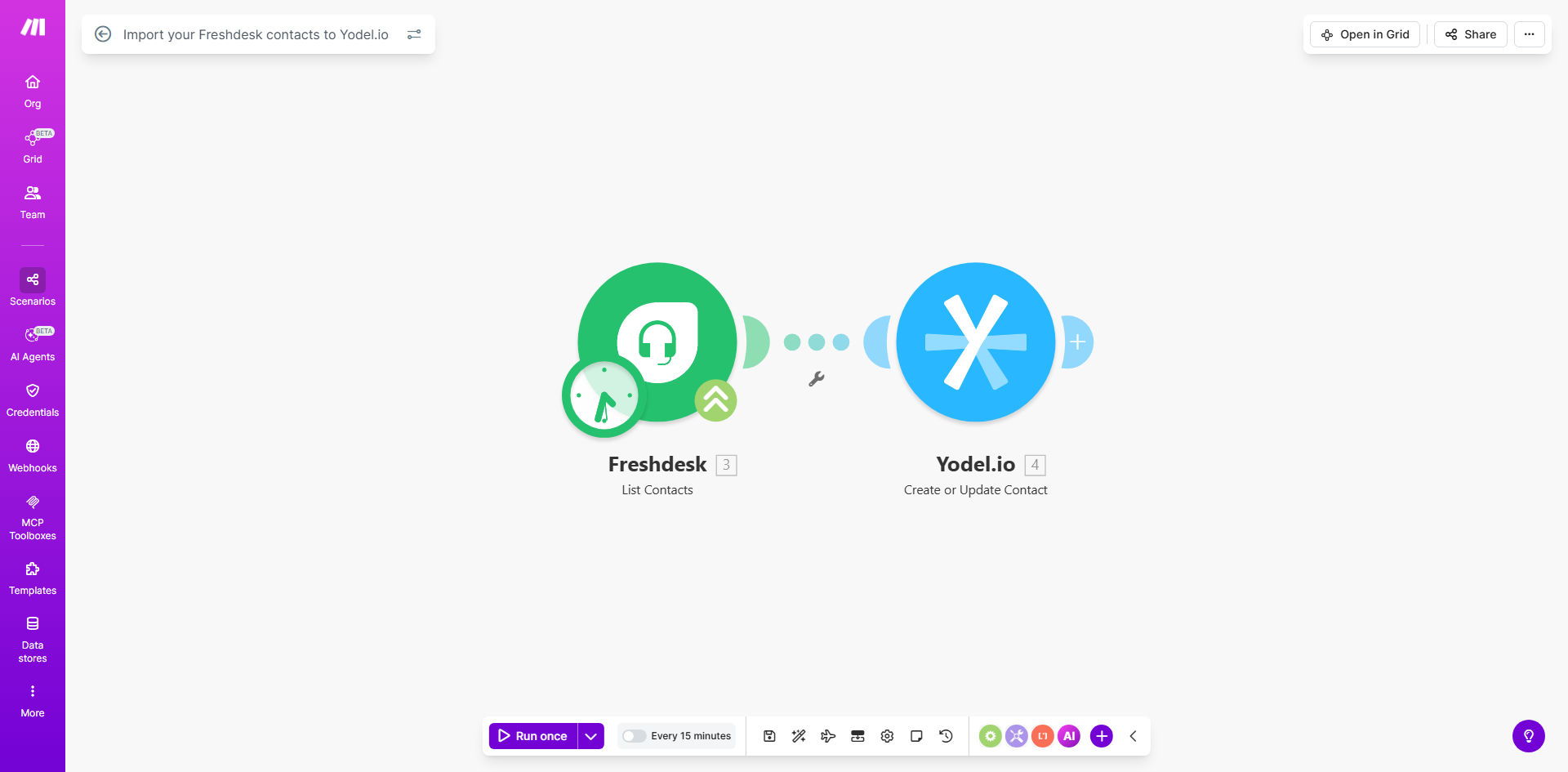
What This Workflow Does
This automation solves a common challenge for customer-facing teams: keeping contact information synchronized between your helpdesk (Freshdesk) and communication platform (Yodel.io). Manual data entry between these systems is time-consuming and prone to errors, leading to missed opportunities and inconsistent customer experiences.
The workflow automatically imports your Freshdesk contacts into Yodel.io, ensuring your sales and support teams always have access to up-to-date customer information. It handles field mapping, deduplication, and can be scheduled to run at regular intervals for continuous synchronization.
How It Works
1. Freshdesk Contact Retrieval
The workflow starts by fetching contacts from your Freshdesk account using the Freshdesk API. It can retrieve all contacts or filter based on specific criteria like contact tags, ticket status, or custom fields.
2. Data Transformation
Contact data is processed to match Yodel.io's expected format. This includes standardizing phone numbers, combining name fields, and mapping custom fields between the two systems.
3. Duplicate Checking
Before creating new contacts in Yodel.io, the workflow checks for existing entries using email addresses as unique identifiers. This prevents duplicate contacts from being created.
4. Yodel.io Contact Creation/Update
The workflow either creates new contacts in Yodel.io or updates existing ones with the latest information from Freshdesk. All changes are logged for audit purposes.
Pro tip: Schedule this workflow to run daily during off-peak hours to keep your contact lists synchronized without impacting system performance.
Who This Is For
This workflow is ideal for:
- Customer support teams using Freshdesk who need to communicate with customers via Yodel.io
- Sales teams who want access to support ticket contacts for follow-up opportunities
- Marketing teams needing unified customer profiles across communication channels
- Businesses scaling their operations who can't afford manual data entry errors
What You'll Need
- A Make.com account (free tier available)
- Admin access to your Freshdesk account
- Admin access to your Yodel.io account
- API keys for both platforms
- Basic understanding of field mapping between systems
Quick Setup Guide
- Click "Get This Workflow" to copy the template to your Make.com account
- Connect your Freshdesk account by entering your API key
- Connect your Yodel.io account with its API credentials
- Review and adjust the field mappings between systems
- Set your preferred schedule (daily recommended)
- Run a test with a small group of contacts
- Monitor the logs and adjust as needed
Key Benefits
Save 5+ hours per week by eliminating manual contact transfers between Freshdesk and Yodel.io. Your team can focus on customer interactions instead of data entry.
Reduce errors by 90% compared to manual processes. Automated field mapping ensures consistent data formatting across platforms.
Improve response times with always-updated contact information. Support agents have immediate access to current customer details in Yodel.io.
Enhance customer experience through unified communication. Sales and support teams reference the same contact records across platforms.
Scale your operations without adding administrative overhead. The workflow handles thousands of contacts as easily as dozens.