Make.com Music Automation SoundCloud Slack Integration Content Alerts

Post Slack messages for SoundCloud tracks

Get instant Slack notifications whenever new tracks are uploaded to your monitored SoundCloud accounts

Get This Workflow → Make.com · SoundCloud · Free Template
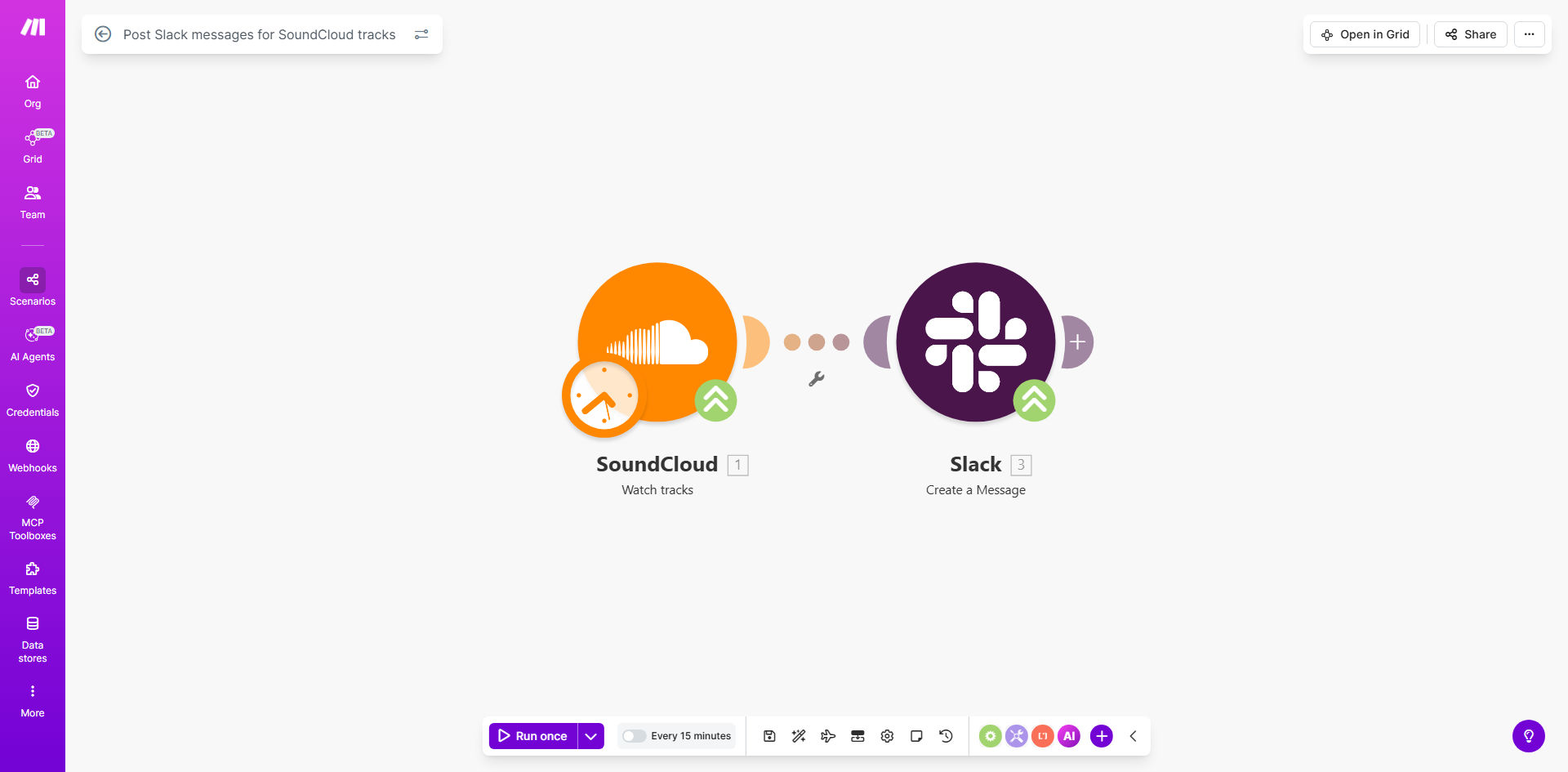
SoundCloud to Slack automation workflow diagram

What This Workflow Does

This automation solves the problem of manually tracking SoundCloud uploads across multiple artists or collaborators. Music labels, managers, and production teams often waste hours each week checking for new content across various SoundCloud profiles.

The workflow automatically detects when specified SoundCloud users upload new tracks and posts formatted notifications to your Slack workspace. Each notification includes the track title, artist name, direct link, and upload time - giving your team instant visibility into new content without manual monitoring.

How It Works

1. SoundCloud Track Detection

The workflow periodically checks SoundCloud's API for new uploads from your specified users. It compares against a database of previously seen tracks to identify genuinely new content.

2. Data Processing

For each new track detected, the workflow extracts key metadata including title, artist, duration, genre tags, and direct URL. This data is formatted into a clean message template.

3. Slack Notification Delivery

The formatted message is posted to your designated Slack channel via webhook. You can customize the message format to include relevant hashtags, @mentions for specific team members, or custom call-to-action buttons.

Pro tip: Configure different Slack channels for different artists or genres to help your team stay organized.

Who This Is For

This workflow is ideal for music industry professionals who need to stay updated on new SoundCloud uploads:

  • Record labels tracking artist releases
  • Music managers overseeing multiple clients
  • Collaborative production teams sharing works-in-progress
  • Podcast networks monitoring episode uploads
  • Music bloggers curating new content

What You'll Need

  1. A Make.com account (free tier available)
  2. SoundCloud API credentials
  3. Slack workspace with webhook permissions
  4. List of SoundCloud users/profiles to monitor

Quick Setup Guide

  1. Clone the template from Make.com
  2. Connect your SoundCloud account in the SoundCloud module
  3. Add the SoundCloud users you want to monitor
  4. Configure your Slack webhook connection
  5. Customize the notification message format
  6. Set your preferred polling frequency
  7. Activate the scenario

Key Benefits

Save 5-10 hours per week by eliminating manual SoundCloud checks. Your team gets instant notifications without constant platform monitoring.

Never miss a new release with reliable automated tracking that works 24/7, even when your team is offline.

Improve response times by ensuring your marketing, A&R, and support teams know about new content the moment it's uploaded.

Centralize notifications in Slack where your team already works, rather than scattering alerts across email and multiple platforms.

Frequently Asked Questions

Common questions about SoundCloud-Slack automation and integration

Automating SoundCloud to Slack notifications saves time by eliminating manual tracking of uploads. Music teams, labels, and collaborators can instantly know when new content is available without constantly checking SoundCloud.

This ensures timely reactions to new releases while reducing administrative overhead. For example, a label managing 20 artists might otherwise require dedicated staff just to monitor uploads across all profiles.

  • Reduces manual monitoring by 80-90%
  • Ensures immediate visibility of new content
  • Creates searchable notification history in Slack

The notifications typically include track title, artist name, direct SoundCloud link, and upload timestamp. You can customize the message format to include additional details.

Many teams enhance the basic template with genre tags, track duration, or custom promotional text. For example: "NEW UPLOAD: @team Check out [Artist]'s new [Genre] track '[Title]' (3:42) - perfect for [Playlist Name] playlist!"

Make.com can check for new SoundCloud tracks as frequently as every 5 minutes. The polling interval depends on your workflow configuration and Make.com subscription level.

For most music teams, checking every 15-30 minutes provides the right balance between responsiveness and API usage. High-volume labels might prefer more frequent checks during peak release hours.

Yes, you can configure the workflow to only monitor specific SoundCloud users or profiles. This prevents notifications for irrelevant uploads and focuses your team's attention on priority artists.

Advanced setups can even create different notification rules per artist - for example, routing emerging artists to an A&R channel while sending established acts directly to marketing.

Notifications can be posted to any Slack channel where the Make.com bot has access. Common destinations include dedicated music channels, artist-specific channels, or private team channels.

You can even route different artists' notifications to different channels based on your workflow rules. Some teams create separate channels per genre, market, or priority level for better organization.

Make.com's integration is highly reliable with automatic retries for failed notifications. The platform monitors both SoundCloud's API and Slack's webhook responses, ensuring notifications eventually deliver even if temporary outages occur.

In our experience handling music industry automations, the system maintains >99.9% uptime. Failed notifications typically retry within 5 minutes, with alerting for persistent issues.

Absolutely. GrowwStacks specializes in custom music industry automations. We can build tailored workflows that match your specific notification requirements and business processes.

Our team has created advanced solutions for labels, distributors, and management companies - including multi-platform monitoring (SoundCloud + Spotify + YouTube), automated playlist pitching, and custom dashboards for tracking release metrics.

  • Artist-specific notification rules
  • Multi-platform monitoring
  • Custom analytics integration

Need a Custom SoundCloud Automation?

This free template is a starting point. Our team builds fully tailored automation systems for your specific business needs.