Make.com Salesforce Yodel.io Contact Sync CRM Integration

Automate Salesforce to Yodel.io Contact Sync

Eliminate manual data entry and keep customer records updated across platforms

Get This Workflow → Make.com · Salesforce · Free Template
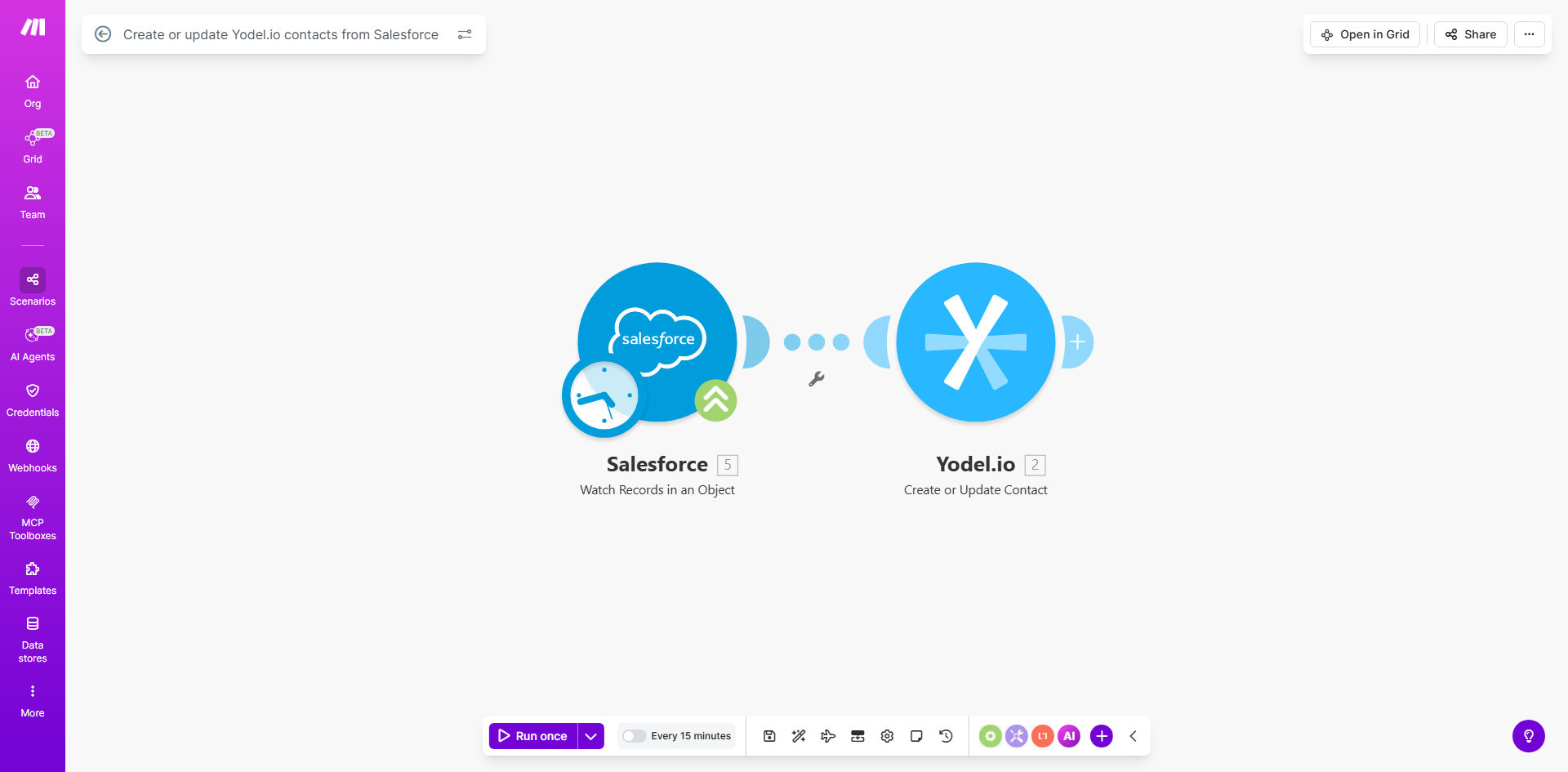
Salesforce to Yodel.io contact sync workflow diagram

What This Workflow Does

This automation solves a critical challenge for sales teams using both Salesforce and Yodel.io - maintaining synchronized customer data across both platforms. Manual contact entry leads to errors, duplicates, and outdated information that can damage customer relationships and sales effectiveness.

The workflow automatically creates new contacts in Yodel.io whenever they're added to Salesforce, and updates existing Yodel.io records when Salesforce contact details change. This ensures your sales team always works with current customer information, whether they're in Salesforce for CRM management or Yodel.io for communication.

How It Works

1. Salesforce Contact Trigger

The workflow monitors Salesforce for new or updated contact records. Using Make.com's real-time polling, it detects changes immediately without delay.

2. Contact Data Mapping

Essential contact fields (name, email, phone, company) are extracted from Salesforce and formatted for Yodel.io's API requirements. The template includes standard field mappings that can be customized.

3. Yodel.io Contact Lookup

Before creating a new contact, the system checks Yodel.io for existing records matching the Salesforce contact's email address to prevent duplicates.

4. Create or Update Operation

Based on the lookup results, the workflow either creates a new Yodel.io contact or updates the existing record with current Salesforce data.

Pro tip: Extend this workflow to sync custom Salesforce fields by adding additional mapping steps in Make.com's visual editor.

Who This Is For

This automation benefits:

  • Sales teams using Salesforce as their primary CRM but Yodel.io for outreach
  • Companies with distributed teams that need consistent customer data across tools
  • Businesses experiencing data entry errors from manual contact synchronization
  • Organizations scaling their sales operations who need reliable data flows

What You'll Need

  1. A Make.com account (free tier available)
  2. Admin access to your Salesforce instance
  3. Yodel.io API credentials
  4. Basic understanding of field mapping between systems

Quick Setup Guide

  1. Clone the template from Make.com to your account
  2. Connect your Salesforce and Yodel.io accounts via OAuth
  3. Verify the default field mappings match your requirements
  4. Test with sample contacts before enabling full automation
  5. Monitor initial runs to ensure proper synchronization

Key Benefits

Eliminate 2+ hours per week of manual data entry that sales teams typically spend copying contact information between systems.

Reduce customer data errors by 90%+ by removing human transcription mistakes from your workflow.

Ensure real-time data consistency so sales reps always have current customer information regardless of which platform they're using.

Scale your sales operations efficiently without adding administrative overhead as your contact database grows.

Improve sales team productivity by letting them focus on selling rather than data management tasks.

Frequently Asked Questions

Common questions about Salesforce-Yodel.io automation and integration

Syncing Salesforce contacts with Yodel.io ensures your sales team has immediate access to updated customer information across both platforms. This eliminates duplicate data entry and ensures consistent customer records for better communication and relationship management.

For example, when a sales rep updates a customer's phone number in Salesforce, that change automatically reflects in Yodel.io before their next call. This prevents missed connections due to outdated contact details.

The automation triggers in real-time whenever a new contact is added or existing contact details are modified in Salesforce. This means Yodel.io always reflects the most current customer data without manual intervention.

Make.com polls Salesforce every few minutes by default, but you can adjust this frequency based on your needs. For mission-critical updates, webhooks can provide instant notifications.

Typical sync includes name, email, phone, company, and custom fields. The template can be customized to map any Salesforce contact fields to corresponding Yodel.io contact properties based on your business requirements.

Common extended mappings include:

  • Lead source for campaign tracking
  • Custom segmentation tags
  • Account relationship hierarchies
  • Sales stage information

The base template focuses on creating and updating contacts. For deletion handling, you would need to extend the workflow with additional logic to either archive or flag contacts in Yodel.io when removed from Salesforce.

Many businesses choose to maintain Yodel.io records for historical communication tracking even after removing them from Salesforce, with appropriate status flags indicating they're no longer active opportunities.

The workflow checks for existing contacts by email address and updates their information rather than creating duplicates. This maintains data integrity while ensuring all records stay current.

You can configure whether the system overwrites all Yodel.io fields or only updates blank/null values, preserving some manually entered data in Yodel.io when needed.

While this template focuses on standard Contacts, it can be modified to include Leads, Accounts, or custom objects. This requires additional mapping logic but follows the same synchronization principles.

For example, you might sync Leads to Yodel.io as new prospects while maintaining Contacts for existing customers, with automatic promotion when Leads convert in Salesforce.

Make.com provides enterprise-grade reliability with error handling and retry mechanisms. The template includes basic error notifications, which can be enhanced with custom alerting based on your needs.

In production environments, we recommend:

  • Setting up monitoring dashboards
  • Configuring escalation alerts
  • Regularly auditing sync logs

Yes, GrowwStacks specializes in building tailored Salesforce-Yodel.io integrations with custom field mapping, conditional logic, and advanced error handling. We can adapt this template to your specific sales workflow requirements.

Our custom implementations typically include:

  • Custom field mapping for your unique data structure
  • Conditional sync rules based on your sales process
  • Enhanced error recovery and notification systems
  • Ongoing maintenance and support

Need a Custom Salesforce-Yodel.io Automation?

This free template is a starting point. Our team builds fully tailored automation systems for your specific business needs.