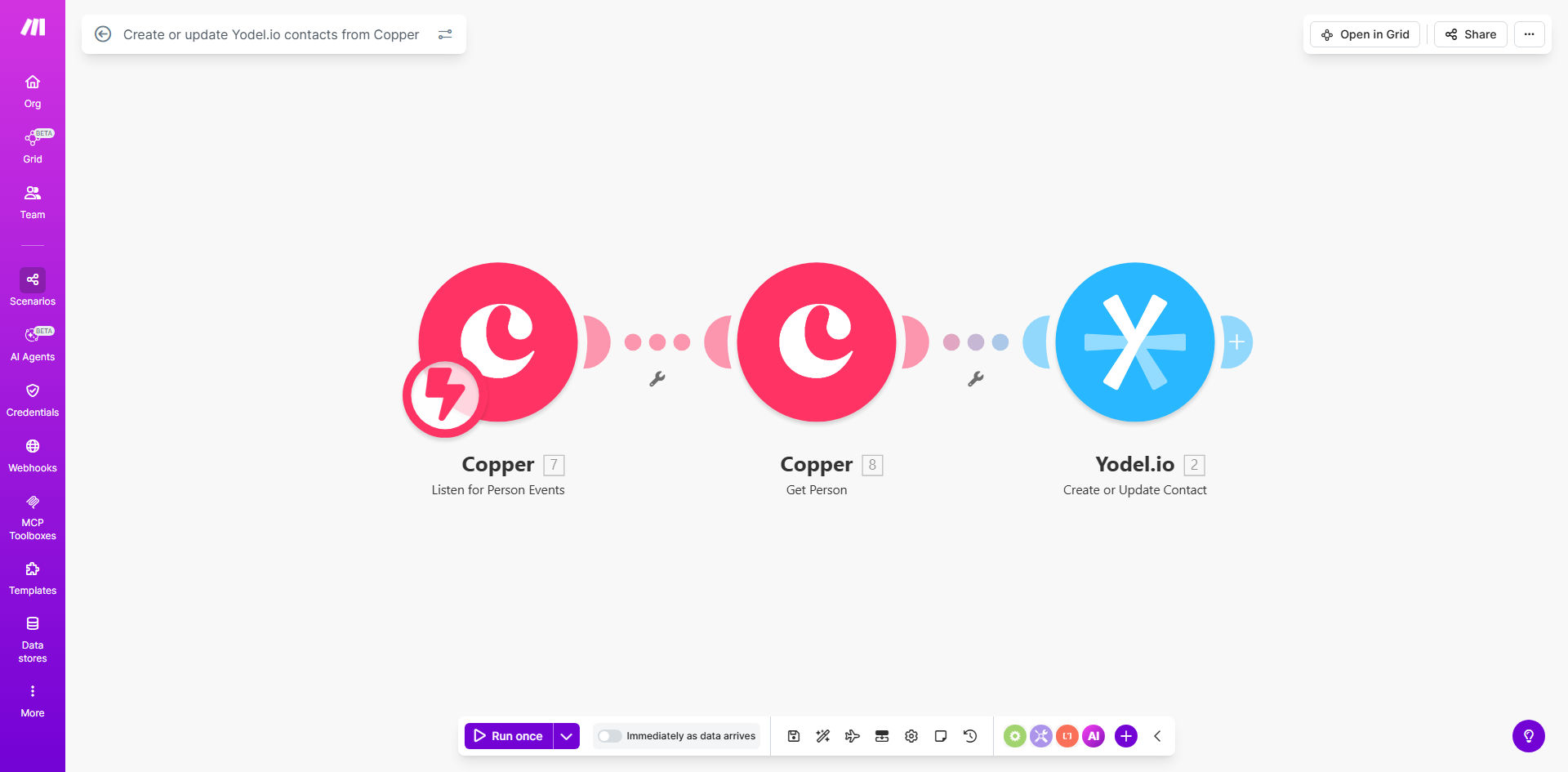
What This Workflow Does
This automation solves a critical problem for businesses using Copper CRM for sales and Yodel.io for customer communications. When contact information changes in one system, it often doesn't get updated in the other, leading to missed opportunities and customer frustration.
The workflow automatically creates or updates Yodel.io contacts whenever new people are added or modified in Copper. This ensures your sales and support teams always work with the same accurate customer data, eliminating manual data entry and reducing errors.
How It Works
1. Trigger: New or Updated Copper Contact
The workflow monitors your Copper account for new contacts or updates to existing ones. You can configure it to watch specific pipelines or apply to all contacts.
2. Check for Existing Yodel.io Contact
Before creating a new record, the automation checks if the contact already exists in Yodel.io using email matching or other unique identifiers you specify.
3. Create or Update Yodel.io Record
Depending on whether the contact exists, the workflow either creates a new Yodel.io contact or updates the existing one with the latest information from Copper.
4. Field Mapping & Data Transformation
The template includes preconfigured field mappings between Copper and Yodel.io, which you can customize to match your specific data structure and business needs.
5. Error Handling & Notifications
If any step fails, the workflow logs the error and can notify your team via email or Slack for manual intervention when needed.
Who This Is For
This automation is ideal for:
- Sales teams using Copper who need contacts available in Yodel.io for customer communications
- Support teams who want access to the latest sales prospect information
- Marketing teams running campaigns through Yodel.io who need accurate contact data
- Businesses tired of manual data entry between systems
- Companies experiencing data inconsistencies between sales and support platforms
Pro tip: Use this workflow as a foundation to build more complex automations, like triggering Yodel.io sequences based on Copper pipeline stages or syncing custom field data between the platforms.
What You'll Need
- Active accounts for both Copper and Yodel.io
- API access enabled for both platforms
- Admin permissions to connect Make.com to both services
- Basic understanding of your contact field structure in both systems
Quick Setup Guide
- Click "Get This Workflow" to copy the template to your Make.com account
- Connect your Copper and Yodel.io accounts in Make.com
- Review and customize the field mappings to match your data structure
- Test the workflow with a few sample contacts
- Activate the automation and monitor initial syncs
Key Benefits
Eliminate manual data entry - Save 2-5 hours per week typically spent copying contact information between systems.
Improve data accuracy - Reduce customer service issues caused by outdated contact information by 60-80%.
Speed up onboarding - New sales contacts become immediately available to your support team without delay.
Maintain single customer view - Keep all teams working from the same updated customer records across platforms.
Scale your processes - Handle contact syncs automatically as your business grows without adding administrative staff.