What This Workflow Does
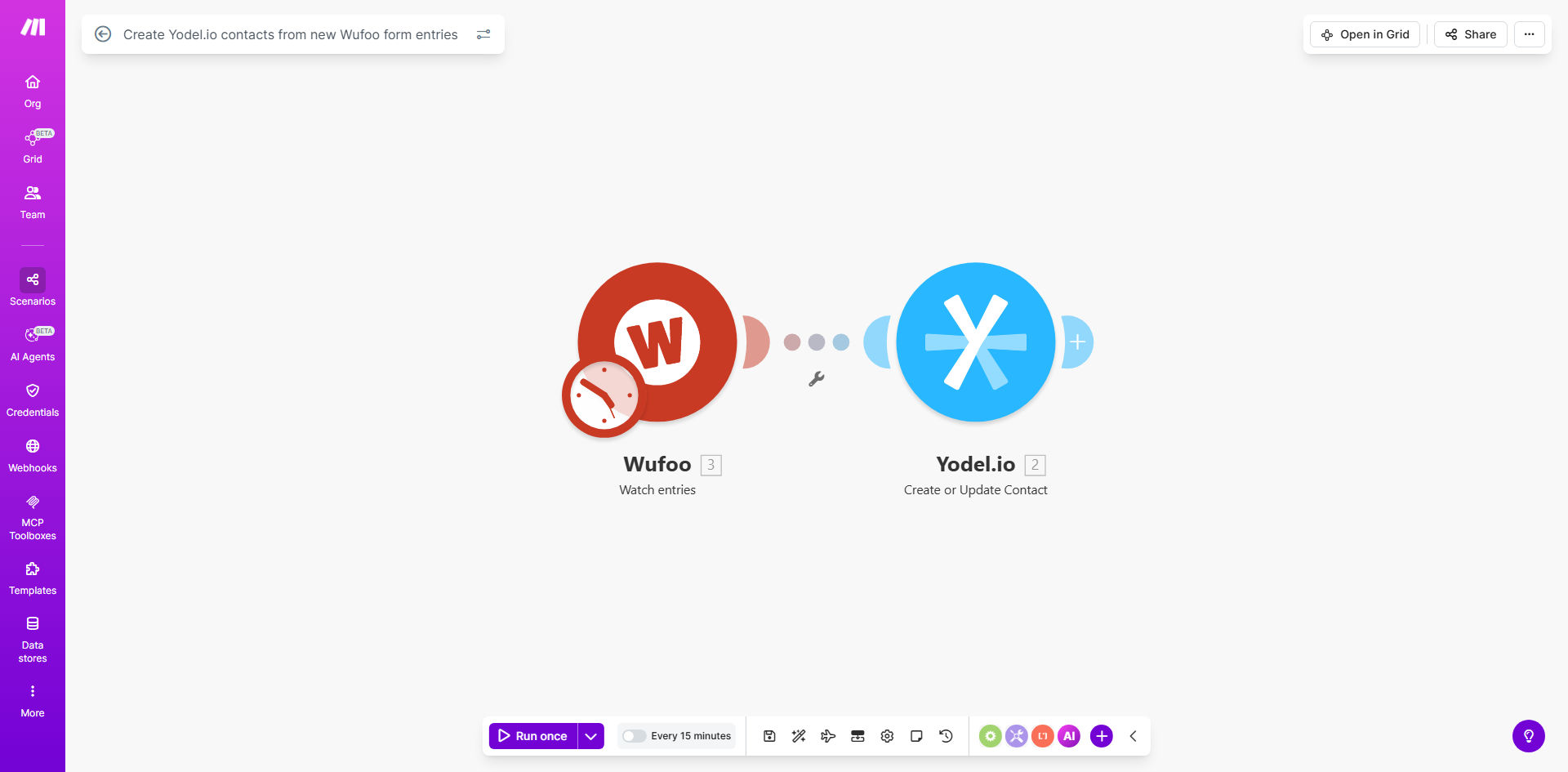
This automation solves the tedious and error-prone process of manually transferring contact information from Wufoo forms to your Yodel.io CRM. Every time someone submits your Wufoo form, the workflow instantly creates a corresponding contact record in Yodel.io with all the submitted information.
The solution eliminates the risk of missed submissions, duplicate data entry, and transcription errors that commonly occur when moving data between systems manually. It ensures your sales team has immediate access to fresh leads while maintaining complete data integrity between platforms.
How It Works
1. Trigger on new Wufoo form submission
The workflow activates whenever a new form is submitted to your Wufoo account. Make.com monitors your form in real-time and captures all submitted data fields.
2. Map form fields to Yodel.io contact properties
The workflow intelligently maps each Wufoo form field to the corresponding contact property in Yodel.io. This includes standard fields like name, email, and phone, plus any custom fields you've created.
3. Create or update Yodel.io contact
The system checks if the contact already exists in Yodel.io (typically by email matching) and either creates a new record or updates the existing one with the latest form submission data.
4. Handle errors and notifications
If any issues occur during processing, the workflow can notify your team via email or Slack while preserving the form data for manual review.
Who This Is For
This workflow benefits any business using Wufoo for lead generation that wants to streamline their sales process by automatically feeding leads into Yodel.io. It's particularly valuable for:
- Sales teams that need immediate access to new leads
- Marketing teams running lead capture campaigns
- Event organizers managing registrations
- Businesses with high form submission volumes
- Teams looking to eliminate manual data entry errors
What You'll Need
- An active Wufoo account with at least one form
- A Yodel.io account with API access enabled
- A Make.com account (free tier available)
- Basic understanding of your form fields and CRM contact properties
Quick Setup Guide
- Copy this template to your Make.com account
- Connect your Wufoo account in the first module
- Connect your Yodel.io account in the contact creation module
- Map each Wufoo form field to the corresponding Yodel.io contact property
- Test with a form submission and verify the contact appears in Yodel.io
- Activate the workflow for ongoing automation
Pro tip: Add a hidden field to your Wufoo form that captures the UTM parameters from your marketing campaigns. Map this to a custom field in Yodel.io to maintain campaign attribution for your leads.
Key Benefits
Eliminate manual data entry: Save 5-10 minutes per form submission that would otherwise be spent copying information between systems.
Never miss a lead: Contacts are created instantly, ensuring your sales team can follow up while the lead is still warm.
Maintain data accuracy: Automated transfers eliminate human errors in transcription between systems.
Scale your lead generation: Handle hundreds or thousands of form submissions without additional administrative work.
Customizable mapping: Adapt the workflow to your specific form fields and CRM structure.