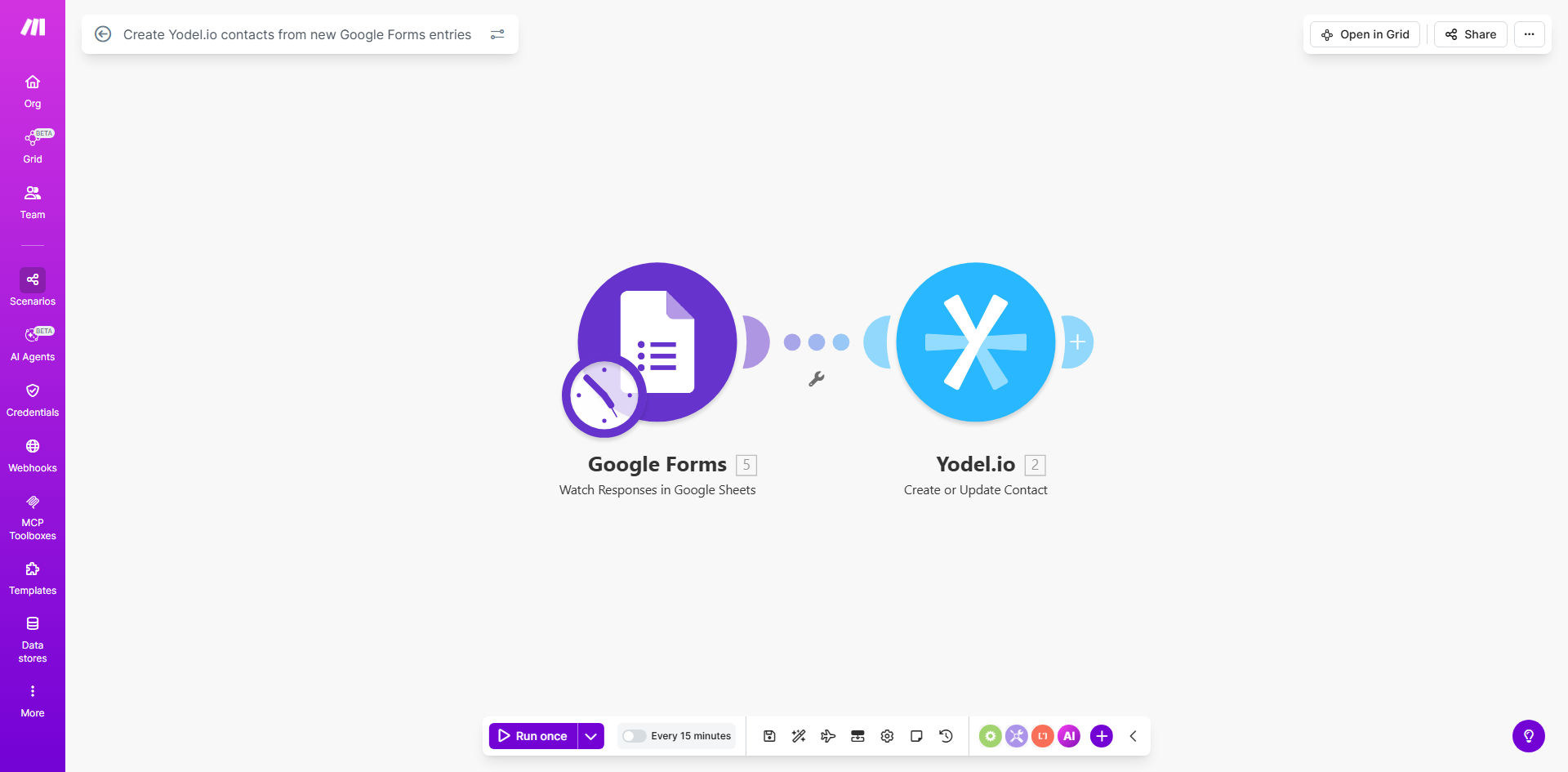
What This Workflow Does
This automation solves the common problem of manually transferring contact information from Google Forms submissions to your CRM. Every time someone fills out your form, their responses automatically create a new contact in Yodel.io with all relevant fields properly mapped.
The workflow eliminates hours of tedious data entry while ensuring your CRM stays perfectly synchronized with all new leads, event registrations, or customer feedback submissions. It handles field mapping, data formatting, and error checking automatically.
How It Works
1. Trigger on new form submission
The workflow activates whenever someone submits your Google Form. Make.com instantly receives the response data including all field values.
2. Process and format the data
The system parses the form responses, extracts key information like name, email, and phone number, and formats it according to Yodel.io's contact requirements.
3. Create Yodel.io contact
Make.com connects to your Yodel.io account via API and creates a new contact record with all the mapped form data. Custom fields and tags can be automatically applied based on form responses.
4. Error handling and logging
The workflow includes validation to ensure data quality and can notify your team if any submissions fail to process correctly.
Who This Is For
This automation is ideal for:
- Sales teams capturing leads through web forms
- Event organizers managing attendee registrations
- Customer support teams collecting feedback
- Marketing teams running surveys or promotions
- Any business using Google Forms that needs contacts in Yodel.io
What You'll Need
- A Google Forms form with responses you want to capture
- A Yodel.io account with API access enabled
- A Make.com account (free plan works)
- Basic understanding of your form fields and Yodel.io contact structure
Quick Setup Guide
- Install the template from Make.com
- Connect your Google Forms account
- Connect your Yodel.io account
- Map form fields to Yodel.io contact fields
- Test with sample form submissions
- Activate the workflow
Pro tip: Create a dedicated Google Form specifically designed to match your Yodel.io contact fields for the cleanest integration. Include required fields like email and name that match exactly between both systems.
Key Benefits
Save 5-10 hours per month by eliminating manual data entry between forms and your CRM. The automation handles all transfers instantly.
Reduce errors by 90%+ compared to manual copying and pasting. Automated field mapping ensures perfect data formatting every time.
Speed up lead response times from hours/days to seconds. Sales teams can follow up immediately after form submission.
Keep your CRM 100% updated without any forgotten or missed form submissions slipping through the cracks.
Scale your lead capture without adding administrative staff. The automation handles any volume of form submissions effortlessly.