Make.com Wufoo Pipefy Form Automation Workflow Management

Create Pipefy cards from new Wufoo form entries

Automatically convert form submissions into actionable Pipefy cards without manual data entry

Get This Workflow → Make.com · Wufoo · Free Template
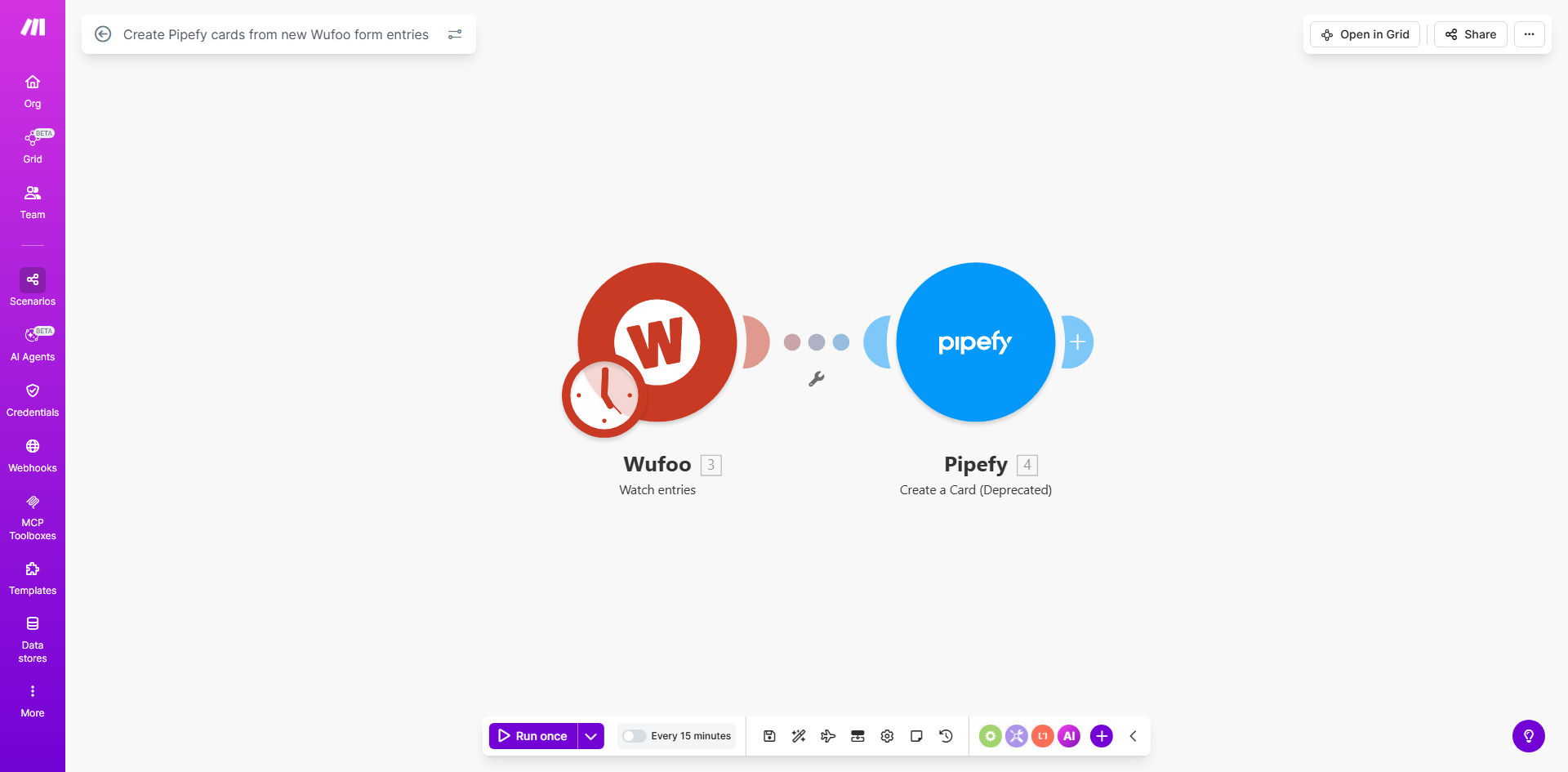
Make.com workflow diagram showing Wufoo to Pipefy integration

What This Workflow Does

This automation solves a common problem in business processes: the disconnect between form submissions and workflow management systems. When customers or leads submit information through Wufoo forms, that data often needs to be manually transferred into Pipefy cards to initiate workflows - a time-consuming and error-prone process.

The workflow automatically creates Pipefy cards whenever new Wufoo form entries are submitted, mapping all relevant form fields to corresponding card fields in Pipefy. This eliminates manual data entry, reduces processing delays, and ensures no submissions fall through the cracks.

How It Works

1. New Wufoo form submission trigger

The workflow monitors your Wufoo form for new submissions. Each time someone completes your form, Make.com instantly detects the new entry.

2. Data parsing and transformation

The workflow extracts all form field values and prepares them for Pipefy. You can configure field mappings, clean data formats, and add conditional logic at this stage.

3. Pipefy card creation

The processed form data is used to create a new card in your specified Pipefy pipe. All mapped fields are populated automatically, and you can set default values for any required Pipefy fields not captured in the form.

Pro tip: Add a delay step before card creation if you need time to review submissions. You can also configure the workflow to only create cards for form entries that meet specific criteria.

Who This Is For

This workflow is ideal for:

  • Sales teams capturing leads through Wufoo forms
  • HR departments processing job applications
  • Customer support teams handling service requests
  • Operations teams managing intake processes
  • Any business using Wufoo forms that initiate Pipefy workflows

What You'll Need

  1. A Wufoo form with submissions you want to track in Pipefy
  2. A Pipefy account with at least one pipe configured
  3. A Make.com account (free plan sufficient for testing)
  4. API access enabled for both Wufoo and Pipefy

Quick Setup Guide

  1. Copy this template to your Make.com account
  2. Connect your Wufoo account in the first module
  3. Select which form to monitor for new entries
  4. Connect your Pipefy account in the card creation module
  5. Map Wufoo form fields to Pipefy card fields
  6. Test with sample submissions and refine field mappings
  7. Activate the scenario to go live

Key Benefits

Eliminate manual data entry: Save 5-15 minutes per form submission by automating the transfer from Wufoo to Pipefy.

Reduce processing delays: Cards are created instantly rather than waiting for someone to manually process submissions.

Improve data accuracy: Automated field mapping prevents copy-paste errors common in manual processes.

Scale your operations: Handle increasing form volumes without adding staff to process submissions.

Better visibility: All submissions are tracked in Pipefy's workflow system from the start.

Frequently Asked Questions

Common questions about Wufoo-Pipefy automation and integration

Automating Wufoo to Pipefy eliminates manual data entry, reduces errors, and accelerates your customer onboarding or lead management process. Studies show automation can reduce form processing time by 80% while improving data accuracy by eliminating copy-paste mistakes between systems.

For example, a recruiting firm using this workflow reduced their application processing time from 2 days to 2 hours by automatically creating candidate cards in Pipefy as soon as applications were submitted through their Wufoo form.

  • Eliminates duplicate data entry
  • Reduces processing delays
  • Improves team productivity

This workflow works exceptionally well for lead capture forms, customer onboarding questionnaires, support requests, and any form that initiates a workflow in Pipefy. The more structured your Wufoo form fields, the easier it is to map data to Pipefy card fields.

Complex forms with conditional logic may require additional configuration to ensure all relevant data transfers correctly. Simple contact forms typically work "out of the box" with minimal setup.

While Pipefy offers basic form integrations, Make.com provides advanced transformation capabilities. You can clean data, add conditional logic, enrich submissions with external APIs, and route to different pipes based on form responses - capabilities beyond Pipefy's native features.

A marketing agency uses this workflow to automatically route high-value leads to their sales pipe while sending low-priority inquiries to a nurture sequence - something Pipefy's native forms can't do without manual intervention.

Yes, the workflow template is fully customizable. You can route submissions to different pipes based on form responses, add approval steps before card creation, or trigger additional actions in other apps like sending confirmation emails or creating CRM records.

Many businesses configure conditional routing - for example, sending customer support tickets to different pipes based on issue type or priority level indicated in the form responses.

Make.com includes automatic retry logic for API failures. Failed submissions are queued and retried according to your configured retry schedule. You'll also receive error notifications if cards fail to create after multiple attempts.

For mission-critical forms, you can configure backup workflows that store submissions in Google Sheets or another system if Pipefy is unavailable for extended periods.

For sensitive data, configure the workflow to only pass necessary fields to Pipefy. Make.com supports field-level encryption, and you can set Pipefy permissions so only authorized team members see sensitive card fields.

Healthcare providers often use this workflow for patient intake forms while maintaining HIPAA compliance by encrypting protected health information before it reaches Pipefy.

Absolutely. Our team at GrowwStacks specializes in building tailored automation solutions between Wufoo, Pipefy, and hundreds of other business apps. We can design workflows matching your exact business rules, data mapping requirements, and integration needs.

Custom solutions might include multi-step approval processes before card creation, integration with your CRM or billing system, or advanced data validation rules. We handle everything from initial consultation to implementation and ongoing support.

  • Custom field mapping
  • Conditional workflows
  • Multi-system integration

Need a Custom Wufoo-Pipefy Automation?

This free template is a starting point. Our team builds fully tailored automation systems for your specific business needs.