Make.com Cognito Forms Pipefy Form Automation Workflow Automation

Create Pipefy cards from new Cognito Forms entries

Automatically convert form submissions into actionable Pipefy cards without manual data entry

Get This Workflow → Make.com · Cognito Forms · Free Template
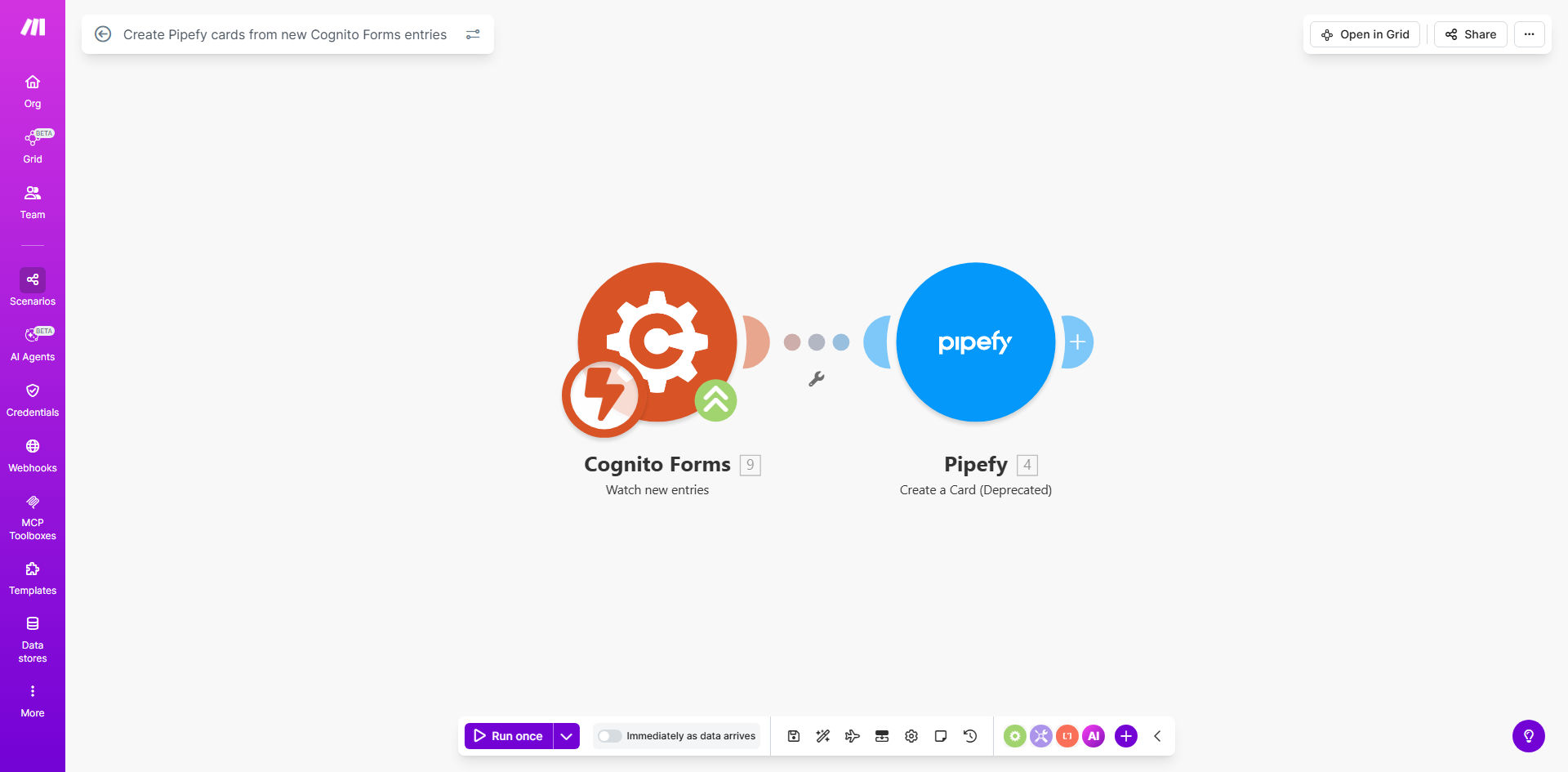
Make.com workflow diagram showing Cognito Forms to Pipefy integration

What This Workflow Does

This automation bridges the gap between form submissions and task management by instantly converting Cognito Forms entries into Pipefy cards. Every time someone completes your form, whether it's a customer inquiry, job application, or service request, the system automatically creates a corresponding card in your Pipefy pipeline.

The workflow eliminates the tedious manual process of copying form data into Pipefy, reducing administrative overhead while ensuring no submissions fall through the cracks. It maintains all the form field data within the Pipefy card, giving your team immediate access to complete information for follow-up actions.

How It Works

1. New form submission detection

The workflow continuously monitors your Cognito Forms account for new submissions. When detected, it captures all the form response data including custom fields.

2. Data processing and mapping

The system processes the form data, allowing you to map specific form fields to corresponding Pipefy card attributes. You can customize which information goes where in your Pipefy card structure.

3. Card creation in Pipefy

Using Pipefy's API, the workflow creates a new card in your specified pipeline and phase. All mapped data populates the card fields automatically, ready for your team to take action.

Pro tip: Use Pipefy's email notifications feature to automatically alert team members when new cards are created from form submissions.

Who This Is For

This automation benefits any business using Cognito Forms for data collection and Pipefy for workflow management. It's particularly valuable for:

  • HR teams processing job applications
  • Customer support teams handling inquiries
  • Sales teams managing lead capture forms
  • Operations teams processing service requests
  • Any team that needs to convert form data into actionable tasks

What You'll Need

  1. A Cognito Forms account with at least one form created
  2. A Pipefy account with appropriate pipeline access
  3. A Make.com account (free plan works for basic usage)
  4. API access enabled for both Cognito Forms and Pipefy

Quick Setup Guide

  1. Clone the template in your Make.com account
  2. Connect your Cognito Forms and Pipefy accounts
  3. Select the form and pipeline you want to connect
  4. Map form fields to Pipefy card attributes
  5. Test with a form submission and verify card creation
  6. Activate the scenario for continuous automation

Key Benefits

Eliminate manual data entry - Save 5-10 minutes per form submission by automating the transfer of information from Cognito Forms to Pipefy.

Reduce human error - Automated mapping ensures form data appears correctly in Pipefy cards every time, eliminating copy-paste mistakes.

Accelerate response times - Cards appear in Pipefy immediately after form submission, allowing your team to act faster on incoming requests.

Maintain data integrity - The original form submission data remains intact throughout the transfer process.

Scale your operations - Handle increasing form volumes without adding administrative staff.

Frequently Asked Questions

Common questions about Cognito Forms to Pipefy automation and integration

Connecting Cognito Forms to Pipefy eliminates manual data entry, reduces errors, and accelerates your workflow. When a form is submitted, the information automatically becomes a Pipefy card, ready for your team to process without copying and pasting information between systems.

This integration creates a seamless flow from customer interaction to internal task management. For example, a support request form can instantly become a support ticket card in your Pipefy workflow, with all the customer's details pre-populated.

This automation works best for lead capture forms, support requests, job applications, or any process where form submissions need to become actionable tasks in Pipefy. The more structured your form fields, the better the mapping to Pipefy card fields.

Complex forms with conditional logic can also work well, as long as you map the relevant fields to appropriate card attributes in Pipefy. Simple contact forms may not benefit as much unless they trigger specific workflows in your Pipefy pipeline.

Make.com automations are highly reliable when properly configured. The system checks for new submissions every few minutes (configurable) and has error handling to retry failed attempts. You'll receive notifications if any submissions fail to process.

In production environments, we typically see 99.9% success rates for this type of integration. The template includes built-in error handling to catch and report any issues with API connections or data mapping.

Yes, you can map any Cognito Forms field to corresponding Pipefy card fields during setup. The template provides a flexible mapping system where you match form questions to Pipefy card attributes, including custom fields you've created.

For complex mappings, you can even transform data during the transfer. For example, combining first and last name fields into a single "Contact Name" field in Pipefy, or converting form selection options to Pipefy labels.

If you add or remove fields from your Cognito Form, you'll need to update the automation mapping in Make.com. The template makes this straightforward - you can edit field mappings without rebuilding the entire workflow.

Minor changes like field label updates typically don't require mapping adjustments. However, adding new fields that should appear in Pipefy cards will need corresponding additions to your mapping configuration.

Make.com offers more advanced logic and customization than Zapier for this integration. You can add conditional workflows, data transformations, and error handling that Zapier's simpler interface doesn't support, all while maintaining similar ease of setup.

Make.com also provides better visibility into the automation process with detailed execution logs. For businesses processing high volumes of forms or needing complex workflows, Make.com typically delivers better performance and flexibility.

Absolutely. The template serves as a foundation you can extend with notifications, database updates, or additional app connections. Common additions include sending Slack alerts when cards are created or updating a Google Sheet with submission data.

More advanced extensions might involve conditional routing based on form responses, automatic assignment to team members, or triggering secondary workflows in other systems. The modular nature of Make.com makes these enhancements straightforward.

Yes, GrowwStacks specializes in building custom automation solutions. Our team can create tailored workflows that match your exact business processes, integrate with your other tools, and include advanced features like conditional logic and error handling.

We'll analyze your specific Cognito Forms and Pipefy setup, then design an automation that fits seamlessly into your operations. Our solutions typically include:

  • Custom field mapping configurations
  • Error handling and notifications
  • Performance optimization for high-volume forms

Need a Custom Cognito Forms to Pipefy Automation?

This free template is a starting point. Our team builds fully tailored automation systems for your specific business needs.