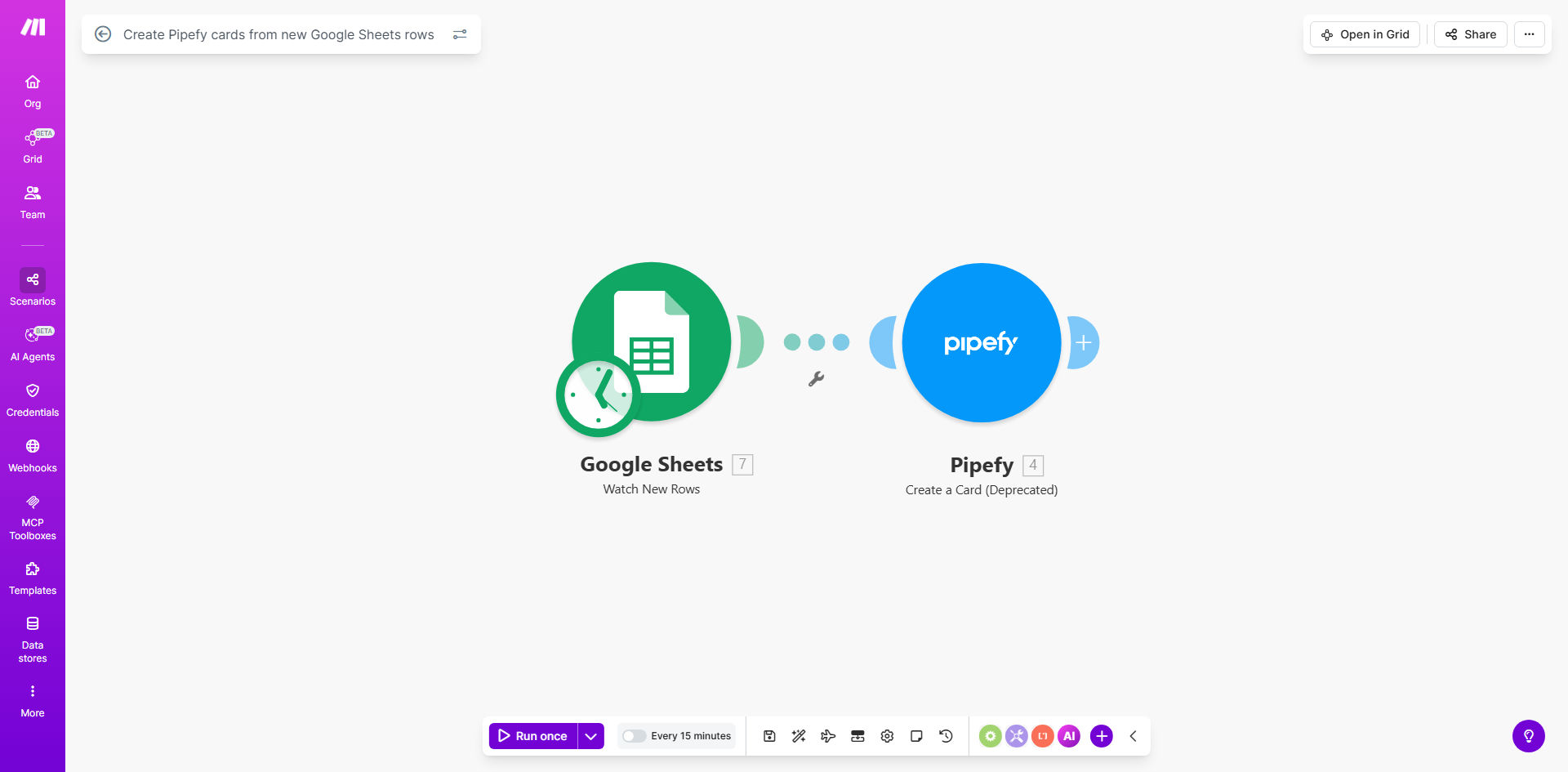
What This Workflow Does
This automation solves the common challenge of manually transferring information between spreadsheets and workflow management systems. When teams collect requests, tasks, or project details in Google Sheets, they typically need to recreate this data in Pipefy to manage the workflow. This process is time-consuming and prone to human error.
The workflow automatically detects new rows added to your Google Sheet and creates corresponding cards in Pipefy with all the relevant information. This ensures your workflow management system stays perfectly synchronized with your data collection spreadsheet without any manual intervention.
How It Works
1. New row detection
The scenario monitors your specified Google Sheet for new row additions. You can configure it to watch specific columns or the entire sheet.
2. Data mapping
Each column in your spreadsheet row is mapped to corresponding fields in your Pipefy card template. The automation preserves all your data relationships and formatting.
3. Card creation
The workflow creates a new Pipefy card in your designated board and phase, populating all fields with data from the spreadsheet row.
4. Error handling
If any issues occur during the transfer, the scenario can notify administrators or retry the operation according to your configuration.
Who This Is For
This automation is ideal for:
- Operations teams managing intake processes
- HR departments handling employee requests
- Product teams collecting feature ideas
- Customer support teams tracking issues
- Marketing teams managing campaign requests
Any team that currently uses Google Sheets for data collection but needs Pipefy's workflow management capabilities will benefit from this integration.
What You'll Need
- A Google Sheets spreadsheet with your data structure defined
- A Pipefy account with appropriate board and card templates set up
- A Make.com account (free plan sufficient for basic usage)
- Editor access to both your Google Sheet and Pipefy board
Quick Setup Guide
- Connect your Google Sheets account in Make.com
- Connect your Pipefy account in Make.com
- Select your source spreadsheet and worksheet
- Choose your target Pipefy board and phase
- Map spreadsheet columns to Pipefy card fields
- Test with sample data to verify the mapping
- Activate the scenario for automatic processing
Pro tip: Create a dedicated "Automation Log" column in your spreadsheet to track which rows have been processed and when. This helps with troubleshooting and auditing.
Key Benefits
Eliminates manual data entry: Save 15-30 minutes per day by removing the need to copy information between systems.
Reduces errors: Automated transfers ensure 100% accuracy in data migration between platforms.
Accelerates workflow: New requests become actionable Pipefy cards instantly rather than waiting for manual processing.
Improves visibility: All requests are properly tracked in your workflow system rather than getting lost in spreadsheets.
Scalable solution: Handles any volume of requests without additional staff time.