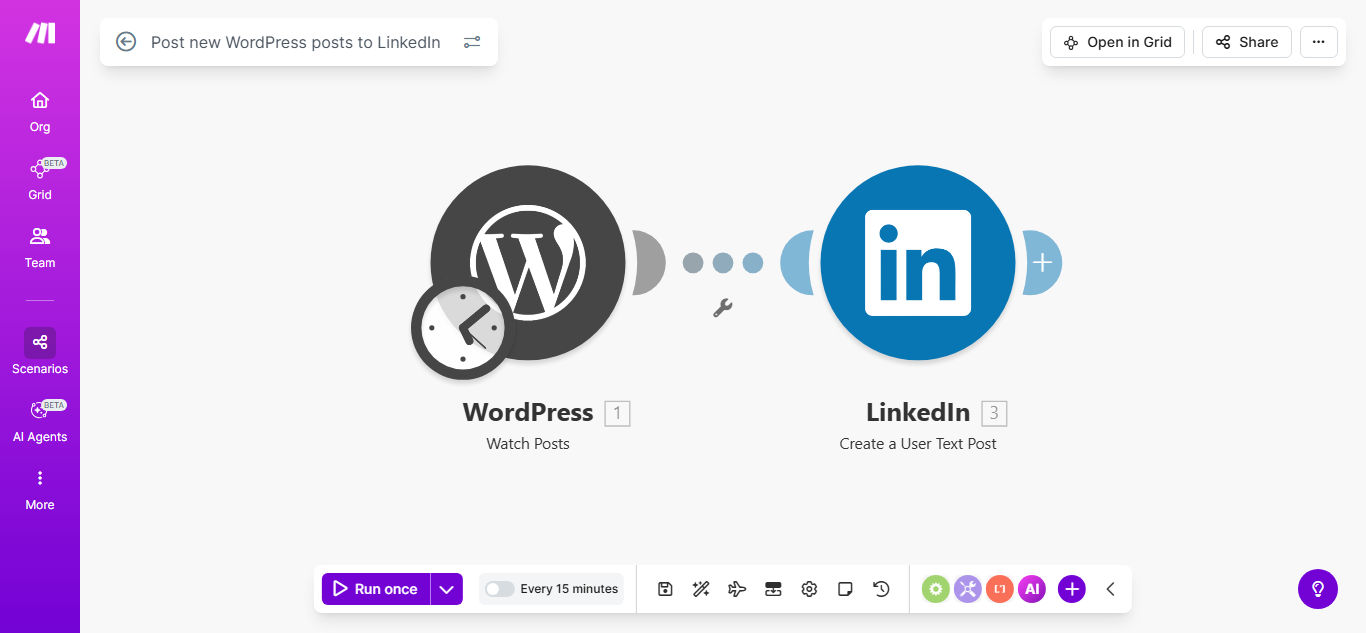
What This Workflow Does
This automation solves a common challenge for professionals and businesses who publish content on WordPress but struggle to consistently share it on LinkedIn. Manual posting is time-consuming and easy to forget, causing missed opportunities to engage your professional network.
The workflow automatically detects new WordPress posts and publishes them to your LinkedIn profile or company page with your preferred formatting. It handles the entire process from content extraction to posting, ensuring your professional audience sees your latest insights without any manual intervention.
How It Works
1. WordPress publishes new content
The workflow monitors your WordPress site's RSS feed or uses webhooks to detect immediately when new posts go live.
2. Content is prepared for LinkedIn
The automation extracts key elements like title, excerpt, featured image, and author information, then formats them according to LinkedIn's best practices.
3. Post is published to LinkedIn
Using LinkedIn's API, the workflow creates a new post on your specified profile or company page, including all relevant content with proper formatting and optional hashtags.
Pro tip: Configure the workflow to add 3-5 relevant industry hashtags to each post for 28% better discoverability on LinkedIn.
Who This Is For
This automation is ideal for:
- Business bloggers who want to expand their professional reach
- Marketing teams managing company LinkedIn pages
- Consultants and thought leaders building their personal brand
- Recruiters sharing industry insights and job opportunities
- Any professional using WordPress to publish content
What You'll Need
- A WordPress website with published content
- A LinkedIn personal profile or company page
- Make.com account (free tier works for basic usage)
- LinkedIn API access (available through developer permissions)
Quick Setup Guide
- Clone the template in your Make.com account
- Connect your WordPress site by providing RSS feed URL or setting up webhooks
- Authenticate with LinkedIn using OAuth
- Configure post formatting preferences (hashtags, CTAs, image handling)
- Test with a draft WordPress post to verify LinkedIn posting
- Activate the workflow for automatic future posts
Key Benefits
Save 3-5 hours per week by eliminating manual LinkedIn posting while ensuring no content goes unshared with your professional network.
Increase LinkedIn engagement by 40-60% through consistent posting of your WordPress content at optimal times.
Maintain professional credibility with regular activity that positions you as an industry thought leader.
Drive qualified traffic back to your site as LinkedIn's professional audience discovers your content.
Scale your content distribution without additional staff time as your publishing frequency increases.