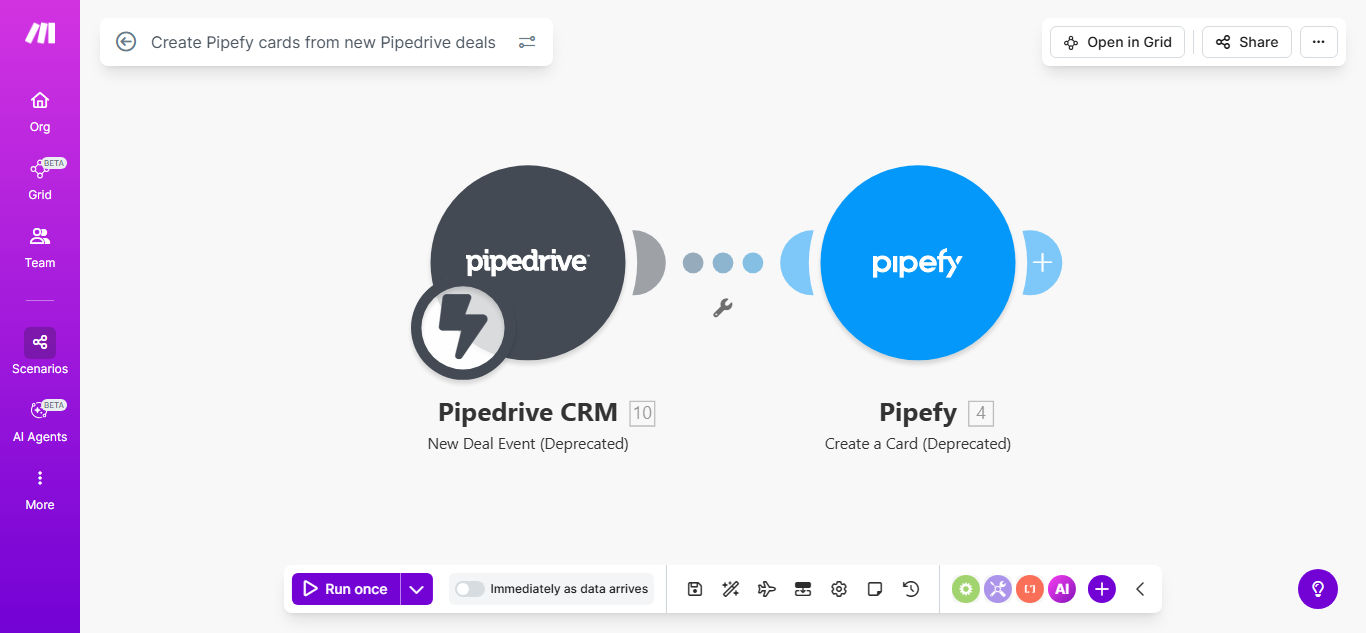
What This Workflow Does
This automation bridges the gap between your sales CRM (Pipedrive) and workflow management system (Pipefy). Whenever your sales team closes a new deal in Pipedrive, the system automatically creates a corresponding card in Pipefy with all relevant deal information.
The workflow eliminates manual data transfer between systems, ensuring operations teams receive complete, accurate information immediately when deals are won. This reduces handoff delays between sales and fulfillment teams while preventing errors from manual data entry.
How It Works
1. New deal detection
Make.com monitors your Pipedrive account for new deals created in specific pipelines or stages you configure.
2. Data extraction
The workflow retrieves all relevant deal information including customer details, deal value, custom fields, and attachments.
3. Pipefy card creation
The system creates a new card in your specified Pipefy board, mapping Pipedrive fields to corresponding Pipefy card fields.
4. Error handling
If card creation fails, the system retries and notifies administrators with details about the failed transaction.
Pro tip: Configure the automation to only trigger for deals in specific stages (like "Closed Won") to prevent premature workflow creation for early-stage deals.
Who This Is For
This automation benefits any business using Pipedrive for sales pipeline management and Pipefy for operational workflows. It's particularly valuable for:
- Service businesses that need to initiate delivery workflows after sale completion
- Sales teams that hand off clients to onboarding or implementation teams
- Companies with distributed teams that need seamless CRM-to-workflow handoffs
- Businesses experiencing delays between deal closure and service initiation
What You'll Need
- Active Pipedrive account with deals you want to track
- Pipefy account with a board ready to receive new cards
- Make.com account (free tier works for basic automation)
- Admin access to both Pipedrive and Pipefy to configure API connections
Quick Setup Guide
- Copy this template to your Make.com account
- Connect your Pipedrive account in the first module
- Connect your Pipefy account in the card creation module
- Map Pipedrive deal fields to corresponding Pipefy card fields
- Set filters to control which deals trigger card creation
- Test with a sample deal and verify the Pipefy card appears correctly
- Activate the scenario to begin automated processing
Key Benefits
Eliminate manual data entry between systems, saving 5-15 minutes per deal that would otherwise be spent copying information between platforms.
Reduce handoff delays between sales and operations teams from days/hours to minutes, accelerating service delivery.
Improve data accuracy by removing human transcription errors that occur when manually transferring deal information.
Enhance visibility with automatic audit trails showing exactly when and how deals transitioned to workflows.
Scale operations without adding administrative staff as deal volume increases.