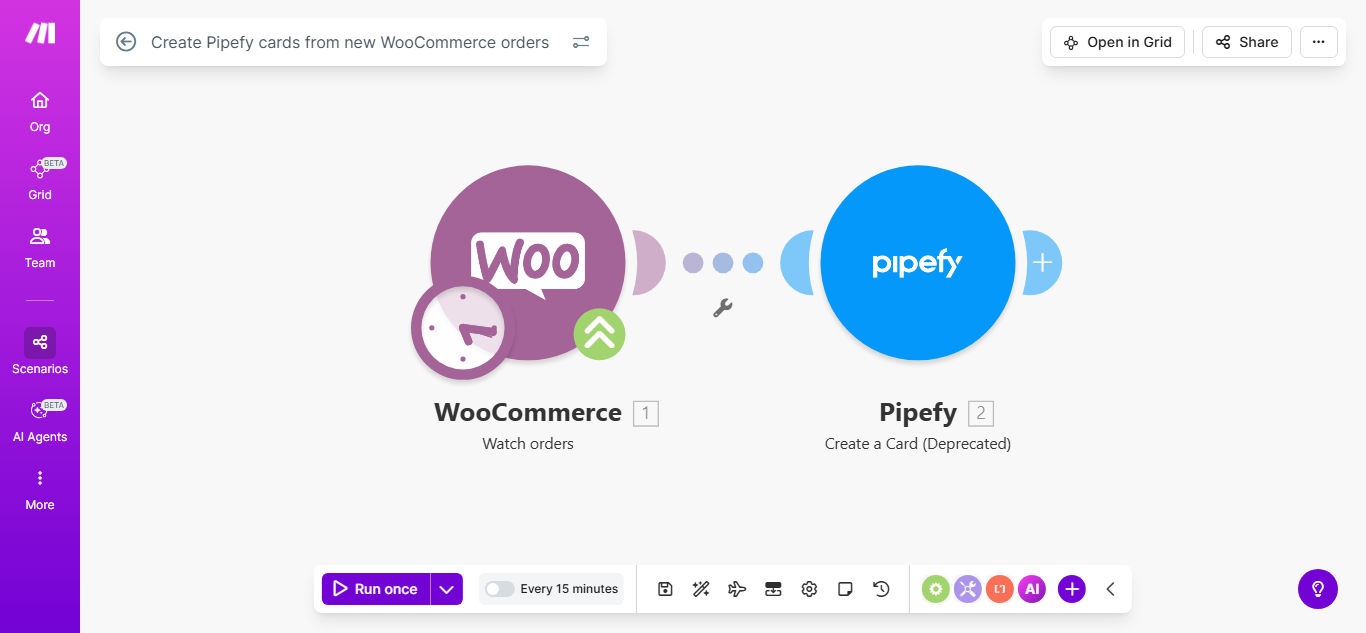
What This Workflow Does
This automation solves the manual and error-prone process of transferring WooCommerce orders to your fulfillment system. Every time a customer places an order on your WooCommerce store, this workflow automatically creates a corresponding card in Pipefy with all relevant order details.
The integration eliminates duplicate data entry between systems, reduces fulfillment errors, and gives your team better visibility into order status through Pipefy's workflow visualization. Cards are created instantly with customer information, ordered items, shipping details, and order totals - ready for your fulfillment team to process.
How It Works
1. New order trigger
The workflow monitors your WooCommerce store for new orders through Make.com's WooCommerce integration. When an order is placed, the workflow captures all order details.
2. Data transformation
Order information is formatted to match Pipefy's card structure. You can customize which WooCommerce fields map to which Pipefy card fields based on your fulfillment needs.
3. Card creation
The workflow creates a new card in your specified Pipefy board and phase, populating all relevant fields with the WooCommerce order data. You can configure different boards/phases for different order types.
4. Confirmation
The workflow verifies successful card creation and can optionally send notifications to your team or update the WooCommerce order with a tracking reference.
Who This Is For
This workflow benefits ecommerce businesses using WooCommerce with:
- Physical product fulfillment teams using Pipefy for workflow management
- High order volumes where manual data transfer is impractical
- Multiple fulfillment locations that need clear order routing
- Custom fulfillment processes requiring structured workflow steps
What You'll Need
- A WooCommerce store with API access enabled
- A Pipefy account with admin privileges to create cards
- A Make.com account (free tier available)
- Basic understanding of your fulfillment workflow requirements
Quick Setup Guide
- Install the template in your Make.com account
- Connect your WooCommerce store using API credentials
- Connect your Pipefy account and select the target board
- Map WooCommerce fields to Pipefy card fields
- Test with a sample order and verify card creation
- Activate the workflow for live order processing
Key Benefits
Eliminate manual data entry - Save 5-10 minutes per order by automatically transferring order details to Pipefy instead of copying/pasting or re-entering information.
Reduce fulfillment errors - Automated data transfer eliminates typos and missed orders that commonly occur with manual processes.
Improve fulfillment speed - Cards are created instantly in Pipefy, allowing your team to begin processing orders immediately rather than waiting for manual transfer.
Gain workflow visibility - Track order fulfillment status through Pipefy's visual workflow interface rather than relying on WooCommerce order notes.
Scale order processing - Handle order volume spikes without adding staff for manual data transfer between systems.
Pro tip: Configure different Pipefy phases for different order types (e.g., standard, express, international) to automatically route orders to the right fulfillment team.