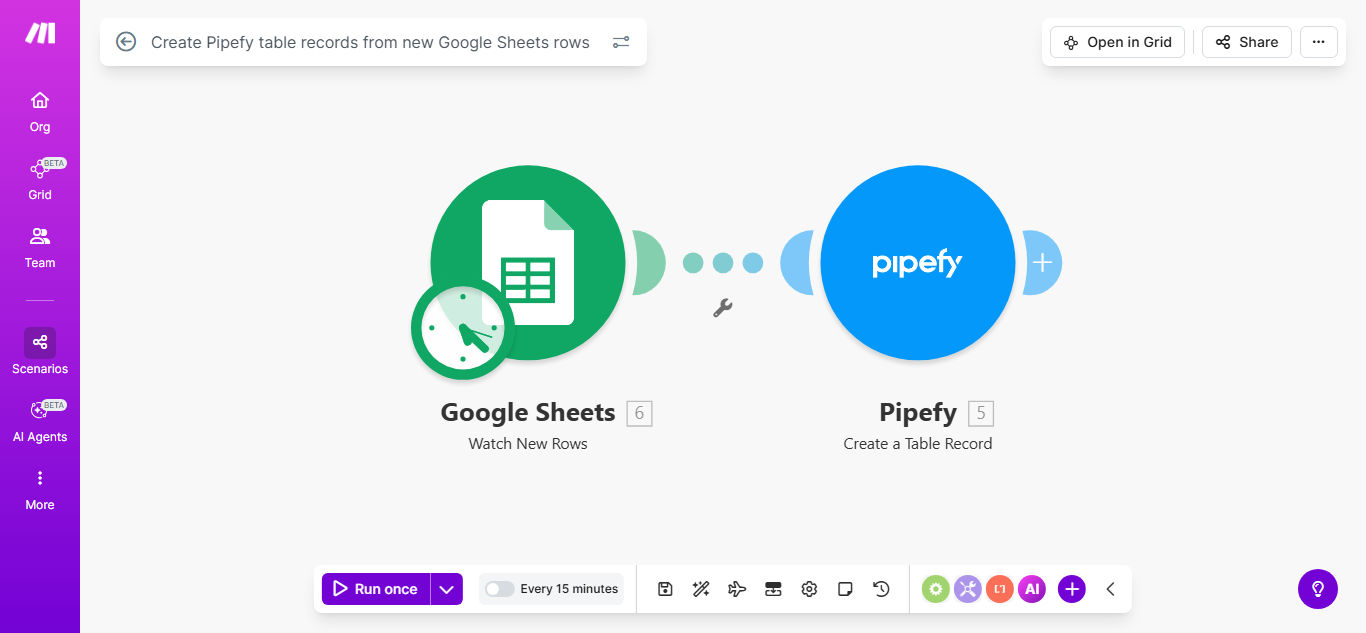
Make.com Google Sheets Pipefy Data Sync Automation

Create Pipefy table records from new Google Sheets rows

Automatically sync spreadsheet data with your Pipefy workflow management system

Get This Workflow Make.com · Google Sheets · Free Template
Automation workflow diagram showing Google Sheets to Pipefy integration

What This Workflow Does

This automation solves the common challenge of manually transferring data between spreadsheets and workflow management systems. When teams use Google Sheets for data collection but need that information in Pipefy for process management, this workflow eliminates the tedious copy-paste routine.

The solution automatically detects new rows added to your specified Google Sheet and creates corresponding records in your Pipefy table. Each column in your spreadsheet maps to a field in Pipefy, maintaining your data structure while saving hours of manual data entry.

How It Works

1. New row detection

The workflow continuously monitors your Google Sheet for new rows added to the specified worksheet. You can configure it to watch for changes in specific columns or trigger on any new row.

2. Data extraction

When a new row appears, the automation extracts all relevant cell values and prepares them for transfer to Pipefy. The system preserves your column headers as field identifiers.

3. Pipefy record creation

Using Pipefy's API, the workflow creates a new table record with all the extracted data. You can map spreadsheet columns to specific Pipefy fields during setup.

4. Success confirmation

The system verifies successful record creation in Pipefy and can optionally log this confirmation back to your Google Sheet for audit purposes.

Pro tip: Add a timestamp column in your Google Sheet to track exactly when records were transferred to Pipefy.

Who This Is For

This automation benefits any team using both Google Sheets and Pipefy in their workflow:

  • Operations teams managing task pipelines
  • HR departments processing applicant data
  • Sales teams tracking leads and opportunities
  • Customer support teams logging service tickets
  • Project managers coordinating team workflows

What You'll Need

  1. A Google Sheets spreadsheet with your source data
  2. A Pipefy account with table creation permissions
  3. A Make.com account (free plan available)
  4. Google Sheets and Pipefy API access enabled
  5. Basic understanding of your data structure in both systems

Quick Setup Guide

  1. Copy this template to your Make.com account
  2. Connect your Google Sheets account
  3. Specify which spreadsheet and worksheet to monitor
  4. Connect your Pipefy account
  5. Select the destination table in Pipefy
  6. Map your Google Sheet columns to Pipefy fields
  7. Test with sample data
  8. Activate the automation

Key Benefits

Eliminate manual data entry: Save 5-15 minutes per record transfer that would normally require switching between tabs and copy-pasting.

Reduce human error: Automated transfers prevent the typos and missed fields that occur with manual data entry.

Real-time updates: New spreadsheet data appears in Pipefy within seconds rather than waiting for someone to manually transfer it.

Scalable solution: The system handles 10 records or 10,000 with equal reliability, perfect for growing teams.

Audit trail: Maintain visibility into when data was transferred and verify successful record creation.

Frequently Asked Questions

Common questions about Google Sheets to Pipefy automation and integration

Automating data transfer between Google Sheets and Pipefy eliminates manual copy-pasting errors and saves significant time for teams managing workflows. This ensures data consistency across platforms and allows real-time updates in Pipefy whenever spreadsheet changes occur.

For example, a recruiting team can automatically create candidate records in Pipefy as soon as new applications arrive in their Google Sheets intake form, reducing their hiring process timeline by 2-3 days.

You can transfer any structured data from Google Sheets to Pipefy tables, including customer information, task details, project tracking data, and inventory records. The automation maps spreadsheet columns to Pipefy table fields automatically.

Common use cases include transferring lead data from marketing spreadsheets to sales pipelines, moving project tasks from planning sheets to execution boards, or syncing inventory levels between tracking sheets and fulfillment systems.

The automation checks for new rows in real-time or at scheduled intervals you configure. You can set it to run instantly when new data appears or batch process updates hourly/daily based on your workflow needs.

For critical processes like customer support ticket routing, real-time updates are recommended. For less time-sensitive workflows like weekly inventory updates, scheduled batches may be more efficient.

Yes, you can add conditional logic to only create Pipefy records for rows meeting specific criteria. This prevents unwanted records and helps maintain data quality in your Pipefy tables.

For instance, you might configure the automation to only transfer leads with a "Hot" status, or only create tickets for issues marked "High Priority." The filtering options are fully customizable to your business rules.

  • Filter by column values or formulas
  • Set multiple conditions with AND/OR logic
  • Skip blank or incomplete records

This basic template creates new records but doesn't update existing ones. For two-way sync, you would need additional automation logic to match and update Pipefy records when source data changes.

A common enhancement is adding a "Last Updated" column in both systems and creating a separate workflow that compares timestamps to identify and sync changed records between platforms.

Make.com uses OAuth for secure connections between Google Sheets and Pipefy. Data is encrypted in transit, and you control access permissions through each platform's authentication system.

The automation only accesses the specific Google Sheet and Pipefy table you configure, maintaining the principle of least privilege. You can review and revoke access at any time through your Google and Pipefy account settings.

Yes, GrowwStacks specializes in custom integrations between Google Sheets and Pipefy. We can build tailored solutions with advanced filtering, data validation, two-way sync, and custom field mapping for your specific workflow requirements.

Our team has implemented solutions for clients needing complex transformations between spreadsheet data and Pipefy records, including conditional routing, multi-step approvals, and automated status updates based on spreadsheet changes.

  • Custom field mapping and transformations
  • Advanced error handling and notifications
  • Integration with additional business systems

Need a Custom Google Sheets to Pipefy Automation?

This free template is a starting point. Our team builds fully tailored automation systems for your specific business needs.