Pipefy Bitbucket DevOps Automation

Create Bitbucket Issues from New Pipefy Cards

Automatically convert Pipefy cards into tracked Bitbucket issues, saving hours of manual work

Get This Workflow → Make.com · Free Template
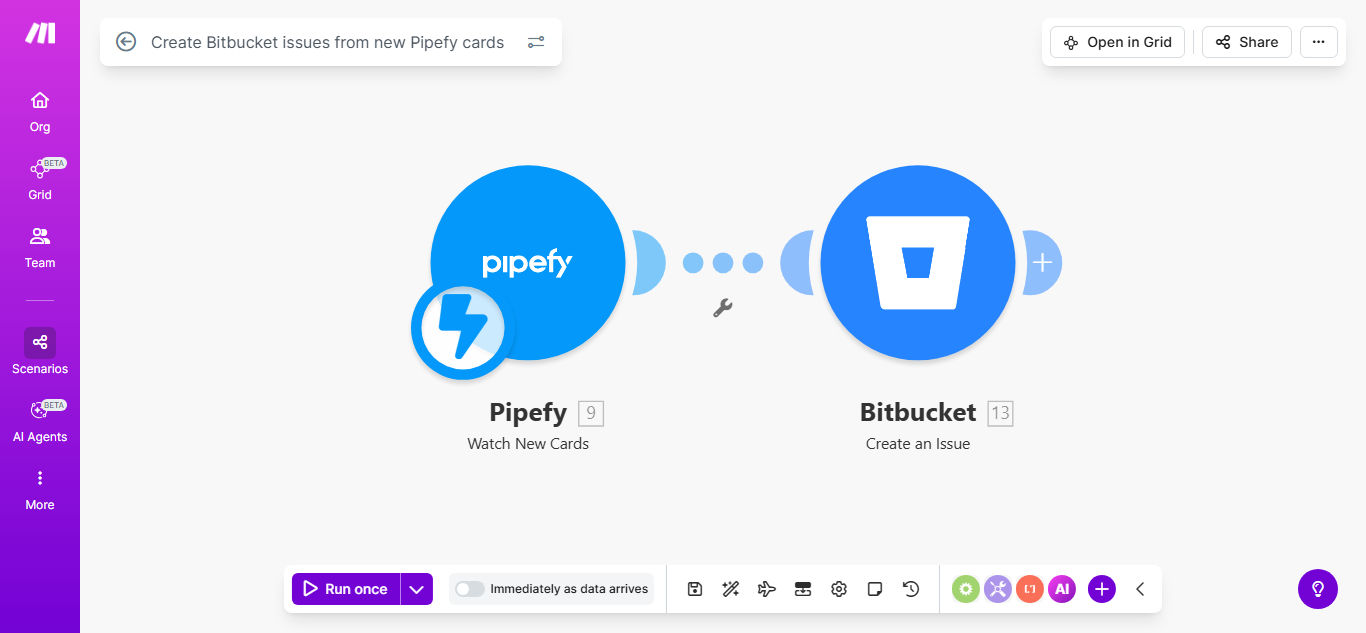
Make.com workflow diagram showing Pipefy to Bitbucket integration

What This Workflow Does

This automation bridges the gap between project management and development teams by automatically creating Bitbucket issues whenever new cards are added to your Pipefy boards. Instead of developers manually recreating tasks or product managers chasing status updates, the workflow maintains a seamless flow of work items from planning to execution.

Teams using this integration typically save 5-10 hours per week previously spent on manual ticket creation and status synchronization. The automation captures all relevant card details - titles, descriptions, assignees, due dates, and custom fields - ensuring nothing gets lost in translation between platforms.

How It Works

1. Pipefy Triggers the Workflow

The automation monitors your specified Pipefy board for new card creations. You can filter by phase, label, or custom fields to control which cards generate Bitbucket issues.

2. Data is Transformed

Make.com maps Pipefy card properties to Bitbucket issue fields according to your configuration. This includes converting Pipefy assignees to Bitbucket reporters, calculating due dates, and applying appropriate issue types.

3. Bitbucket Issue is Created

The workflow creates a new Bitbucket issue with all mapped data, then optionally updates the Pipefy card with a link to the new issue for full traceability.

Pro tip: Configure your workflow to add a Pipefy custom field with the Bitbucket issue URL. This creates two-way visibility between platforms.

Who This Is For

This automation delivers the most value for:

  • Product teams using Pipefy for roadmap planning
  • Development teams tracking work in Bitbucket
  • DevOps engineers managing cross-platform workflows
  • Startups needing lightweight project-to-code tracking
  • Teams with frequent new feature requests or bug reports

What You'll Need

  1. A Make.com account (free tier available)
  2. Admin access to your Pipefy board
  3. Bitbucket repository with issue tracking enabled
  4. API keys for both Pipefy and Bitbucket

Quick Setup Guide

  1. Import the template into your Make.com account
  2. Connect your Pipefy and Bitbucket accounts
  3. Select the Pipefy board to monitor
  4. Map Pipefy fields to Bitbucket issue properties
  5. Test with a new Pipefy card
  6. Deploy the live workflow

Key Benefits

Eliminate duplicate work by automatically creating development tasks from product requirements, ensuring nothing gets lost between teams.

Reduce sprint planning time by 30-50% as new cards instantly become tracked issues without manual intervention.

Improve traceability with automatic links between Pipefy cards and Bitbucket issues, creating full audit trails.

Scale your process without adding overhead - the automation handles increasing volumes of cards with zero additional effort.

Frequently Asked Questions

Common questions about Pipefy-Bitbucket integration

Automating Pipefy to Bitbucket saves developers 5-10 hours weekly by eliminating manual ticket creation. When a new card appears in Pipefy, it instantly becomes a tracked Bitbucket issue with all relevant details, ensuring nothing falls through the cracks between project management and development teams.

This integration is particularly valuable for agile teams practicing continuous delivery, where rapid translation of requirements into development tasks is critical.

The automation can map Pipefy card titles as issue titles, descriptions as issue content, assignees as Bitbucket reporters, due dates, labels, and custom fields. This maintains context when work moves from planning to development phase.

You can configure exactly which fields transfer and apply transformations like converting Pipefy dropdowns to Bitbucket labels or calculating development estimates from complexity ratings.

Development teams get real-time visibility into new requirements without manual updates. Product managers can prioritize Pipefy cards knowing they'll automatically appear in the developers' workflow, reducing planning meetings by 30-50%.

The automation creates a living backlog in Bitbucket that always reflects the current Pipefy board state, eliminating the "static snapshot" problem of traditional sprint planning.

Yes, Make.com allows complete customization of which Pipefy fields map to which Bitbucket issue properties. You can add custom logic to transform data, set default values, or trigger additional actions based on card content.

Common customizations include adding prefixes to issue titles, setting priority based on Pipefy labels, or automatically assigning issues to specific developers based on team.

The same automation pattern works for Jira with minor configuration changes. Many teams use Pipefy for product management and Jira for development tracking, achieving similar time savings through automated ticket creation.

Jira offers additional mapping options like story points, epics, and sprints that can be populated from Pipefy fields for even tighter integration.

Make.com automations have 99.9% uptime with error handling for failed connections. The workflow includes retry logic for API timeouts and notifications if issues fail to create, ensuring no lost work items.

For critical systems, you can add secondary notifications to Slack or email when issues are created, providing multiple verification points.

Absolutely. GrowwStacks specializes in tailored integrations between Pipefy, Bitbucket, and other development tools. We'll design an automation solution matching your specific workflow, field mappings, and business rules.

Our team can implement advanced features like conditional branching based on card content, automatic documentation generation, or integration with additional systems in your stack.

Need a Custom Pipefy-Bitbucket Automation?

This free template is a starting point. Our team builds fully tailored automation systems for your specific business needs.