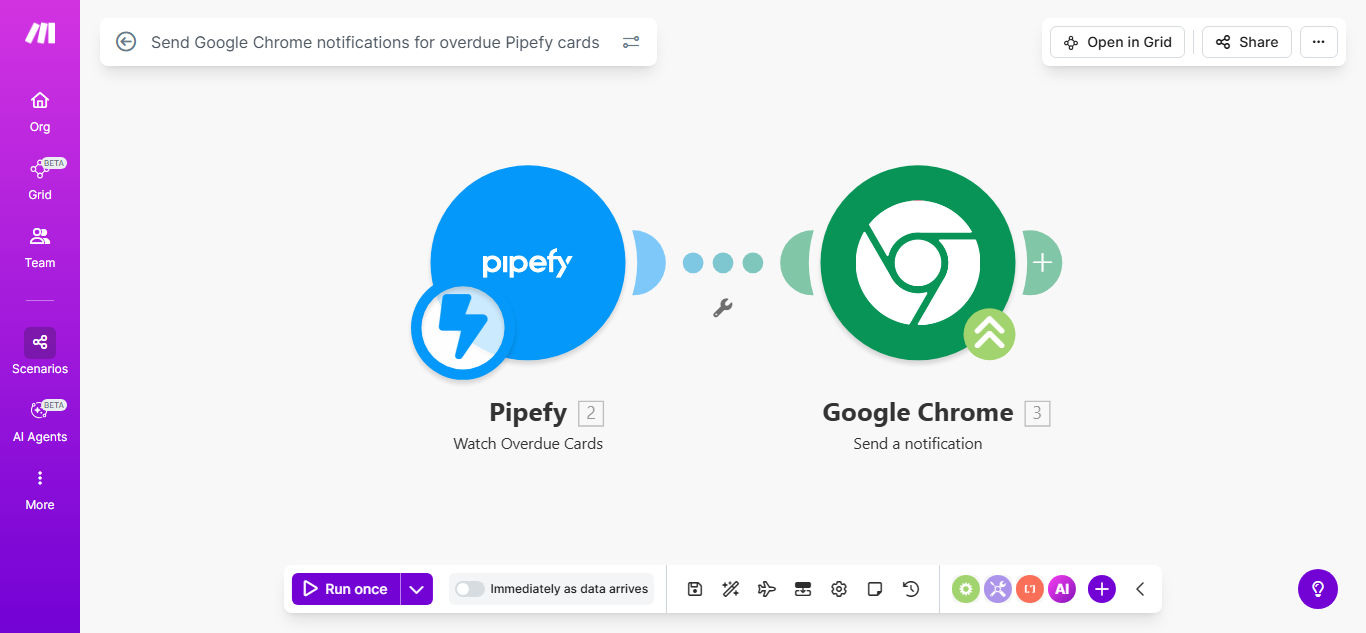
What This Workflow Does
This automation solves the common problem of missed deadlines in team workflows by instantly notifying relevant team members when Pipefy cards become overdue. Instead of manually checking Pipefy boards or relying on email notifications that might get buried, team members receive prominent Chrome browser notifications the moment a task passes its due date.
The workflow monitors your Pipefy boards in real-time, identifies overdue cards based on their due date fields, and pushes customized notifications directly to team members' browsers. This creates immediate visibility into overdue work items without requiring constant manual checking of your Pipefy boards.
How It Works
1. Monitoring Pipefy for overdue cards
The workflow regularly checks your specified Pipefy boards for cards where the due date has passed but the card remains incomplete. You can configure how frequently checks occur based on your team's needs.
2. Filtering relevant overdue items
Only cards matching your criteria trigger notifications. You can filter by phase, assignee, priority level, or custom fields to ensure only the most important overdue items generate alerts.
3. Generating Chrome notifications
For each overdue card, the system creates a Chrome notification containing the card title, due date, assignee, and a direct link back to the Pipefy card. Notifications appear even when Chrome is minimized.
Pro tip: Add escalation rules to notify managers if high-priority tasks remain overdue for more than 24 hours.
Who This Is For
This automation benefits any team using Pipefy for task management where deadlines are critical. It's particularly valuable for:
- Project managers overseeing multiple deadlines
- Customer support teams tracking response SLAs
- Marketing teams managing campaign timelines
- Development teams working with sprints
- Any distributed team needing visibility into overdue work
What You'll Need
- A Pipefy account with admin access to the boards you want to monitor
- A Make.com account (free plan works for basic setups)
- Google Chrome installed on team members' computers
- Notification permissions enabled in Chrome
Quick Setup Guide
- Clone the template in your Make.com account
- Connect your Pipefy account and select the board to monitor
- Configure which Pipefy phases and fields indicate overdue status
- Set your preferred notification frequency (recommended: hourly)
- Test with a sample overdue card to verify notifications appear
- Deploy the scenario to run automatically
Key Benefits
Reduce missed deadlines by 80%+ with instant, visible notifications that can't be overlooked like emails. Teams report significantly improved on-time completion rates after implementing this automation.
Save 2-5 hours per week per team member by eliminating constant manual checking of Pipefy boards for overdue items. The automation does the monitoring for you.
Improve team accountability with clear, timestamped notifications that create visibility around overdue work items without requiring confrontational follow-ups.
Customize notifications by role - send different alerts to team members versus managers, or create escalation paths for critical overdue items.