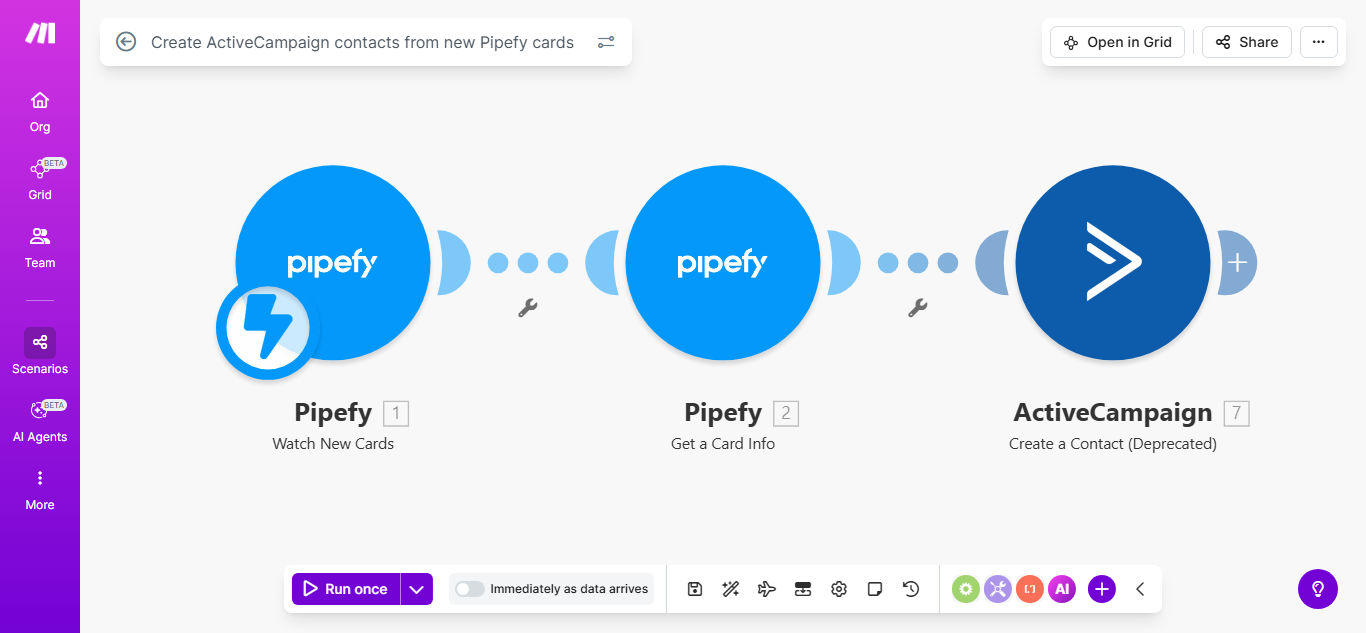
What This Workflow Does
This automation solves a critical gap between project management and customer relationship management systems. When sales teams capture leads in Pipefy cards or support teams log customer issues, these valuable contacts often get stuck in silos rather than flowing into your marketing and sales CRM.
The workflow automatically creates ActiveCampaign contacts whenever new cards are added to specified Pipefy pipelines. It maps relevant card fields (like email, phone, company) to corresponding ActiveCampaign contact fields, ensuring your CRM stays updated without manual data entry. This eliminates duplicate work and ensures no lead falls through the cracks.
How It Works
1. Pipefy Triggers the Workflow
Whenever a new card is created in your designated Pipefy pipeline, Make.com detects the change instantly through Pipefy's API.
2. Data Extraction and Mapping
The workflow extracts all relevant card information including custom fields you've defined in Pipefy. You can configure exactly which fields should transfer to ActiveCampaign.
3. ActiveCampaign Contact Creation
Make.com formats the extracted data according to ActiveCampaign's API requirements and creates a new contact record. The workflow can also add tags, assign to lists, or trigger automations based on Pipefy card properties.
Pro tip: Configure the workflow to add Pipefy card URLs to ActiveCampaign contact notes. This gives your sales team one-click access back to the original context in Pipefy.
Who This Is For
This integration delivers the most value for:
- Sales teams using Pipefy for lead capture and ActiveCampaign for follow-up
- Support teams logging customer issues in Pipefy that need CRM tracking
- Marketing teams wanting to enroll new prospects in nurture sequences immediately
- Operations managers tired of maintaining duplicate contact databases
What You'll Need
- ActiveCampaign account with API access enabled
- Pipefy account with admin privileges to set up webhooks
- Make.com account (free tier works for basic implementation)
- Clear mapping plan between Pipefy card fields and ActiveCampaign contact fields
Quick Setup Guide
- Install the template in your Make.com account
- Connect your Pipefy and ActiveCampaign accounts
- Specify which Pipefy pipeline should trigger contact creation
- Map Pipefy card fields to ActiveCampaign contact fields
- Test with sample cards and verify ActiveCampaign results
- Activate the workflow for live operation
Key Benefits
Eliminate manual data entry between systems, saving 5-15 minutes per lead that would otherwise be spent copying information between platforms.
Improve sales response times by ensuring new leads enter your CRM within seconds of being captured in Pipefy, rather than waiting for manual processing.
Maintain data consistency with automated field mapping that follows your business rules every time, unlike manual entry which introduces errors.
Gain full visibility into lead origins by preserving Pipefy context within ActiveCampaign contact records.
Scale your processes without adding administrative staff, as the automation handles increasing lead volumes effortlessly.