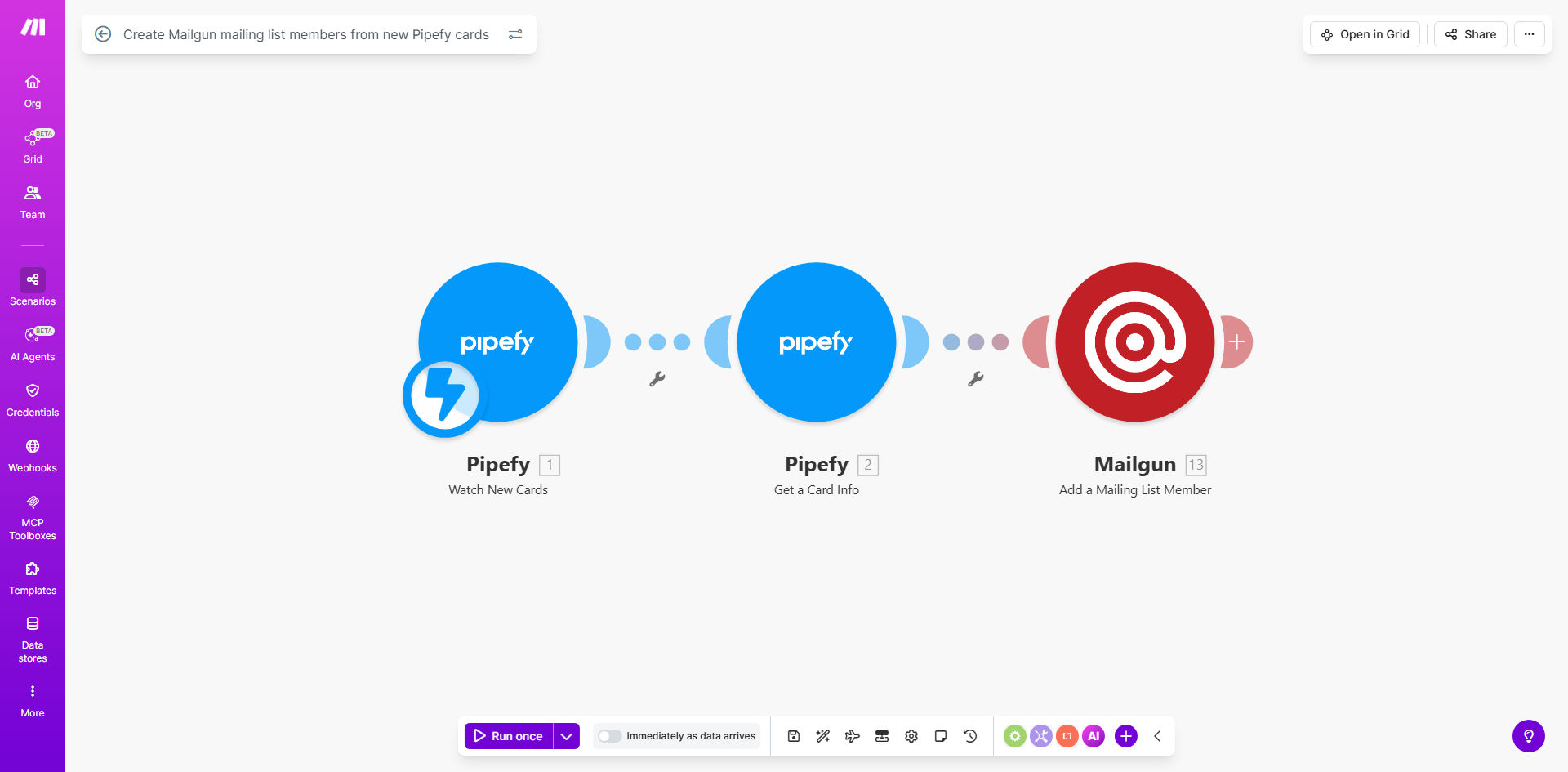
What This Workflow Does
This automation bridges the gap between your Pipefy workflow management and Mailgun email marketing. Whenever a new card is created in your Pipefy pipeline (representing a new contact, lead, or customer), the workflow automatically adds them as a subscriber to your specified Mailgun mailing list.
The solution eliminates manual data transfers between systems, ensuring your email campaigns always have access to fresh contacts from your sales, support, or marketing pipelines. It maintains data accuracy by directly mapping Pipefy card fields to Mailgun subscriber properties.
How It Works
1. Pipefy Triggers the Workflow
The automation starts when a new card is created in your specified Pipefy pipeline. Make.com monitors your Pipefy board for these events in real-time.
2. Card Data is Extracted
The workflow pulls all relevant information from the new Pipefy card, including email address, name, custom fields, and any tags that should inform email segmentation.
3. Data is Formatted for Mailgun
Make.com transforms the Pipefy data into Mailgun's required subscriber format, mapping fields appropriately and handling any necessary data cleansing.
4. Subscriber is Added to Mailgun
The processed contact information is sent to your specified Mailgun mailing list via API. The workflow can handle success responses or error conditions appropriately.
Pro tip: Use Pipefy card phases to trigger different Mailgun list additions. For example, move contacts from a "Welcome" to "Nurture" list when their card progresses to a specific pipeline stage.
Who This Is For
This workflow delivers the most value for:
- Marketing teams running email campaigns from leads generated through Pipefy forms
- Sales teams wanting to nurture Pipefy-managed prospects via email sequences
- Support teams needing to communicate with customers tracked in Pipefy tickets
- Operations managers seeking to eliminate manual data entry between systems
What You'll Need
- A Make.com account (formerly Integromat)
- Pipefy account with admin access to your pipeline
- Mailgun account with API access enabled
- Existing Mailgun mailing list to receive subscribers
- Clear mapping of which Pipefy fields contain email marketing data
Quick Setup Guide
- Clone this template in your Make.com account
- Connect your Pipefy account and select the target pipeline
- Connect your Mailgun account and specify the destination mailing list
- Map Pipefy card fields to Mailgun subscriber properties
- Test with sample cards to verify data flows correctly
- Activate the scenario to begin automatic processing
Key Benefits
Save 5+ hours monthly by eliminating manual list management between Pipefy and Mailgun. The automation handles transfers instantly as new contacts enter your pipeline.
Improve email campaign performance with fresher, more accurate subscriber data. Contacts are added immediately upon entering your Pipefy workflow, reducing lag time.
Reduce data entry errors that occur when manually copying information between systems. The automated mapping ensures consistent, correct data transfer.
Enable sophisticated segmentation by passing Pipefy card properties like lead status, customer type, or custom fields to Mailgun as subscriber variables.
Scale your processes efficiently as contact volume grows. The workflow handles 10 or 10,000 new cards with equal reliability.