Make.com Salesforce Pipefy Lead Management Automation

Create Pipefy Cards from New Salesforce Leads

Automatically transform Salesforce leads into actionable Pipefy cards for streamlined sales pipeline management

Get This Workflow → Make.com · Salesforce to Pipefy · Free Template
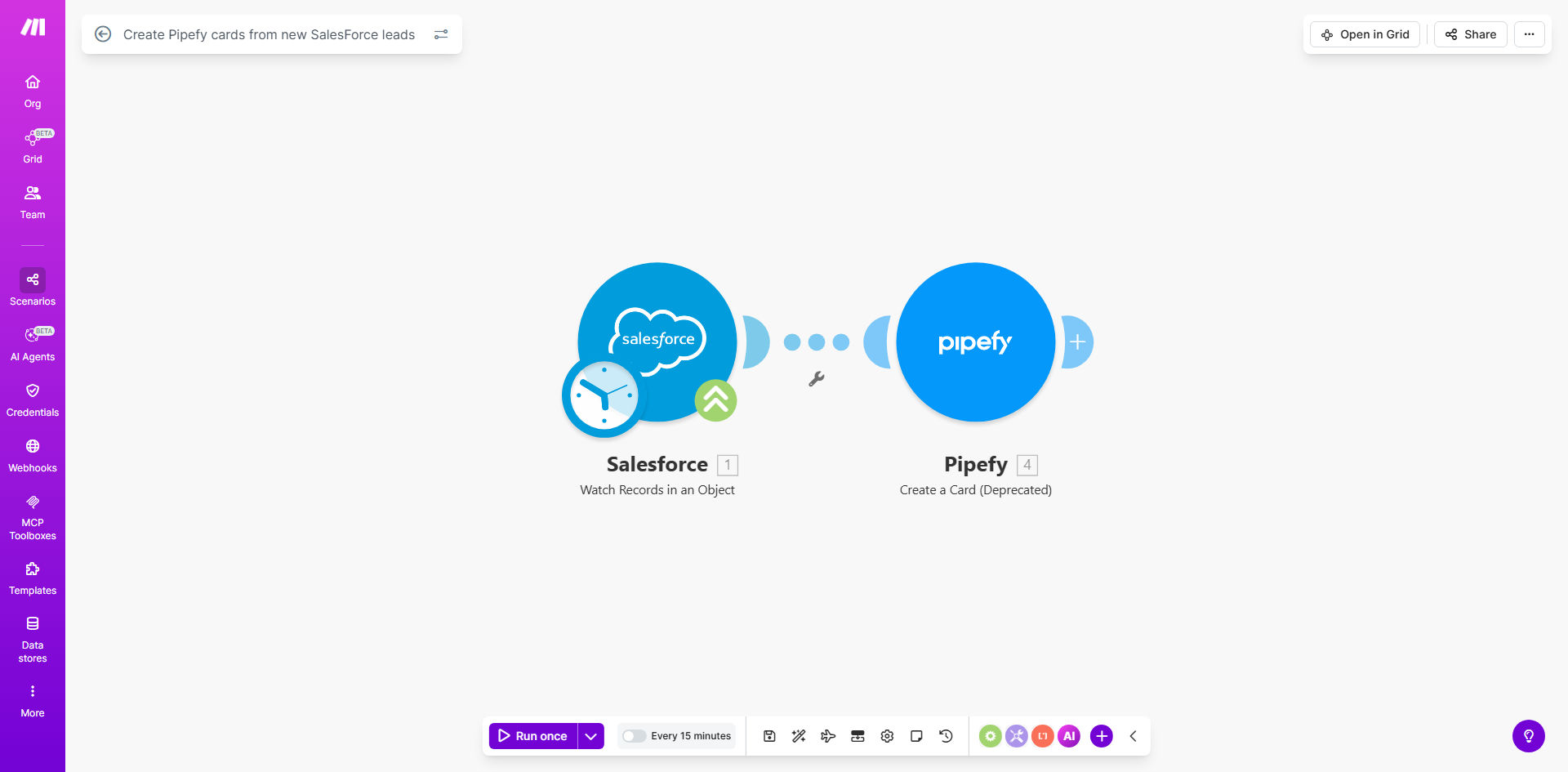
Salesforce to Pipefy automation workflow diagram showing lead data transfer

What This Workflow Does

This automation solves the critical challenge of manual lead handoff between marketing and sales teams. When a new lead is captured in Salesforce, sales teams often face delays in receiving and processing these leads, leading to missed opportunities and decreased conversion rates.

The workflow automatically creates a new card in Pipefy whenever a lead is created in Salesforce, ensuring instant transfer of lead information to your sales pipeline. This eliminates manual data entry, reduces response times, and ensures no lead falls through the cracks during the critical handoff process.

By automating this transition, sales teams can focus on what they do best—closing deals—rather than administrative tasks. The system maintains data integrity by transferring all relevant lead information, including contact details, lead score, source, and custom fields directly into Pipefy cards.

How It Works

Step 1: Salesforce Lead Detection

The workflow monitors Salesforce for new lead creations using Make.com's instant trigger. When a lead meets your qualification criteria (based on score, source, or custom fields), the automation immediately captures all relevant data fields.

Step 2: Data Mapping and Transformation

Lead information from Salesforce is mapped to corresponding fields in Pipefy. This includes contact information, company details, lead source, and any custom data points your sales team needs for effective qualification and follow-up.

Step 3: Pipefy Card Creation

The workflow creates a new card in your designated Pipefy pipeline, automatically populating all mapped fields. The card can be assigned to specific team members, tagged with appropriate labels, and placed in the correct pipeline phase based on your sales process.

Step 4: Notification and Follow-up

Optionally, the system can trigger notifications to sales representatives or managers when new cards are created, ensuring immediate awareness of new lead opportunities entering the pipeline.

Who This Is For

This automation is ideal for sales organizations using Salesforce for lead generation and Pipefy for sales pipeline management. It's particularly valuable for B2B companies, marketing agencies, and businesses with complex sales cycles that require structured lead qualification processes.

Sales teams that struggle with lead response times, manual data entry errors, or leads falling through gaps between marketing and sales will benefit significantly. Companies with multiple sales representatives needing automated lead distribution based on territory, industry, or lead score will find this workflow essential.

What You'll Need

  1. Active Salesforce account with lead management enabled
  2. Pipefy account with appropriate pipeline setup
  3. Make.com account (free tier sufficient for basic automation)
  4. API access permissions for both Salesforce and Pipefy
  5. Clear understanding of your lead qualification criteria

Quick Setup Guide

  1. Connect your Salesforce account to Make.com using OAuth authentication
  2. Set up your Pipefy connection with appropriate API permissions
  3. Configure the Salesforce trigger to monitor new lead creations
  4. Map Salesforce lead fields to corresponding Pipefy card fields
  5. Set up any filters to only process qualified leads
  6. Test the workflow with sample lead data
  7. Activate the automation and monitor initial transactions

Pro tip: Start with a small subset of highly qualified leads to test your mapping logic before rolling out to all leads. This helps identify any field mapping issues before they affect your entire sales pipeline.

Key Benefits

Reduce lead response time from hours to seconds by eliminating manual processing delays. Studies show leads contacted within 5 minutes have significantly higher conversion rates.

Eliminate data entry errors that occur during manual lead transfer between systems. Automated data mapping ensures 100% accuracy in information transfer.

Improve sales team productivity by removing administrative tasks. Sales representatives can focus on selling rather than data entry and lead processing.

Ensure no leads are missed during the marketing-to-sales handoff. Every qualified lead automatically enters your sales pipeline with complete information.

Gain better visibility into lead flow with automated tracking from initial capture through sales pipeline stages.

Frequently Asked Questions

Common questions about Salesforce to Pipefy automation and integration

Salesforce to Pipefy automation eliminates manual data entry by automatically creating process cards for new leads. This ensures sales teams immediately receive qualified leads in their workflow system, reducing response times and preventing leads from falling through the cracks during handoff between marketing and sales teams.

The automation maintains data integrity by transferring all relevant information accurately, eliminating transcription errors that commonly occur with manual processes. Sales representatives can trust that the information in Pipefy matches what was captured in Salesforce.

Sales organizations with structured lead qualification processes benefit most from this integration. Companies using Salesforce for lead generation and Pipefy for sales pipeline management can automate their lead-to-opportunity workflow, particularly beneficial for B2B companies, agencies, and businesses with complex sales cycles.

Businesses with multiple sales representatives who need automated lead distribution based on territory, industry specialization, or lead score thresholds will see significant efficiency gains. The integration works especially well for companies processing 50+ leads monthly where manual handling becomes inefficient.

Automated lead routing transfers lead data from Salesforce to specific Pipefy pipelines based on criteria like lead score, industry, or geographic location. This ensures leads automatically reach the right sales representatives or teams without manual assignment, improving efficiency and ensuring proper lead distribution.

The system can route leads to different pipelines based on product interest, lead source, or custom qualification criteria. For example, enterprise leads might go to a dedicated enterprise sales pipeline while SMB leads route to general sales representatives, ensuring appropriate handling based on lead potential.

The automation typically transfers lead contact information, company details, lead source, lead score, and custom fields from Salesforce to Pipefy cards. This includes name, email, phone, company name, industry, lead status, and any custom qualification data essential for your sales team's evaluation and follow-up process.

Additional data like lead source campaign, lead score, geographic location, and custom fields specific to your qualification process can also be mapped. The system preserves all contextual information that helps sales representatives understand the lead's background and qualification status before making contact.

Yes, you can set up filters to only create Pipefy cards for leads meeting specific criteria. Common filters include lead score thresholds, lead source, geographic location, or custom field values. This ensures only qualified leads enter your sales pipeline, preventing workflow clutter and focusing sales efforts.

You can create multiple automation scenarios for different lead types. For example, high-scoring leads might trigger immediate card creation with urgent notifications, while lower-scoring leads could follow a different path or require additional qualification before entering the sales pipeline.

Manual lead handoff often suffers from data entry errors, delayed processing, and leads being overlooked during transitions. Sales teams may receive incomplete information or experience lag time between lead capture and follow-up, significantly reducing conversion opportunities.

Common issues include transcription errors when copying data between systems, leads being assigned to the wrong representative, and qualified leads getting lost in email inboxes or spreadsheets. These problems compound as lead volume increases, making automation essential for scaling sales operations effectively.

Real-time synchronization ensures sales teams receive leads immediately after qualification, maximizing the chance of conversion. Studies show leads contacted within 5 minutes are 100x more likely to convert than those contacted after 30 minutes, making instant lead delivery critical for sales success.

The automation eliminates delays in lead distribution, keeping your sales pipeline fresh and responsive to new opportunities. Sales representatives can capitalize on prospect interest while it's highest, rather than contacting leads who may have already moved on to competitors during processing delays.

Yes, GrowwStacks specializes in building custom automation solutions connecting Salesforce and Pipefy. We can create tailored workflows that match your specific lead qualification criteria, data mapping requirements, and sales process stages. Our team handles everything from setup to testing, ensuring seamless integration.

We work with businesses to understand their unique sales processes, lead scoring models, and team structures to build automations that fit perfectly into existing workflows. Custom solutions can include advanced routing logic, multi-step qualification processes, and integration with additional tools beyond Salesforce and Pipefy.

  • Custom lead scoring and routing rules
  • Integration with additional CRM or marketing tools
  • Advanced notification and escalation systems
  • Performance tracking and analytics integration

Need a Custom Salesforce to Pipefy Automation?

This free template is a starting point. Our team builds fully tailored automation systems for your specific business needs.