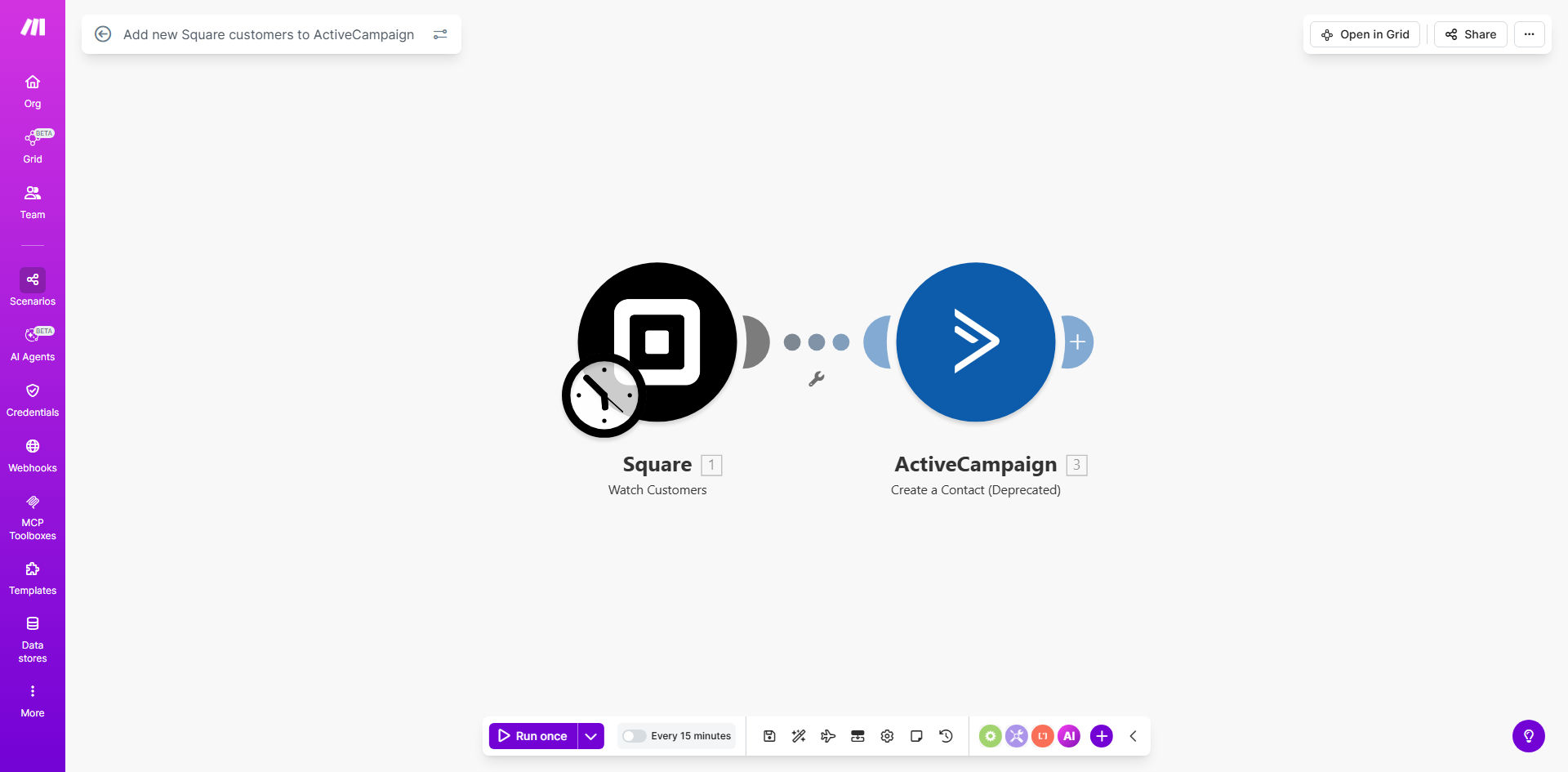
What This Workflow Does
This automation eliminates the manual process of transferring customer data between your Square point-of-sale system and ActiveCampaign marketing platform. Every time a new customer makes a purchase through Square, their contact information is automatically added to ActiveCampaign as a new contact.
The workflow ensures your marketing team has immediate access to new customer data, enabling timely follow-up emails, personalized offers, and segmented marketing campaigns. By removing the need for manual data entry, you reduce errors and save hours each week that can be better spent on customer engagement strategies.
How It Works
1. New customer trigger
The workflow monitors your Square account for new customer records. When a customer makes their first purchase, Square creates a customer profile with their contact details and purchase history.
2. Data extraction
Make.com retrieves the new customer's information including name, email address, phone number, and any custom fields you've configured in Square.
3. Contact creation
The workflow maps the Square customer data to ActiveCampaign's contact fields and creates a new contact record. You can configure which Square fields map to which ActiveCampaign properties.
4. Tagging and segmentation
Optionally, the workflow can apply specific tags or add the contact to segments based on their Square purchase data, enabling targeted marketing campaigns.
Who This Is For
This automation is ideal for retail businesses, restaurants, and service providers who:
- Use Square for in-person or online payments
- Want to grow their email marketing list automatically
- Need to reduce manual data entry between systems
- Want to trigger personalized follow-ups based on purchases
- Need real-time customer data for marketing campaigns
What You'll Need
- A Square account with customer data collection enabled
- An ActiveCampaign account with API access
- A Make.com account (free plan available)
- Admin access to both Square and ActiveCampaign
Quick Setup Guide
- Install the template from Make.com
- Connect your Square account in Make.com
- Connect your ActiveCampaign account
- Map Square customer fields to ActiveCampaign contact properties
- Set up any desired tags or segments
- Activate the workflow
Key Benefits
Eliminate manual data entry - Save 2-5 hours per week by automatically syncing customer data instead of copying and pasting between systems.
Faster marketing follow-up - New customers receive timely, personalized emails within minutes of their purchase instead of waiting for manual processing.
Improved data accuracy - Automated transfers reduce human error in contact information that can occur with manual entry.
Enhanced segmentation - Automatically tag customers based on purchase behavior for targeted marketing campaigns.
Scalable customer acquisition - As your business grows, the automation scales effortlessly to handle increased customer volume.