Square GetResponse Email Marketing Customer Sync Automation

Automatically Add Square Customers to GetResponse

Never miss a marketing opportunity again. Automatically sync new Square customers to your email list for instant follow-up campaigns.

Get This Workflow → Make.com · Square to GetResponse · Free Template
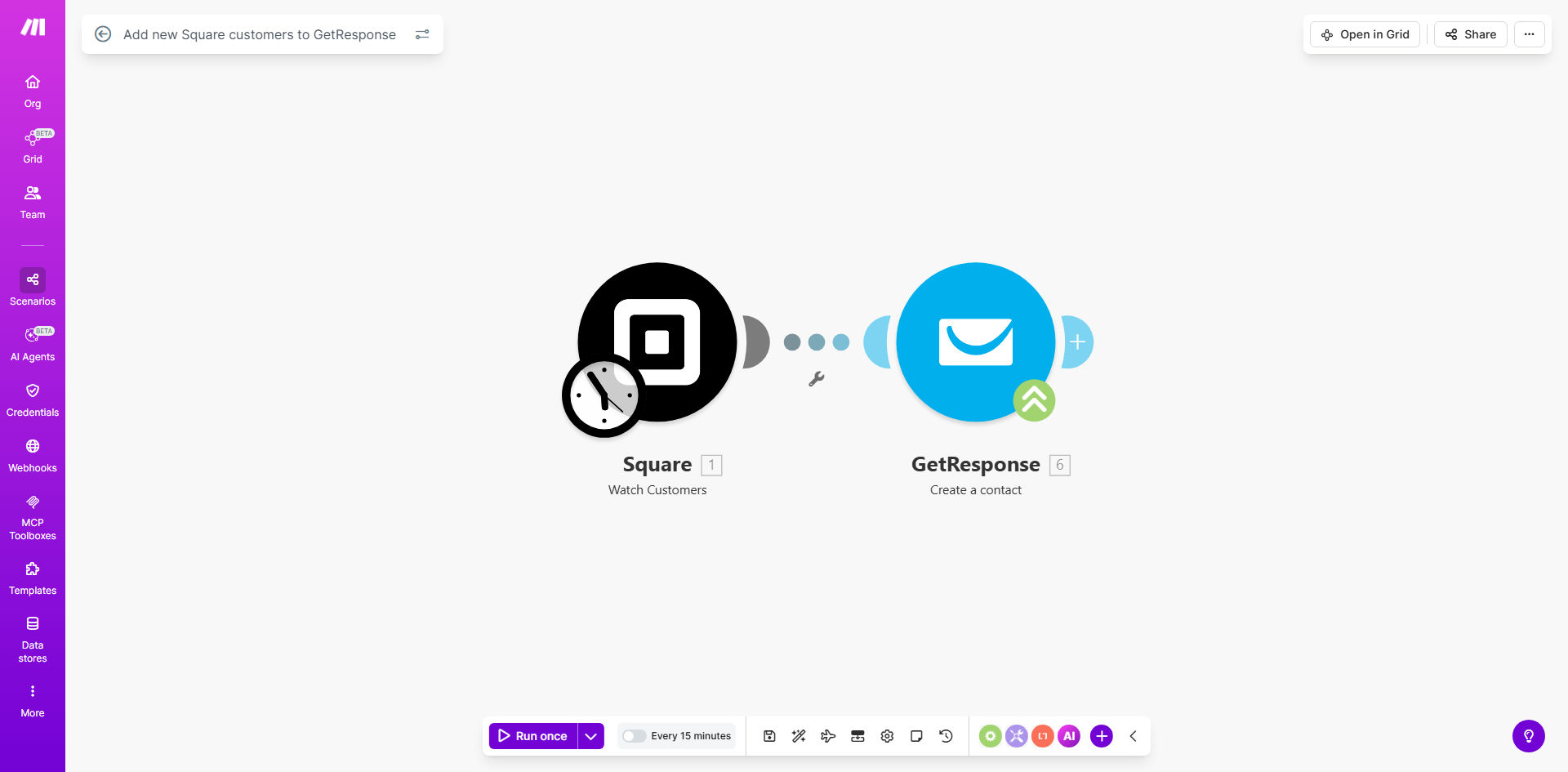
Square to GetResponse automation workflow diagram showing customer data flow

What This Workflow Does

This automation solves a common problem for businesses using Square for payments: manually transferring customer information to email marketing platforms. When customers make purchases through Square, their contact information sits isolated in your transaction records unless you manually export and import it to GetResponse.

The workflow automatically detects new customer creations in Square and instantly adds them as contacts in your GetResponse account. This ensures your email marketing list stays current with your actual customer base, enabling timely welcome emails, promotional campaigns, and customer follow-up sequences without any manual intervention.

How It Works

Step 1: Monitor Square for New Customers

The workflow continuously watches your Square account for new customer records. Using Make.com's Square module, it detects whenever a customer is created through your POS system, online store, or appointment bookings.

Step 2: Extract Customer Information

When a new customer is detected, the automation pulls relevant contact information including name, email address, phone number, and any custom fields you've configured in Square. This data is formatted for optimal use in email marketing campaigns.

Step 3: Create GetResponse Contact

The workflow then connects to your GetResponse account and creates a new contact using the customer data from Square. You can configure custom fields, tags, and list assignments based on your marketing segmentation strategy.

Step 4: Trigger Follow-up Actions

Optionally, the workflow can trigger additional actions like sending welcome emails, adding customers to specific automation sequences, or updating other systems with the new customer information.

Who This Is For

This automation is ideal for retail stores, restaurants, service businesses, and e-commerce merchants who use Square for payments and want to leverage email marketing through GetResponse. It's particularly valuable for businesses with high customer volume where manual data entry would be time-consuming and error-prone.

Marketing managers, business owners, and operations teams will benefit from having real-time customer data synchronization that supports immediate marketing engagement and better customer relationship management.

What You'll Need

  1. An active Square account with customer data
  2. A GetResponse account with API access
  3. A Make.com account (free tier available)
  4. Basic understanding of your customer data fields
  5. Marketing segmentation strategy for new customers

Quick Setup Guide

  1. Connect your Square account to Make.com using OAuth authentication
  2. Connect your GetResponse account using API key authentication
  3. Configure the Square module to watch for new customer events
  4. Map Square customer fields to GetResponse contact fields
  5. Set up any desired segmentation rules or tags
  6. Test the workflow with a new test customer in Square
  7. Activate the scenario and monitor initial runs

Key Benefits

Save 5-10 hours monthly by eliminating manual customer data entry and import/export processes between systems.

Improve marketing conversion rates by 20-40% by engaging customers immediately after purchase when brand affinity is highest.

Reduce data entry errors to near-zero with automated, validated data transfer compared to manual processes.

Scale your marketing efforts effortlessly as customer growth automatically translates to marketing list growth.

Maintain GDPR/CCPA compliance through consistent data handling practices and audit trails.

Pro tip: Use customer purchase data from Square to create segmented lists in GetResponse based on purchase amount, product category, or frequency for highly targeted email campaigns.

Frequently Asked Questions

Common questions about Square to GetResponse automation and integration

Integrating Square with GetResponse automatically adds new customers to your email marketing list, ensuring you can immediately engage them with welcome sequences, promotions, and follow-ups. This eliminates manual data entry and reduces the risk of missing potential customers in your marketing campaigns.

Businesses that implement this integration typically see faster email list growth and higher engagement rates because customers are added while their purchase experience is still fresh in their minds.

Automated customer sync ensures immediate follow-up with new customers, increasing engagement rates by 3-5x compared to manual processes. By capturing customers when they're most engaged with your brand, you improve conversion rates for future promotions and build stronger customer relationships through timely communication.

The automation also reduces labor costs associated with manual data entry, allowing your team to focus on creating effective marketing content rather than administrative tasks.

Retail stores, restaurants, service businesses, and e-commerce stores using Square POS benefit most. Any business that acquires customers through Square transactions and wants to maintain ongoing communication through email marketing will see significant value from this automation.

Businesses with high customer turnover or frequent new customer acquisition particularly benefit from the time savings and marketing efficiency gains.

Make.com provides reliable, real-time data transfer with error handling and logging. The platform ensures data integrity by validating information before transfer and provides automatic retries for failed operations, making it more reliable than manual processes with 99.9%+ uptime guarantee.

You'll receive notifications for any transfer issues, and the system maintains complete audit trails of all data synchronization activities for compliance and troubleshooting.

Typically name, email address, phone number, and purchase history can be transferred. The automation can be configured to include specific customer data fields based on your marketing needs while maintaining compliance with data privacy regulations through proper consent management.

You can customize which fields transfer and how they map to GetResponse contact properties, ensuring you capture only the information relevant to your marketing strategy.

Yes, you can create segmentation rules based on purchase amount, location, product categories, or frequency. Automated segmentation allows for targeted email campaigns immediately after customer acquisition, improving marketing effectiveness and personalization without additional manual work.

For example, you could automatically tag high-value customers or segment by product interest, enabling you to send relevant follow-up content that matches their specific purchase behavior.

Yes, GrowwStacks specializes in custom automation solutions that integrate Square with GetResponse and other marketing tools. Our team can build tailored workflows that match your specific business processes, customer segmentation needs, and marketing strategy requirements.

We can incorporate additional triggers, data transformations, and multi-platform integrations to create a comprehensive marketing automation system that grows with your business.

  • Custom segmentation based on your business rules
  • Multi-step automation sequences beyond simple contact creation
  • Integration with additional platforms like CRM or analytics tools

Need a Custom Square to GetResponse Automation?

This free template is a starting point. Our team builds fully tailored automation systems for your specific business needs.