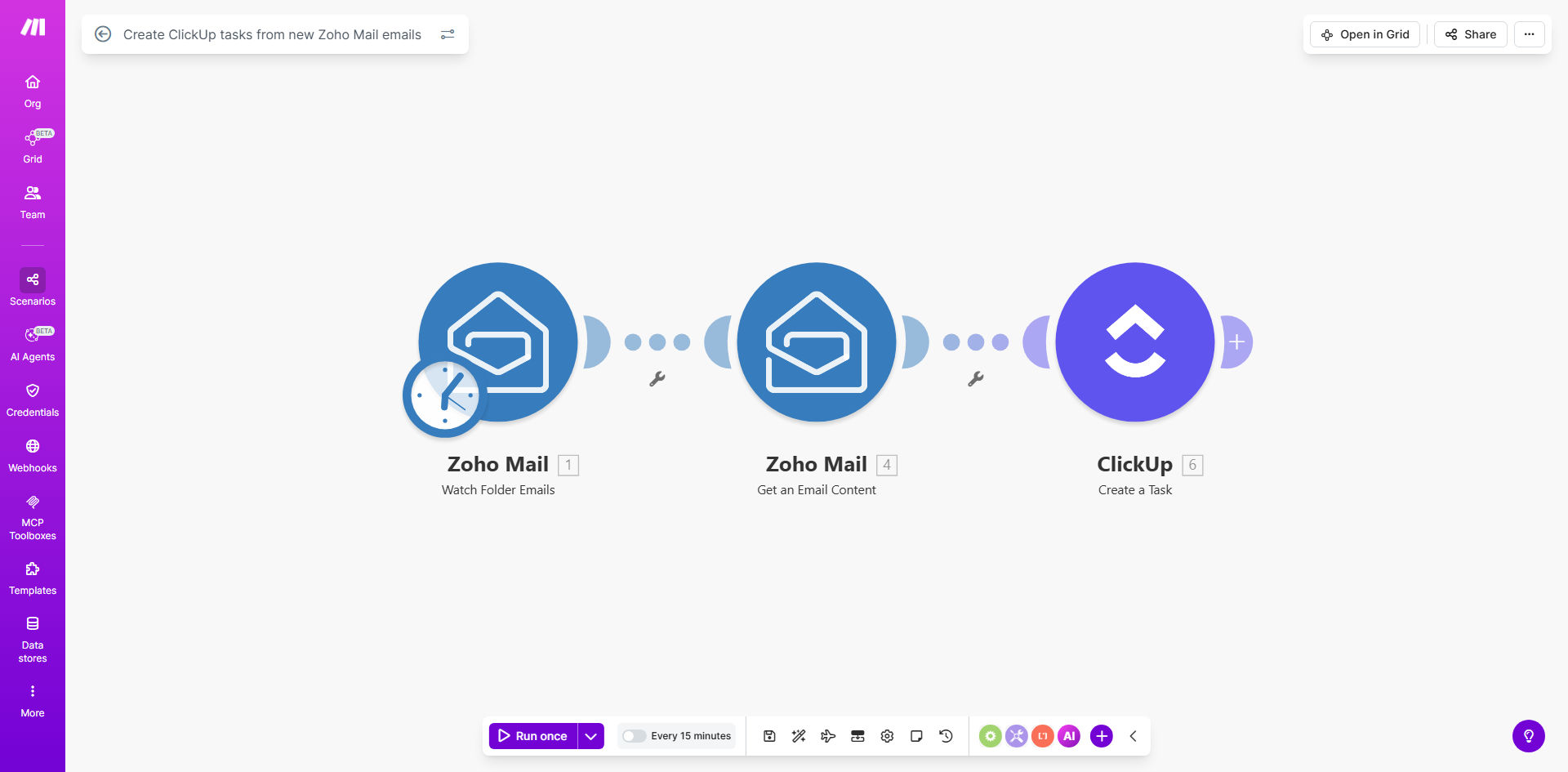
What This Workflow Does
This automation solves the common problem of important emails getting lost in busy inboxes. When critical client requests, internal action items, or support inquiries arrive via email, they often require follow-up tasks in your project management system. Manually creating these tasks wastes valuable time and introduces errors from copying information between systems.
The workflow automatically monitors a specified Zoho Mail folder for new emails. When a qualifying message arrives, it extracts key details like the sender, subject, body content, and attachments, then creates a corresponding task in ClickUp with all relevant information pre-populated. This ensures no action item falls through the cracks while saving 5-10 minutes per task that would otherwise be spent on manual data entry.
How It Works
1. Trigger: New email detection
The workflow starts when a new email arrives in your designated Zoho Mail folder. You can configure it to watch specific folders like "Action Items" or "Client Requests" to maintain focus on high-priority messages.
2. Email content extraction
Make reads the email's key components: sender address, subject line, body text (including formatted content), and any attachments. This information will populate corresponding fields in the ClickUp task.
3. Task creation in ClickUp
The system creates a new task in your specified ClickUp list, mapping email elements to task fields. By default, the subject becomes the task name, the body becomes the description, and attachments are added as task files.
4. Optional task configuration
You can enhance the automation by setting default values for task priority, due dates (e.g., +3 days from creation), assignees (based on sender email domain), and tags (extracted from email keywords).
Who This Is For
This workflow benefits any team that uses ClickUp for project management and Zoho Mail for business communication. It's particularly valuable for:
- Client services teams receiving requests via email
- Development teams managing bug reports
- Operations teams tracking internal action items
- Small business owners converting customer inquiries into tasks
- Remote teams collaborating across time zones
What You'll Need
- A Make.com account (free or paid)
- Zoho Mail account with access to the folder you want to monitor
- ClickUp account with permission to create tasks in the target workspace
- 5-10 minutes for initial setup
Quick Setup Guide
- Install the template from Make.com
- Connect your Zoho Mail account and specify the folder to monitor
- Connect your ClickUp account and select the default list for new tasks
- Configure field mappings between email content and ClickUp task fields
- Test with sample emails to verify task creation works as expected
- Activate the scenario to begin automatic processing
Key Benefits
Eliminate manual task entry: Save 30-60 minutes daily by automatically converting emails to tasks instead of copying information between systems.
Never miss action items: Important emails automatically become tracked tasks with visibility across your team, reducing dropped follow-ups by 80%.
Maintain context: All original email content including attachments transfers to ClickUp, keeping full context with each task.
Standardize workflows: Consistent task creation from emails improves process reliability across teams and reduces training time.
Scale operations: Handle increasing email volume without proportional increases in administrative work or staffing.
Pro tip: Create a dedicated Zoho Mail folder like "To-Task" and train your team to forward important messages there. This gives you control over which emails trigger task creation while keeping your automation focused on high-priority items.