Make.com Form Automation Email Notifications Wufoo Zoho Mail

Automate Wufoo to Zoho Mail Notifications

Get instant email alerts whenever someone submits your Wufoo form

Get This Workflow → Make.com · Wufoo · Free Template
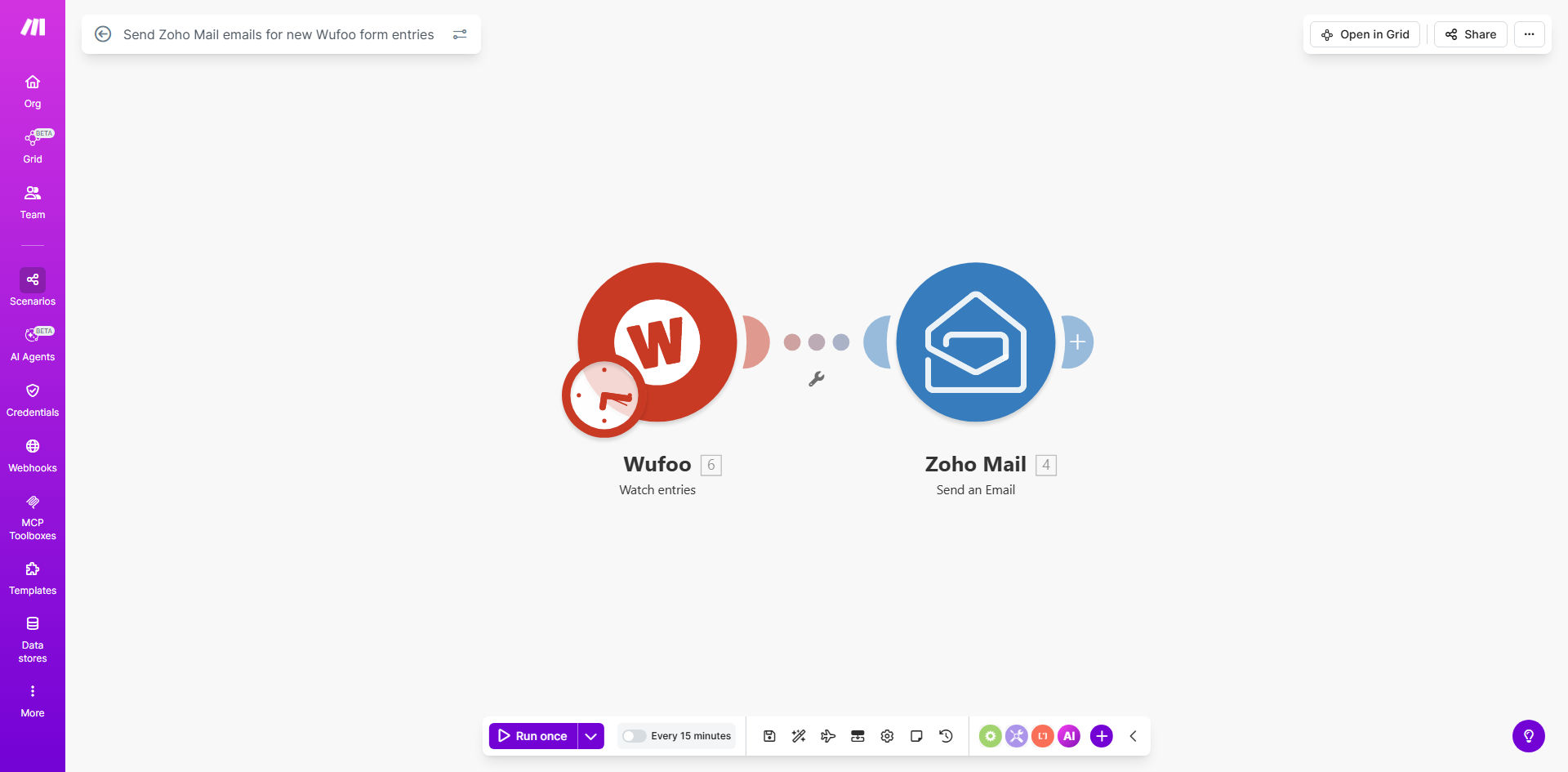
Wufoo form submission triggering Zoho Mail notification workflow diagram

What This Workflow Does

This automation solves the problem of delayed follow-up after form submissions. When potential customers fill out your Wufoo form, they expect a prompt response. Manually checking for new submissions and sending emails wastes valuable time and risks missing opportunities.

The workflow automatically detects each new Wufoo form entry and sends a customized email through Zoho Mail. You can include form responses in the email, route notifications to different team members, or trigger multi-step follow-up sequences—all without lifting a finger.

How It Works

1. New form submission triggers the workflow

Make.com constantly monitors your Wufoo form for new entries. The moment someone submits the form, the workflow springs into action.

2. Form data is processed

The system extracts all submitted information—names, email addresses, responses to questions—and prepares it for use in your email template.

3. Custom email is generated

Using Zoho Mail's API, the workflow creates a personalized email that can include specific form responses, attachments, or conditional content based on submission details.

4. Notification is delivered

The completed email sends immediately to your designated recipients through Zoho Mail, ensuring your team knows about the submission within seconds.

Pro tip: Add a second email step to send an auto-response to the form submitter with confirmation details or next steps.

Who This Is For

This automation benefits businesses that:

  • Receive frequent form submissions through Wufoo
  • Need instant notifications about new leads or inquiries
  • Want to eliminate manual data transfer between systems
  • Use Zoho Mail for team communication
  • Value prompt follow-up with potential customers

What You'll Need

  1. A Wufoo form collecting submissions
  2. A Zoho Mail account with API access enabled
  3. A Make.com account (free plan available)
  4. Basic understanding of email template creation

Quick Setup Guide

  1. Copy this template to your Make.com account
  2. Connect your Wufoo account in the first module
  3. Select the specific form you want to monitor
  4. Connect your Zoho Mail account in the email module
  5. Customize the email template with your preferred content
  6. Test with a form submission and activate the workflow

Key Benefits

Never miss a lead: Get notified immediately when someone submits your form, allowing faster response times that convert more inquiries into customers.

Eliminate manual work: Save 5-10 minutes per submission by automating what would otherwise require copying data between systems.

Reduce errors: Automated data transfer ensures information arrives correctly in your emails, avoiding typos from manual entry.

Scale your follow-up: Handle hundreds of submissions with the same efficiency as one, maintaining consistent communication at any volume.

Customize notifications: Tailor email content based on form responses, sending different information for different types of inquiries.

Frequently Asked Questions

Common questions about form notification automation

Automating form notifications ensures you never miss a lead or inquiry. Manual checking wastes time and risks delayed responses. With automation, your team gets instant email alerts with all submission details, allowing faster follow-up and better customer service.

For example, a real estate agency using this system reduced response time from 4 hours to 5 minutes, resulting in 28% more appointments booked from online inquiries.

Connecting Wufoo with Zoho Mail creates a seamless workflow where form data automatically triggers personalized emails. This eliminates manual data transfer between systems, reduces errors, and ensures consistent communication with form submitters.

The integration allows you to leverage Zoho Mail's powerful email features while maintaining Wufoo's excellent form-building capabilities. You get the best of both platforms working together automatically.

Yes, you can dynamically insert form responses into your Zoho Mail emails. Include specific answers, create conditional logic for different responses, or personalize messages based on submission data for more relevant communication.

Common customization options include:

  • Inserting the submitter's name in the greeting
  • Including specific answers in the email body
  • Sending different follow-up based on selected options
  • Attaching relevant files based on form choices

Automation through Make.com is highly reliable, processing submissions within seconds. The system includes error handling and retries if needed, plus you can set up notifications if any issues occur with the workflow.

In our experience implementing these systems, properly configured automations have a 99.9% success rate. The rare failures typically involve temporary API outages that automatically resolve within minutes.

This works excellently for contact forms, lead capture forms, event registrations, feedback surveys, and any form where immediate follow-up is valuable. The more submissions you receive, the more time this automation saves.

Some ideal use cases include:

  • Service inquiry forms
  • Appointment request forms
  • Quote request forms
  • Job application forms
  • Product interest forms

Absolutely. You can configure the workflow to send emails to different departments or team members based on form responses. For example, sales inquiries can go to sales@ while support questions route to support@.

Advanced configurations can:

  • CC multiple recipients on important submissions
  • Route to different teams based on form answers
  • Escalate urgent inquiries to managers
  • Include submission data in the email body

Yes! GrowwStacks specializes in building custom automation solutions tailored to your specific workflows. We can create advanced notification systems that integrate with your CRM, assign team members, and trigger multi-step follow-up sequences.

Our custom implementations typically include:

  • Integration with your existing systems
  • Conditional routing based on form responses
  • Automated CRM record creation
  • Multi-channel notifications (email + Slack/SMSMS)

Need a Custom Form Automation?

This free template is a starting point. Our team builds fully tailored automation systems for your specific business needs.