Make.com Form Automation Zoho Mail Cognito Forms

Send Zoho Mail emails for new Cognito Forms entries

Automatically send professional email responses when customers submit your forms

Get This Workflow → Make.com · Form Automation · Free Template
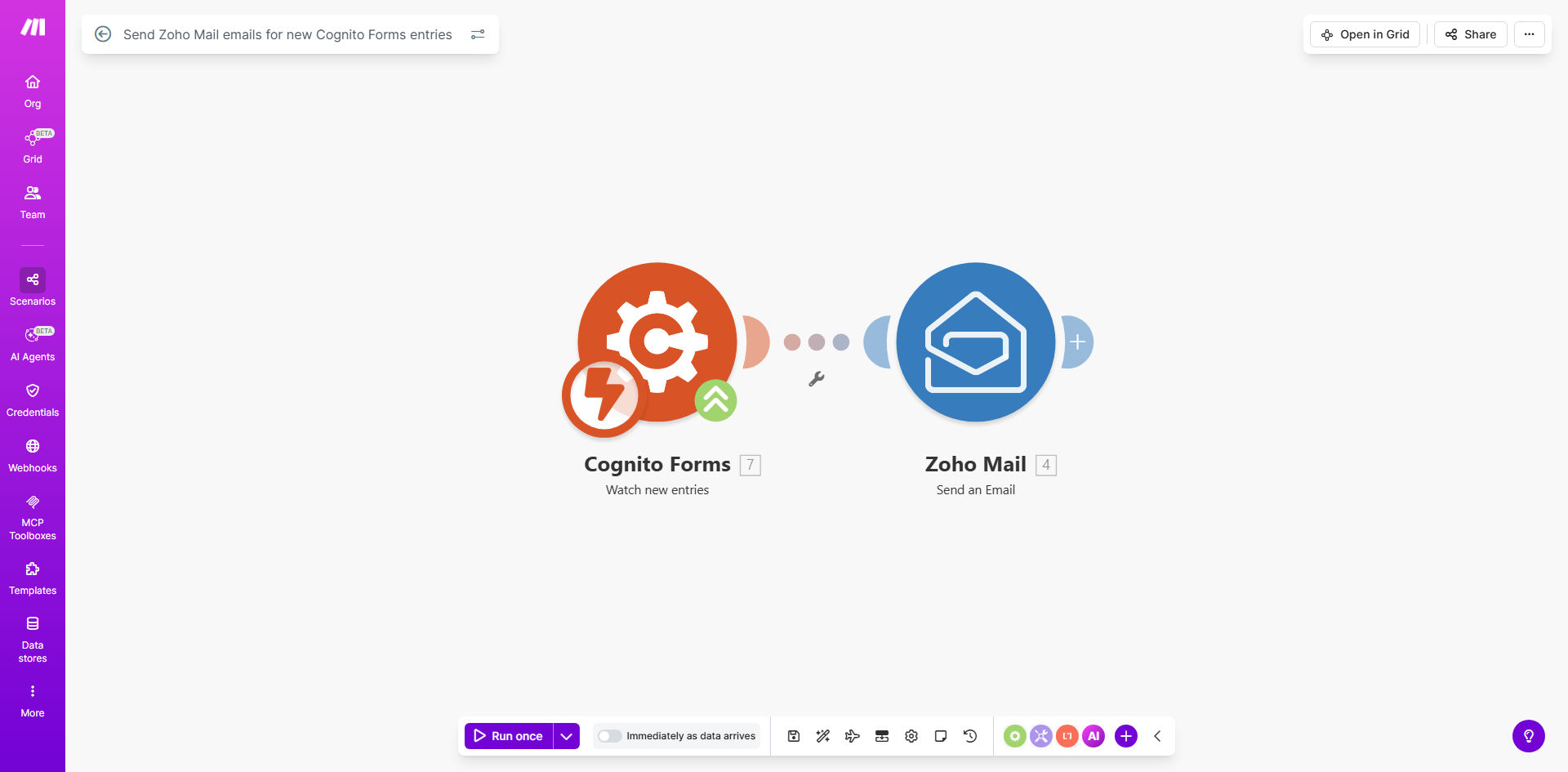
Make.com workflow diagram showing Cognito Forms to Zoho Mail integration

What This Workflow Does

This automation eliminates manual email responses when customers submit forms on your website. Every time someone completes your Cognito Form, Make instantly triggers a personalized email through your Zoho Mail account.

The workflow captures all form submission data and uses it to create professional, customized email responses. This ensures timely communication with leads or customers while saving your team hours of repetitive work.

How It Works

Step 1: New form submission detection

Make continuously monitors your Cognito Forms account for new entries. The moment someone submits your form, the workflow activates.

Step 2: Data extraction and processing

The system pulls all submitted form fields - names, email addresses, responses, and any attachments. This data gets formatted for use in your email template.

Step 3: Email composition and sending

Using your pre-designed Zoho Mail template, the workflow inserts the form responses into appropriate fields and sends the email to your specified recipients.

Who This Is For

This workflow benefits any business using Cognito Forms for:

  • Lead generation forms
  • Customer support requests
  • Event registrations
  • Feedback collection
  • Application forms

It's particularly valuable for service businesses, consultants, and teams handling high volumes of form submissions daily.

What You'll Need

  1. A Cognito Forms account with at least one published form
  2. An active Zoho Mail account
  3. A Make.com account (free plan available)
  4. Your email template designed in Zoho Mail

Quick Setup Guide

  1. Connect your Cognito Forms account to Make
  2. Authorize access to your Zoho Mail
  3. Map form fields to your email template variables
  4. Test with sample form submissions
  5. Activate the workflow for live use

Key Benefits

Save 5-10 hours per week by eliminating manual email responses to form submissions. Your team can focus on higher-value work.

Improve response times from hours/days to immediate. Customers receive confirmation emails within seconds of form submission.

Reduce human error with automated data transfer from forms to emails. No more copy-paste mistakes or missed submissions.

Professionalize communications with consistent, branded email templates for all form responses.

Scale effortlessly as your form submission volume grows without adding staff.

Pro tip: Use conditional logic to send different email templates based on specific form responses. For example, route sales inquiries to your sales team while sending support requests to customer service.

Frequently Asked Questions

Common questions about form-to-email automation and integration

Automating form responses saves hours of manual work by instantly sending professional emails when submissions come in. This ensures timely communication with customers or leads while eliminating the risk of missing form entries in your inbox.

For businesses receiving dozens of form submissions daily, automation transforms a tedious administrative task into a seamless process that enhances customer experience and operational efficiency.

Connecting Cognito Forms with Zoho Mail creates a seamless workflow where form data automatically triggers personalized emails. This integration helps maintain brand consistency in communications while capturing all submission data in your CRM or support system.

The combination allows you to leverage Cognito Forms' excellent form-building capabilities with Zoho Mail's professional email delivery, creating an end-to-end solution for customer interactions.

You can personalize emails by mapping form fields to email content variables. For example, include the respondent's name in the greeting or reference specific answers they provided in the form.

Advanced personalization might include conditional content blocks that change based on form responses, or dynamic subject lines that reflect the submission type.

  • Use merge tags for names and other personal details
  • Include relevant form answers in the email body
  • Customize calls-to-action based on submission type

Service businesses, consultants, educators, and any organization collecting leads or customer feedback through forms benefit greatly. It's especially valuable for teams handling high volumes of form submissions daily.

Examples include law firms processing client intake forms, schools managing student applications, and e-commerce businesses handling product inquiries. Any scenario where prompt response to form submissions impacts customer satisfaction.

Yes, you can set up conditional logic to send different email templates based on specific form answers. For example, send a sales follow-up for product inquiries but a support response for technical questions.

This routing capability allows you to create specialized response flows that match different customer needs while maintaining automation efficiency.

Automated email delivery is more reliable than manual processes because it eliminates human error. Every form submission triggers an immediate email with consistent formatting and content.

While manual processes risk missed emails during busy periods or staff absences, automation guarantees every submission receives a response according to your predefined rules.

Yes, GrowwStacks specializes in building custom form automation workflows tailored to your specific business processes. We can integrate multiple forms with your email system and CRM while adding advanced logic and personalization.

Our team creates solutions that match your exact operational needs, whether you require complex conditional routing, multi-step approval processes, or integration with other business systems.

  • Tailored to your forms and email templates
  • Integration with your existing tech stack
  • Ongoing support and optimization

Need a Custom Form Automation?

This free template is a starting point. Our team builds fully tailored automation systems for your specific business needs.