Make.com Google Forms Zoho Mail Email Automation Form Responses

Automatically Send Zoho Mail Emails for Google Forms Entries

Get instant email notifications for every form submission without manual work

Get This Workflow → Make.com · Google Forms · Free Template
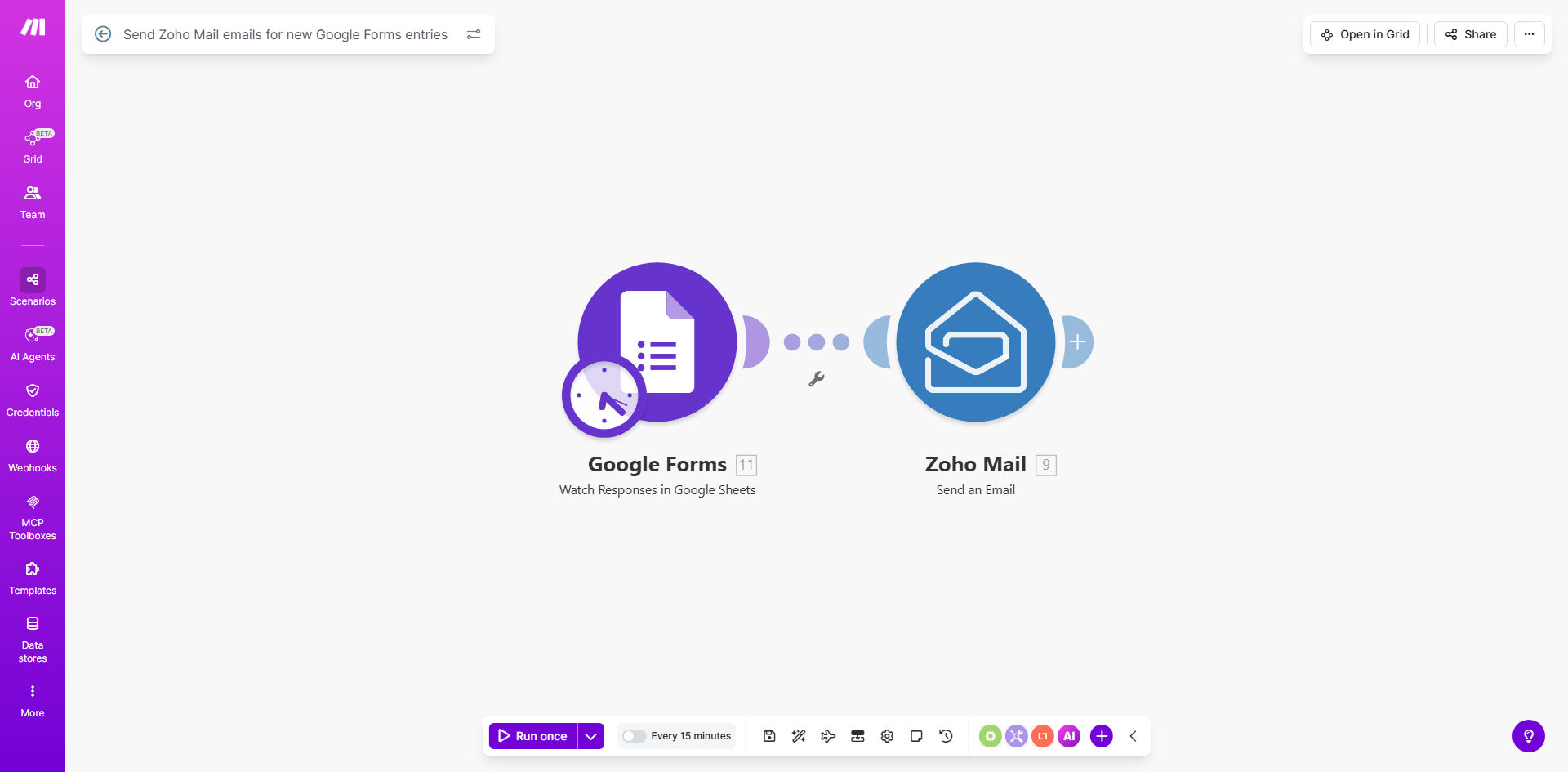
Google Forms to Zoho Mail automation workflow diagram

What This Workflow Does

This automation eliminates the manual process of sending email acknowledgments for Google Forms submissions. Every time someone completes your form—whether it's a customer inquiry, event registration, or feedback survey—the system automatically sends a professional email through your Zoho Mail account.

The workflow ensures no submission goes unanswered while saving your team hours of repetitive work. You can customize email content to include specific form responses, attachments, or conditional messaging based on how users answer questions. This creates a personalized experience at scale while maintaining consistent communication standards.

How It Works

1. New form submission triggers the workflow

Make.com constantly monitors your Google Form for new responses. The moment someone submits the form, the automation begins processing their answers.

2. Data is prepared for email creation

The system extracts relevant information from the form response—such as the respondent's name, email address, and specific answers—to personalize the outgoing email.

3. Zoho Mail composes and sends the email

Using your Zoho Mail account, the automation generates a properly formatted email with your branding and sends it to the respondent. You can configure different email templates for different form types or responses.

Pro tip: Add conditional logic to send different emails based on how users answer specific questions. For example, send a sales follow-up for product inquiries but a support response for technical questions.

Who This Is For

This automation benefits any business or organization using Google Forms for:

  • Customer support inquiries
  • Event registrations
  • Job applications
  • Feedback surveys
  • Service requests
  • Lead generation forms

It's particularly valuable for teams processing high volumes of form submissions who want to ensure timely responses without manual email management.

What You'll Need

  1. A Google Forms form collecting responses
  2. A Zoho Mail account with sending permissions
  3. A Make.com account (free tier available)
  4. Basic understanding of email template design

Quick Setup Guide

  1. Connect your Google Forms account to Make.com
  2. Authorize access to your Zoho Mail account
  3. Map form fields to email content variables
  4. Design your email template in Zoho Mail
  5. Test with sample form submissions
  6. Activate the workflow for live use

Key Benefits

Save 5-15 minutes per form response by eliminating manual email composition and sending. For teams receiving dozens of submissions daily, this adds up to hours of reclaimed productivity each week.

Never miss a form submission with 24/7 automated processing. The system works even when your team is offline, ensuring professional responses at all hours.

Maintain consistent branding across all automated emails with pre-approved templates that include your logo, colors, and standard messaging.

Reduce human error by automating data transfer from forms to emails. No more typos when copying information between systems.

Gain analytics insights through Zoho Mail's tracking features to see which form responses generate the most engagement.

Frequently Asked Questions

Common questions about Google Forms and Zoho Mail automation

Automating Google Forms to Zoho Mail eliminates manual email sending, saving 5-15 minutes per response. Staff can focus on higher-value tasks while ensuring every submission gets an immediate, professional response. This prevents missed follow-ups and maintains consistent communication standards.

A real estate agency processing 50 rental applications weekly saved 12 hours/month by automating acknowledgment emails. Their response time dropped from 24-48 hours to instant, improving applicant satisfaction.

This automation excels with customer inquiries, event registrations, job applications, and feedback forms. Any form requiring immediate acknowledgment or next steps benefits from automatic emails. The system can personalize responses based on form answers, creating tailored experiences at scale.

Common high-value use cases include sending downloadable resources after webinar registration, appointment confirmations for service requests, and personalized thank-you notes for survey participants.

Yes, the Make.com template lets you design dynamic emails using form responses. Include specific answers, attachments, or conditional logic to send different emails based on submission data. You maintain full control over branding and messaging while automating delivery.

For example, a training company sends different course materials based on which workshop option respondents select. Their emails automatically attach relevant PDFs and include personalized scheduling links.

Make.com's enterprise-grade infrastructure ensures 99.9% uptime for this integration. The system includes error handling and retries if connections fail temporarily. You'll receive notifications if any issues require attention, preventing lost submissions.

The workflow logs all processed forms and sent emails, creating an audit trail. For mission-critical forms, you can add backup notification channels like Slack alerts alongside the Zoho Mail emails.

Zoho Mail offers superior organization features for high-volume form processing. Its tagging, filtering, and automation rules help manage response emails efficiently. For businesses already using Zoho CRM, this creates a seamless customer data flow from first contact.

Key benefits include unlimited email aliases for different form types, shared mailbox access for team collaboration, and advanced spam protection to ensure your automated emails reach recipients' inboxes.

The template can be configured to CC or BCC additional recipients, or route emails based on form responses. You might send sales inquiries to your sales team while support requests go to customer service, all from one form.

Advanced setups can trigger different workflows entirely based on form answers—like creating support tickets for technical issues but adding leads to your CRM for product inquiries.

Absolutely. GrowwStacks specializes in tailored automation solutions. We can build custom workflows that integrate Google Forms with your specific email system, add conditional logic, connect to your CRM, or create multi-step follow-up sequences beyond this template's capabilities.

Our consultants will analyze your form processes and design an automation strategy that saves maximum time while improving response quality. Typical enhancements include adding SMS notifications, calendar invites, or database updates alongside the automated emails.

  • Custom conditional email branching
  • Multi-channel notifications
  • CRM integration options

Need a Custom Form Automation?

This free template is a starting point. Our team builds fully tailored automation systems for your specific business needs.