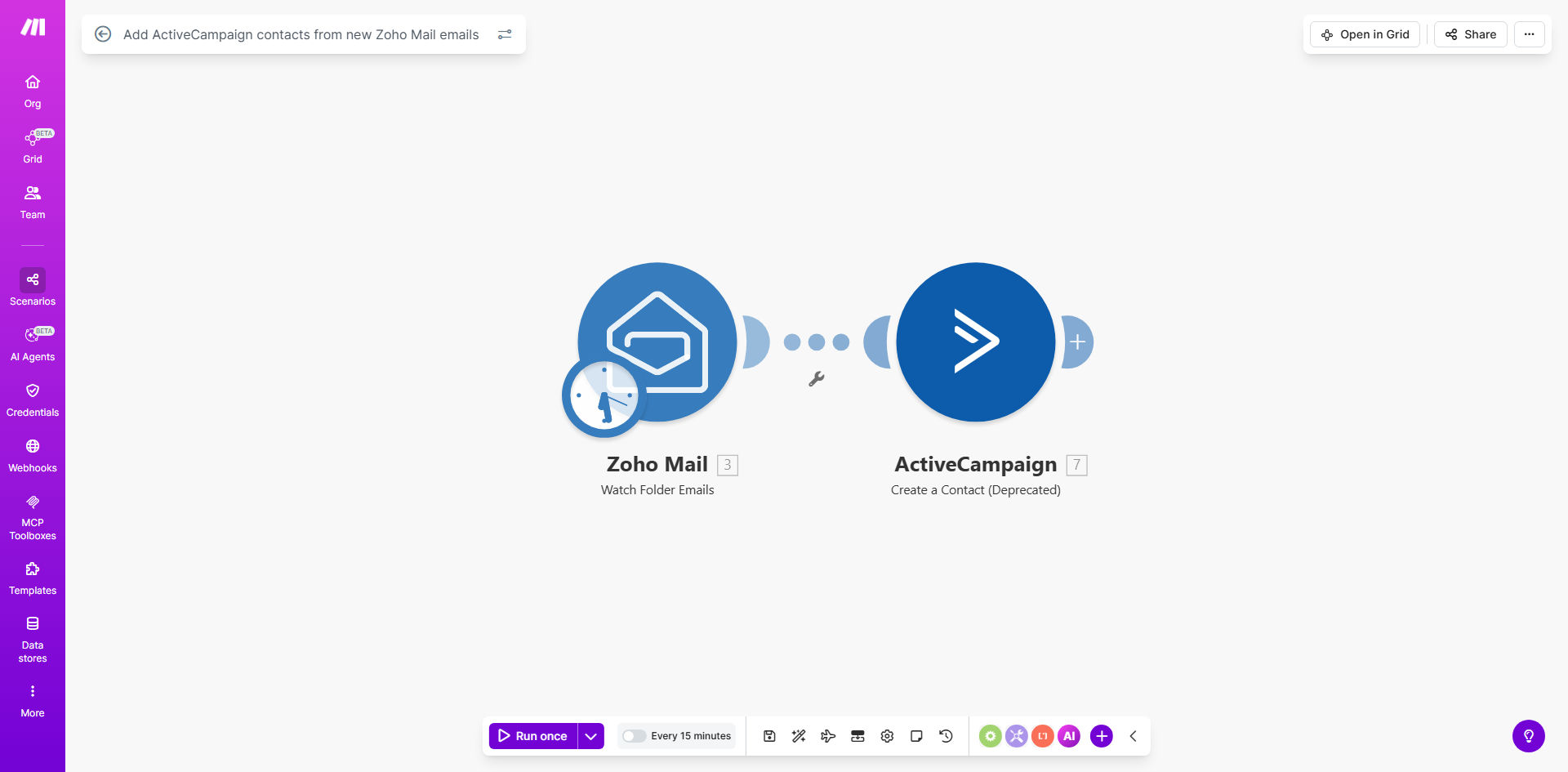
What This Workflow Does
This automation solves the common problem of manually transferring contact information from email communications to your CRM system. Every time a new email arrives in your specified Zoho Mail folder, the workflow automatically extracts the sender's details and creates a corresponding contact record in ActiveCampaign.
Businesses using this automation eliminate hours of repetitive data entry while ensuring no potential leads fall through the cracks. The workflow maintains data consistency between your email communications and CRM system, providing a seamless experience for both your sales team and customers.
How It Works
1. Trigger on new Zoho Mail emails
The workflow monitors a specific folder in your Zoho Mail account for new incoming messages. You can configure it to watch your inbox, a dedicated "Contact Form" folder, or any other designated location.
2. Extract sender information
For each new email, the workflow parses the sender's name, email address, and other available metadata. It can also extract relevant information from the email body if needed.
3. Create ActiveCampaign contact
The extracted information is formatted according to ActiveCampaign's API requirements and added as a new contact. The workflow can be configured to add tags, assign to lists, or set custom field values.
4. Error handling and logging
The workflow includes mechanisms to handle API errors, duplicate contacts, and other potential issues. Failed operations can trigger notifications or be retried automatically.
Who This Is For
This automation is ideal for:
- Sales teams receiving inquiries through email
- Marketing teams managing newsletter signups
- Customer support teams tracking issue reports
- Small businesses without dedicated data entry staff
- Any organization using both Zoho Mail and ActiveCampaign
What You'll Need
- An active Make.com account
- Zoho Mail account with API access
- ActiveCampaign account with API credentials
- A designated Zoho Mail folder to monitor
- Basic understanding of ActiveCampaign contact fields
Quick Setup Guide
- Install the template in your Make.com account
- Connect your Zoho Mail account in the first module
- Specify which folder to monitor for new emails
- Connect your ActiveCampaign account in the second module
- Map the email fields to ActiveCampaign contact fields
- Test with sample emails to verify the workflow
- Activate the scenario for automatic processing
Pro tip: Create a dedicated "Automated Contacts" tag in ActiveCampaign to easily identify contacts added through this workflow for reporting and segmentation purposes.
Key Benefits
Eliminate manual data entry: Save 3-5 hours per week by automatically adding contacts instead of copying information between systems.
Never miss a lead: Every email inquiry is captured in your CRM immediately, even if your team is busy or offline.
Improve data accuracy: Automated transfers reduce human error in contact information transcription.
Faster response times: Sales teams can follow up immediately since contacts appear in ActiveCampaign as soon as emails arrive.
Scalable process: The workflow handles increasing email volume without requiring additional staff time.