What This Workflow Does
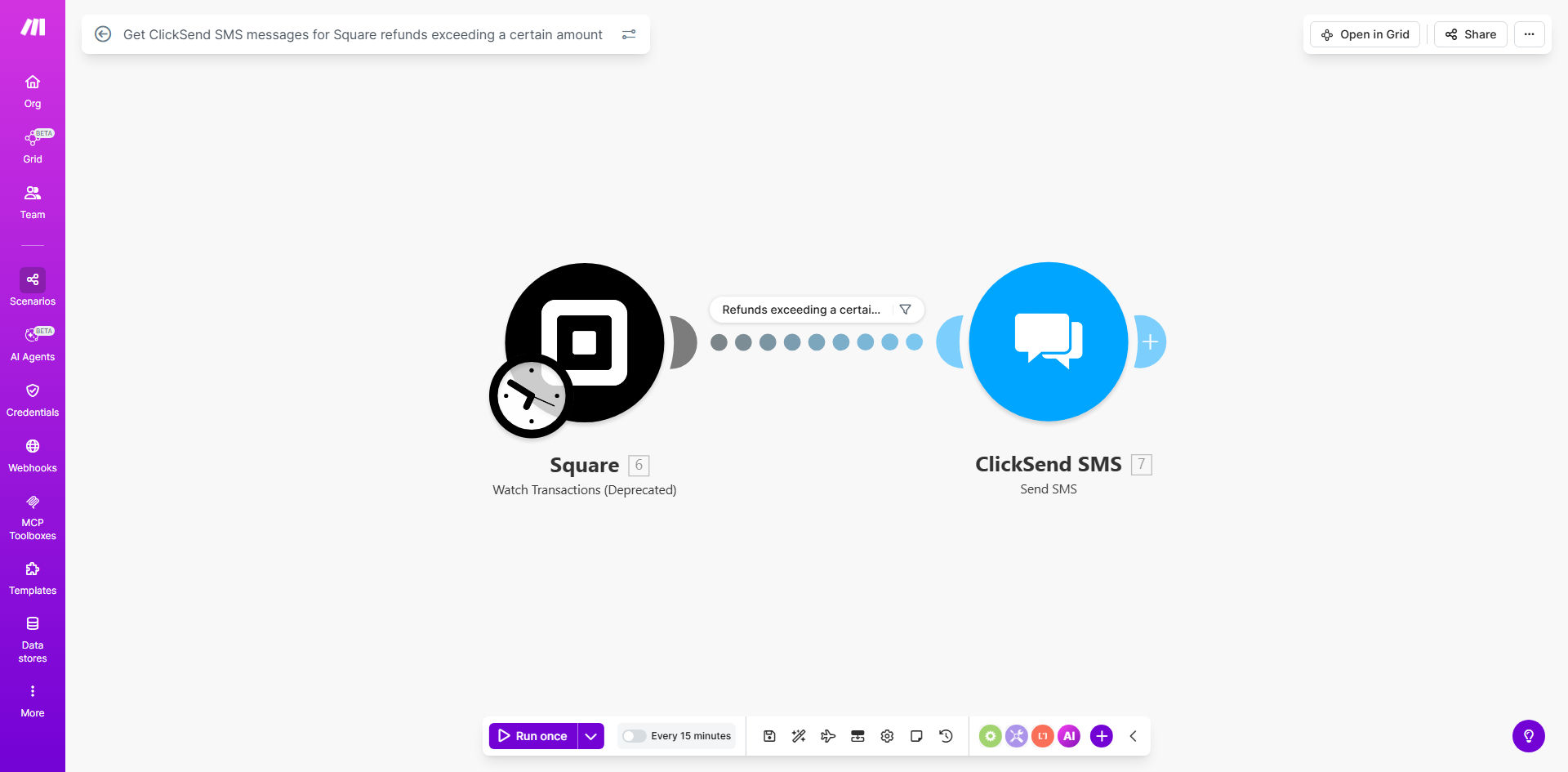
This automation monitors your Square transactions and instantly sends SMS alerts via ClickSend whenever a refund exceeds your predefined amount threshold. Designed for retail and ecommerce businesses, it provides real-time visibility into significant refund activity that could indicate customer disputes, fraudulent transactions, or operational issues.
By connecting Square's payment data with ClickSend's messaging platform, you eliminate the delay between when refunds occur and when you become aware of them. The system captures essential details like customer information, refund amount, and transaction timestamp - allowing for immediate investigation and response when needed.
How It Works
1. Square Refund Monitoring
The workflow continuously checks your Square account for new refund transactions through Make.com's automated polling system. It verifies each refund against your configured amount threshold.
2. Threshold Verification
When a refund is detected, the automation compares its amount to your predefined limit (e.g., $200). Only refunds exceeding this value trigger the alert process to avoid notification overload.
3. SMS Alert Generation
Approved refunds automatically generate an SMS message through ClickSend containing key details: customer name, refund amount, original transaction ID, and timestamp. The message is formatted for quick mobile reading.
4. Delivery Confirmation
ClickSend delivers the SMS to your specified mobile number(s) and provides delivery status confirmation back to the workflow for logging purposes.
Who This Is For
This solution benefits any business using Square for payments that needs to:
- Monitor for potential fraudulent refund activity
- Quickly address customer disputes before they escalate
- Maintain tighter financial controls over refund approvals
- Receive payment alerts when away from their POS system
Pro tip: Combine this with Square's built-in fraud tools for comprehensive protection. Set different threshold amounts for in-person vs online transactions based on your risk profile.
What You'll Need
- An active Square account with refund processing enabled
- A ClickSend account with SMS credits available
- Make.com account (free plan sufficient)
- Mobile number to receive alerts
- Determined refund threshold amount
Quick Setup Guide
- Clone the template in your Make.com account
- Connect your Square and ClickSend accounts
- Set your refund amount threshold in the workflow settings
- Specify the recipient mobile number in ClickSend
- Test with a small refund to verify alert delivery
- Activate the workflow for continuous monitoring
Key Benefits
Fraud prevention: Immediate awareness of large refunds allows quick action against potential payment disputes or unauthorized transactions before they impact your bottom line.
Customer service improvement: Faster response to legitimate refund requests demonstrates excellent service and can prevent negative reviews or chargebacks.
Financial control: Real-time visibility into significant refund activity helps maintain tighter oversight of your cash flow and accounting reconciliation.
Operational efficiency: Automated alerts eliminate manual checking of Square reports, saving several hours per week for busy business owners.
Mobile accessibility: SMS delivery means you're informed of important refunds whether you're in-store, at home, or on the go.