Make.com Cognito Forms ClickSend SMS Automation Form Notifications

Automatically Send SMS Messages from Cognito Forms Submissions

Instant SMS notifications via ClickSend whenever customers complete your forms

Get This Workflow → Make.com · Cognito Forms · Free Template
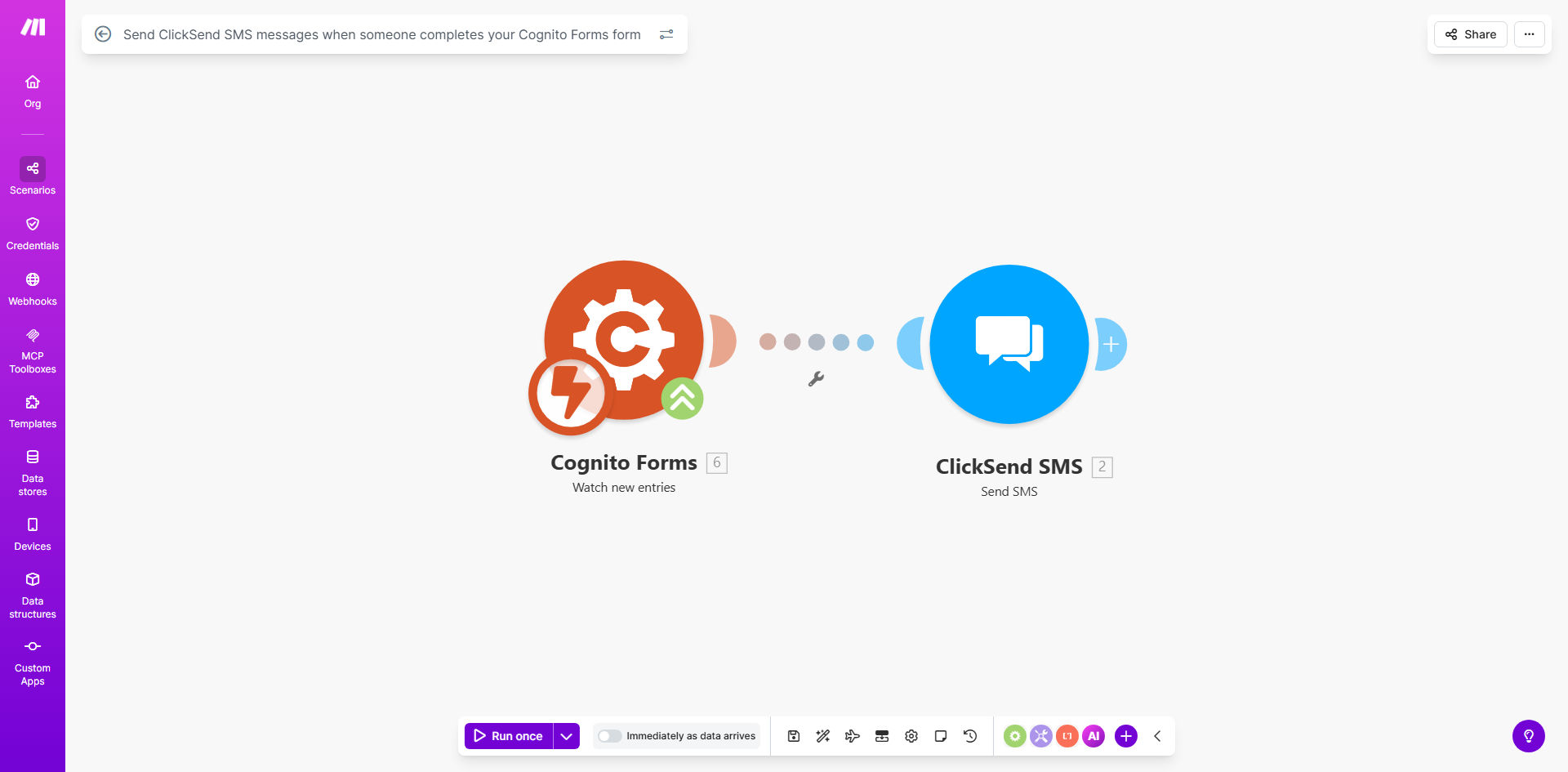
Make.com workflow diagram showing Cognito Forms to ClickSend SMS integration

What This Workflow Does

This automation solves the communication delay that happens between customer form submissions and your team's response. When customers complete your Cognito Forms form, they often expect immediate confirmation or next steps. Manual processes create frustrating delays where customers wonder if their submission was received.

The workflow automatically sends an SMS message via ClickSend the moment a form is submitted. This provides instant acknowledgment to customers, improves their experience, and reduces follow-up inquiries to your team. You can customize messages to include appointment details, confirmation numbers, or specific instructions based on the form responses.

How It Works

1. Form Submission Trigger

The workflow starts when someone submits your Cognito Forms form. Make.com detects this event in real-time through Cognito Forms' API connection.

2. Data Processing

The form responses are parsed to extract relevant information like phone numbers, customer names, or specific answers you want to reference in the SMS.

3. SMS Message Preparation

Make.com formats your predefined SMS template, inserting dynamic variables from the form submission to personalize each message.

4. ClickSend Delivery

The prepared message is instantly sent via ClickSend's SMS API to your specified recipient number (which can be the customer's phone number from the form or your business number).

Pro tip: Include a short link in your SMS to a confirmation page or calendar booking to create a seamless customer journey.

Who This Is For

This workflow is ideal for service businesses that rely on Cognito Forms for:

  • Appointment requests (healthcare, beauty, consulting)
  • Service inquiries (home services, contractors)
  • Event registrations (workshops, classes)
  • Lead capture (real estate, financial services)

Any business needing to provide immediate confirmation or next steps after form submission will benefit from this automation.

What You'll Need

  1. A Cognito Forms account with at least one active form
  2. A ClickSend account with SMS credits
  3. Make.com account (free plan works)
  4. The phone number(s) you want to send notifications to
  5. Your SMS message template

Quick Setup Guide

  1. Copy this template to your Make.com account
  2. Connect your Cognito Forms account in the first module
  3. Add your ClickSend API credentials in the SMS module
  4. Customize the SMS message template with your preferred text
  5. Specify the destination phone number (can be dynamic from form fields)
  6. Turn on the scenario and test with a form submission

Key Benefits

98% open rates - SMS messages are read within 3 minutes on average, compared to emails that may go unopened for hours or days.

30% reduction in support inquiries - Customers won't call to confirm receipt when they get instant SMS confirmation.

5x faster response times - Eliminate manual processes between form submission and customer notification.

Professional customer experience - Automated yet personalized communication makes your business appear more responsive and tech-savvy.

Scalable operations - Handles any volume of form submissions without adding staff workload.

Frequently Asked Questions

Common questions about form-to-SMS automation and integration

Automating SMS notifications ensures immediate communication with customers after they submit forms, reducing response delays. This improves customer experience and operational efficiency by eliminating manual notification processes.

For example, a medical clinic using this automation can instantly confirm appointment requests after hours, reassuring patients their submission was received without staff needing to monitor forms constantly.

Service businesses like healthcare providers, home services, and appointment-based companies benefit most. Any organization needing to quickly confirm submissions or provide instant follow-up instructions gains value from this automation.

Educational institutions use it for course registration confirmations, while contractors leverage it to acknowledge service inquiries immediately, even outside business hours.

  • Best for time-sensitive communications
  • Ideal when customers expect quick response
  • Perfect for mobile-first customer bases

ClickSend boasts 99.9% delivery reliability with global carrier connections. Their platform provides delivery receipts and handles retries automatically, making them a trusted SMS provider for business communications.

Unlike some SMS providers, ClickSend maintains direct relationships with mobile carriers worldwide, ensuring messages route efficiently without unnecessary hops that could delay delivery.

Yes, Make.com allows dynamic message content using variables from form submissions. You can personalize messages with customer names, appointment details, or specific response data for contextual communication.

A real estate agency might include property addresses in confirmation messages, while a tutor could reference the requested subject area in their SMS reply to form submissions.

Most users configure this workflow in under 30 minutes. The template provides pre-built connections between Cognito Forms and ClickSend, requiring only API key entry and message template setup.

With our documentation, even non-technical users can complete setup quickly. The longest part is typically crafting the perfect SMS message template that balances clarity with character limits.

SMS notifications have 98% open rates compared to 20% for emails, making them far more effective for time-sensitive communications. They're ideal for appointment confirmations, urgent updates, or mobile-first customer bases.

While Cognito Forms offers email notifications, SMS reaches customers immediately on their most personal device. Combining both channels creates redundancy ensuring your message is received.

Yes, GrowwStacks specializes in building tailored form automation solutions. We can create custom workflows with conditional messaging, multi-channel notifications, and advanced logic specific to your business processes.

Our team will analyze your form usage patterns and customer communication needs to design an automation system that fits your exact requirements, whether simple SMS confirmations or complex multi-step follow-up sequences.

  • Custom conditional messaging paths
  • Multi-channel notification systems
  • CRM integration options

Need a Custom Form Automation Solution?

This free template is a starting point. Our team builds fully tailored automation systems for your specific business needs.