Make.com Jotform ClickSend SMS Automation Form Responses

Automate SMS Notifications from Jotform to ClickSend

Instantly text customers when they submit forms - with zero manual work

Get This Workflow Make.com · Jotform · Free Template
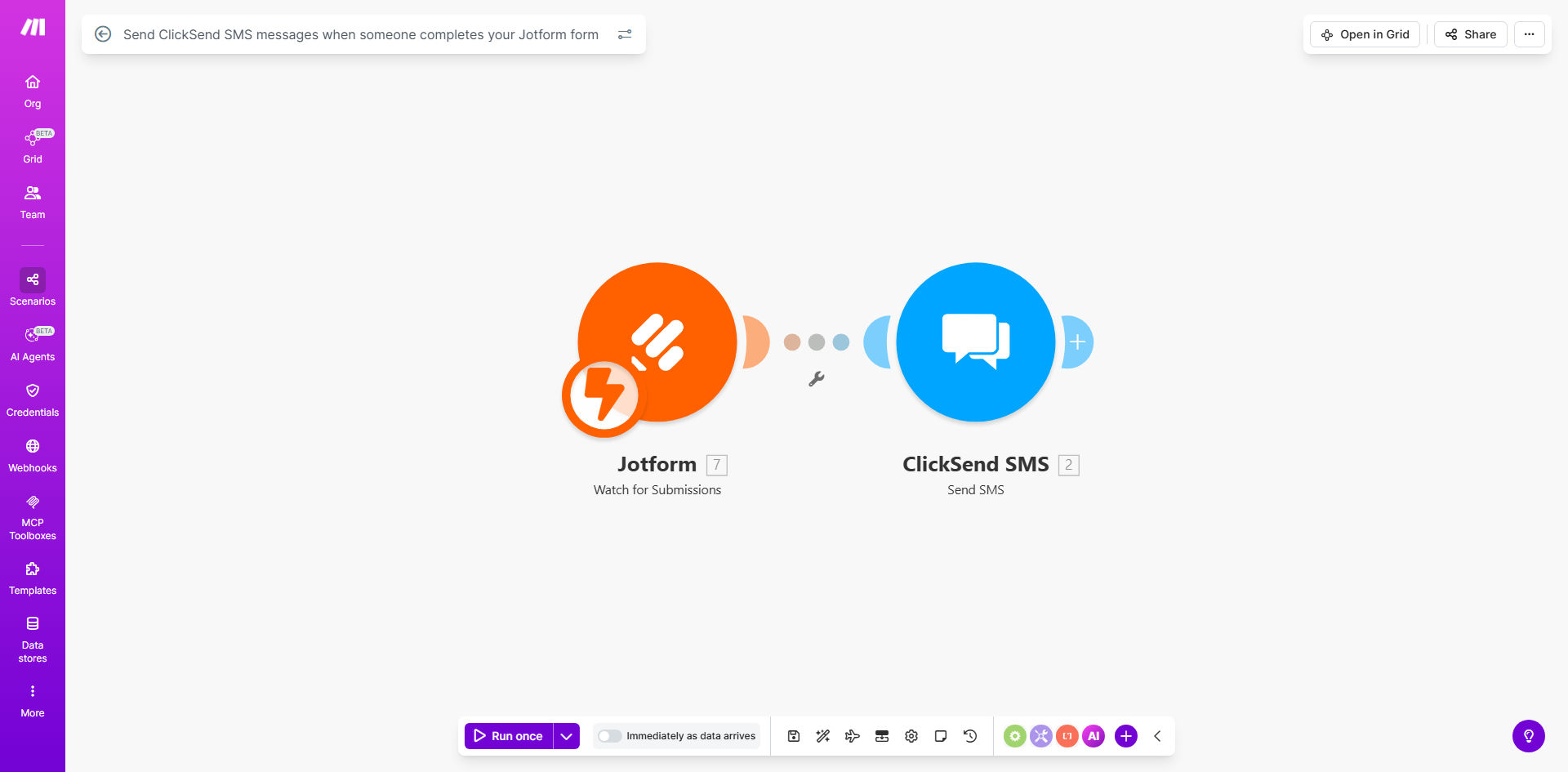
Make.com workflow diagram showing Jotform triggering ClickSend SMS messages

What This Workflow Does

This automation solves the common problem of delayed communication after form submissions. When customers complete your Jotform (whether it's for appointments, registrations, or inquiries), they often wait anxiously for confirmation. Manual processes where staff must check submissions and send texts create frustrating delays.

The workflow instantly bridges Jotform and ClickSend to deliver SMS confirmations within seconds of form submission. It captures all form data while automatically sending pre-written or customized messages to specified recipients. This creates professional, timely communication without any staff intervention.

How It Works

1. Form Submission Trigger

Make.com monitors your Jotform for new submissions in real-time. Each time someone completes your form, it instantly captures all response data including custom fields.

2. Data Processing

The workflow extracts key information like phone numbers, customer names, or reference numbers from the form responses. This data gets formatted for SMS delivery.

3. SMS Message Assembly

Your predefined message template combines static text with dynamic form data. For example: "Hi {Name}, we received your {Service} request (#{ID}). We'll contact you within 24 hours."

4. ClickSend Delivery

Make.com authenticates with your ClickSend account and transmits the composed message. ClickSend handles carrier delivery globally with real-time status updates.

Pro tip: Add conditional logic to send different SMS templates based on form responses. For example, urgent requests get priority messaging while standard submissions receive regular confirmations.

Who This Is For

This automation delivers maximum value for:

  • Healthcare providers sending appointment confirmations after patient intake forms
  • Education institutions acknowledging course registrations or event sign-ups
  • Service businesses confirming quotes, bookings, or consultation requests
  • Nonprofits thanking donors after contribution forms
  • Event organizers sending ticket confirmations and venue details

What You'll Need

  1. An active Jotform account with forms already created
  2. ClickSend API credentials (available in your account dashboard)
  3. Make.com free account
  4. Mobile numbers to receive test messages during setup
  5. SMS message templates drafted (we recommend 2-3 variations)

Quick Setup Guide

  1. Copy this template to your Make.com account
  2. Connect your Jotform account in the "Watch Responses" module
  3. Enter your ClickSend API credentials in the SMS module
  4. Customize the message template using form field placeholders
  5. Specify recipient numbers (can be from form data or fixed)
  6. Run a test submission and verify message delivery
  7. Activate the scenario for live use

Key Benefits

98% open rate: SMS messages get read within 3 minutes on average, compared to 20% email open rates for form confirmations.

30% reduction in support queries: Instant automated confirmations eliminate "Did you get my form?" calls and emails.

20+ hours/month saved: No more staff manually processing forms and sending individual texts.

Global reach: ClickSend delivers to 200+ countries with proper number formatting.

Audit trail: Every message includes delivery receipts and timestamps for compliance.

Frequently Asked Questions

Common questions about form-to-SMS automation and integration

Automating SMS responses ensures customers receive immediate confirmation when they submit forms, improving trust and reducing support queries. Studies show SMS has 98% open rates compared to 20% for email, making it ideal for time-sensitive confirmations.

For service businesses, this automation creates professional touchpoints without staff overhead. A contractor receiving 50 lead forms weekly can automatically text acknowledgments while focusing on qualified prospects.

Service businesses like contractors, healthcare providers, and schools benefit greatly. The instant communication loop improves customer experience while reducing administrative burdens.

For example, a dental clinic can instantly text appointment confirmations when patients complete intake forms, reducing no-shows by 30%. Schools use it to acknowledge enrollment submissions with campus details.

  • Best for time-sensitive acknowledgments
  • Ideal when recipients may not check email
  • Reduces staff communication workload

Yes, Make.com lets you dynamically insert form data like names, dates, or reference numbers into SMS messages. This personalization increases engagement by 45% compared to generic texts.

Advanced setups can include conditional logic. If a form indicates urgent service needed, the SMS might include "Priority" tagging and different response timelines than standard requests.

ClickSend delivers over 1 billion messages monthly with 99.9% reliability. Their global carrier network ensures messages reach recipients worldwide, with delivery receipts available for auditing.

The platform automatically routes messages through optimal channels based on destination. For high-volume senders, dedicated routes prevent filtering while maintaining competitive pricing.

Automating through Make.com eliminates staff time spent copying data between systems. For 500 monthly form submissions, businesses save 20+ hours/month while reducing human error in message routing.

ClickSend's bulk pricing starts at $0.01/message for US numbers - far cheaper than manual plans. The automation also prevents duplicate messages that often occur with manual processes.

Yes, ClickSend supports 200+ countries. The workflow can automatically format numbers correctly and select optimal routes based on the recipient's location.

International messaging works seamlessly when forms collect phone numbers with country codes. Some businesses use this for global event registrations or multilingual customer support.

Messages typically deliver within 2-8 seconds via Make.com's real-time triggers. This near-instant communication reassures customers their submission was received.

During peak times, delivery may take up to 30 seconds. The workflow includes error handling to retry failed attempts and notify administrators of any issues.

Absolutely. GrowwStacks specializes in tailored Jotform-ClickSend integrations with advanced features beyond this template. Our engineers can build solutions matching your exact business requirements.

Custom implementations might include multilingual messaging, two-way conversations, conditional routing based on form responses, or integration with your CRM. We handle everything from API connections to message template design.

  • Free consultation to assess your needs
  • White-glove implementation
  • Ongoing support and optimization

Need a Custom Form-to-SMS Automation?

This free template is a starting point. Our team builds fully tailored automation systems for your specific business needs.