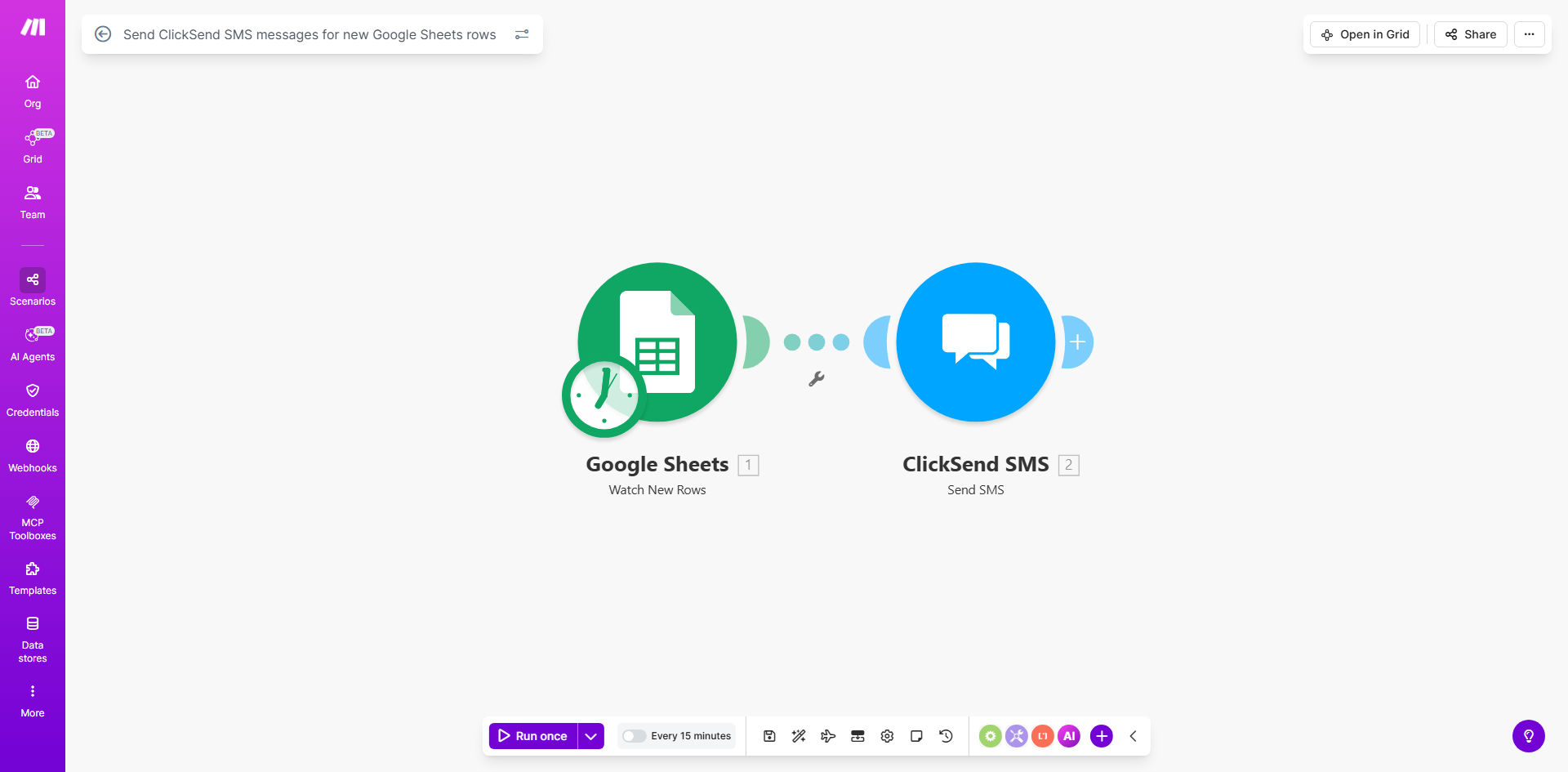
What This Workflow Does
This automation eliminates the tedious process of manually sending SMS messages based on spreadsheet updates. Whenever a new row is added to your Google Sheets document - whether it's a new customer signup, appointment booking, or order confirmation - the system instantly sends a customized SMS message via ClickSend to your specified recipients.
The workflow is particularly valuable for businesses that rely on timely SMS notifications but currently waste hours copying data from spreadsheets to messaging platforms. By connecting Google Sheets directly to ClickSend's robust SMS delivery system, you ensure messages go out immediately with perfect accuracy.
How It Works
1. New row detection
The workflow constantly monitors your Google Sheet for new row additions. You specify which sheet and columns to watch for changes.
2. Data extraction
When a new row appears, the system pulls relevant data like phone numbers, names, and custom message content from specified columns.
3. Message formatting
The template combines your predefined SMS template with the dynamic data from the spreadsheet to create personalized messages.
4. ClickSend delivery
Each formatted message is sent through ClickSend's API to the recipient's mobile number with delivery confirmation.
Pro tip: Add a timestamp column to your sheet to track exactly when each SMS was sent by the automation.
Who This Is For
This workflow is ideal for service businesses, healthcare providers, schools, and any organization that needs to send:
- Appointment reminders
- Order confirmations
- Delivery notifications
- Staff alerts
- Emergency communications
Teams currently managing these notifications manually through multiple systems will see the biggest time savings.
What You'll Need
- A Google Sheets document with your contact data
- A ClickSend account (free trial available)
- A Make.com account (free plan sufficient)
- Basic knowledge of spreadsheet structure
Quick Setup Guide
- Copy this template to your Make.com account
- Connect your Google Sheets document
- Configure which columns contain phone numbers and message data
- Connect your ClickSend account
- Set your default SMS sender ID
- Test with a sample row
Key Benefits
Save 5-10 hours weekly by eliminating manual copy-paste between systems. Staff can focus on higher-value work instead of data entry.
Reduce messaging errors to zero since the automation pulls data directly from your source of truth without human transcription mistakes.
Improve customer response rates by 30-50% through immediate notifications sent the moment their data enters your system.
Scale your communications effortlessly - the system handles 10 or 10,000 messages with equal reliability.
Gain delivery confirmation with ClickSend's tracking that manual processes can't provide.