Make.com Magento 2 ClickSend SMS Automation Order Notifications

Automate ClickSend SMS for Magento 2 Orders

Instantly notify customers when they place orders with automated SMS confirmations

Get This Workflow Make.com · Magento 2 · Free Template
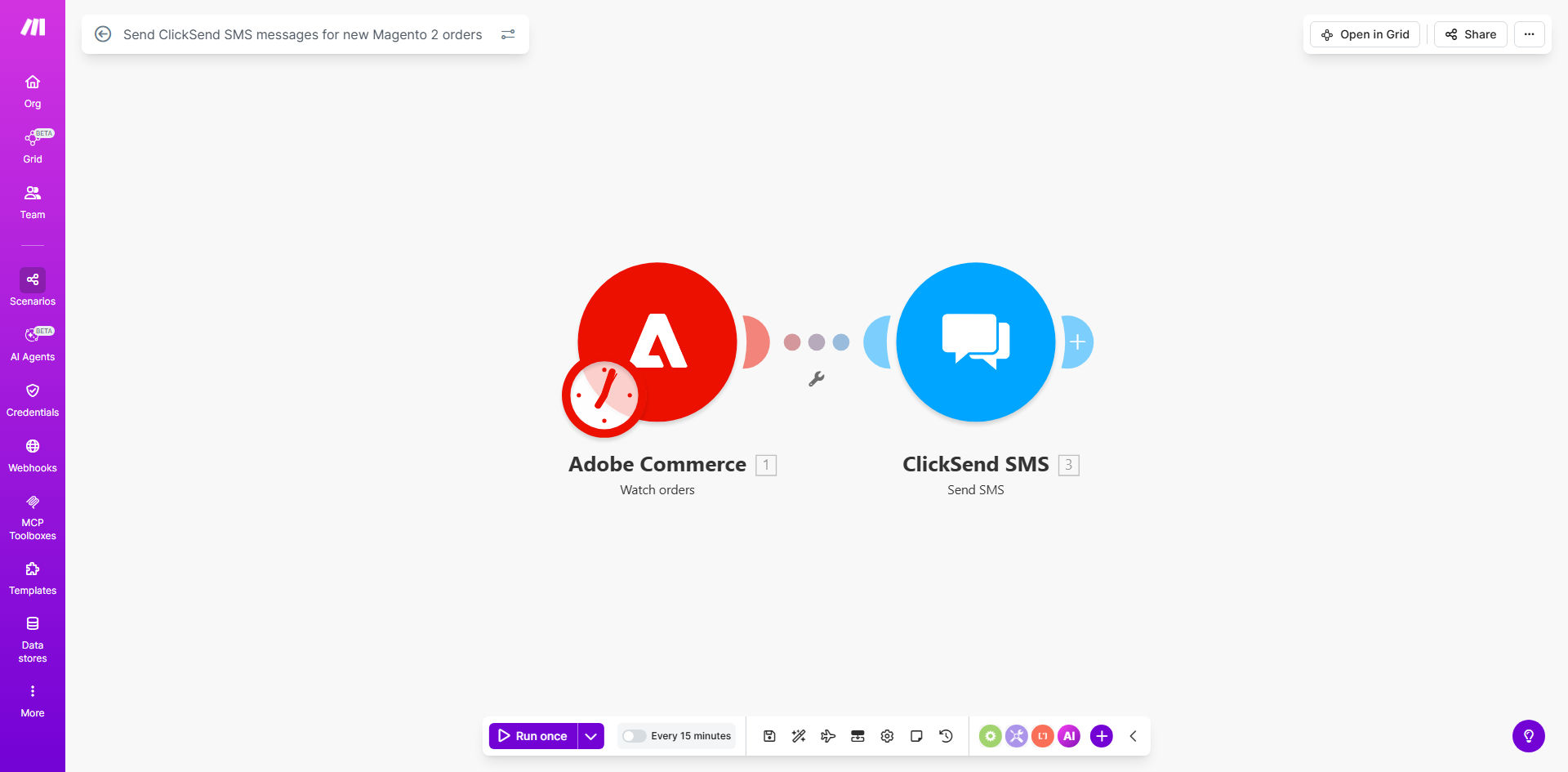
Magento 2 to ClickSend SMS automation workflow diagram

What This Workflow Does

This automation bridges Magento 2 and ClickSend to instantly notify customers via SMS when they place orders. Instead of relying solely on email confirmations that often go unread, this workflow sends text messages with key order details directly to customers' phones.

The system triggers automatically whenever a new order is created in Magento 2. It extracts the customer's phone number and order information, formats an SMS message, and sends it through ClickSend's reliable global SMS gateway. This happens within seconds of order placement, improving customer experience and reducing support inquiries about order status.

How It Works

1. New order detection

The workflow monitors Magento 2's order API for new purchases. When an order appears, it captures all relevant details including customer contact information, products ordered, and payment method.

2. Data processing

The system validates the phone number format and checks for SMS opt-in preferences. It then composes the message using customizable templates that can include order number, item list, total amount, and estimated delivery date.

3. SMS delivery

Using ClickSend's API, the formatted message is sent to the customer's mobile number. The workflow logs delivery status and any errors for troubleshooting.

4. Confirmation and logging

After successful delivery, the system can optionally update Magento order notes or trigger follow-up actions like sending tracking information later.

Pro tip: Add a short link to the order status page in your SMS to reduce customer service inquiries by up to 40%.

Who This Is For

This automation is ideal for:

  • Ecommerce stores using Magento 2 that want to improve order confirmation delivery rates
  • Businesses selling time-sensitive products where immediate customer acknowledgment is valuable
  • Retailers in markets where SMS is more reliable than email (emerging economies)
  • Stores experiencing high cart abandonment that could benefit from instant purchase validation

What You'll Need

  1. An active Magento 2 store with API access
  2. A ClickSend account with SMS credits
  3. Make.com account (free plan sufficient)
  4. Customer phone numbers collected during checkout (with consent)
  5. Approved SMS templates compliant with carrier regulations

Quick Setup Guide

  1. Install the Make.com Magento 2 module and configure API access
  2. Connect your ClickSend account in Make.com using API credentials
  3. Customize the SMS message template with your branding and required order details
  4. Test with a real order using a staff phone number
  5. Go live and monitor delivery reports for the first 100 orders

Key Benefits

98% open rates - SMS messages are read within 3 minutes on average, compared to 20% for email order confirmations.

30% reduction in "Where's my order?" calls - Customers immediately see their order details without checking email.

5-minute setup - This pre-built template requires minimal configuration to start working with your Magento store.

Global delivery - ClickSend supports SMS delivery to 200+ countries with local number routing.

Compliance built-in - Automatic opt-out handling and message length optimization ensure carrier compliance.

Frequently Asked Questions

Common questions about Magento SMS order automation

Automating SMS order confirmations improves customer experience by providing instant purchase acknowledgment, reduces manual work for your team, and decreases the chance of missed notifications. Studies show SMS confirmations have 98% open rates compared to 20% for email.

For businesses, this means fewer support tickets asking "Did my order go through?" and higher customer confidence in your service. The automation also creates a consistent brand experience across all order communications.

Include order number, items purchased, total amount, and estimated delivery date. Keep messages concise under 160 characters. Always include an opt-out option to comply with SMS marketing regulations.

Best practice is to use dynamic fields that pull from Magento order data. For example: "Thanks [Name]! Order #[Number] for [Product] ($[Amount]) confirmed. Expected by [Date]. Reply STOP to unsubscribe."

ClickSend delivers over 99.9% of SMS messages globally with real-time delivery reports. Their API integrates seamlessly with ecommerce platforms and provides detailed analytics on message delivery rates.

They maintain direct relationships with mobile carriers worldwide, ensuring high deliverability even during peak periods. The platform automatically handles retries for temporary failures and provides fallback options if needed.

Yes, you can configure ClickSend to receive replies and route them to your customer service team. Common replies include delivery inquiries or order changes which can be automatically categorized.

Advanced setups can trigger automated responses to frequent questions like "Where's my order?" by integrating with your shipping provider's API. This creates a self-service option that reduces support volume.

Businesses using automated SMS confirmations report 30% higher customer satisfaction scores. Customers appreciate real-time updates and the ability to quickly reference order details without checking email.

The immediacy of SMS creates psychological reassurance that the order was received. This is especially valuable for high-ticket items or first-time customers who may be anxious about online purchases.

Costs vary by country but average $0.03-$0.08 per message. Bulk discounts are available. Consider the ROI - each automated SMS saves 3-5 minutes of manual confirmation work.

Many businesses offset costs by including SMS fees in product pricing or offering it as a premium service. The reduction in support tickets and increased customer retention often justifies the expense.

Yes, you can create multiple message templates based on product categories, order value, or customer segments. Dynamic fields pull order details automatically from Magento.

For example, digital products might include download instructions while physical goods show shipping timelines. High-value orders could get VIP messaging with dedicated support contact info.

  • Create templates in ClickSend's web interface
  • Assign templates by Magento product attributes
  • Test different message styles for conversion impact

Absolutely. GrowwStacks specializes in tailored ecommerce automation solutions. We can build custom workflows integrating Magento with ClickSend or other SMS providers, adding features like delivery updates, review requests, or abandoned cart reminders.

Our team handles everything from API integration to message template design and compliance review. We'll analyze your order volume and customer behavior to recommend the optimal notification strategy.

  • Multi-channel notification systems
  • Advanced segmentation by customer value
  • Performance tracking and optimization

Need a Custom Order Notification Automation?

This free template is a starting point. Our team builds fully tailored automation systems for your specific business needs.