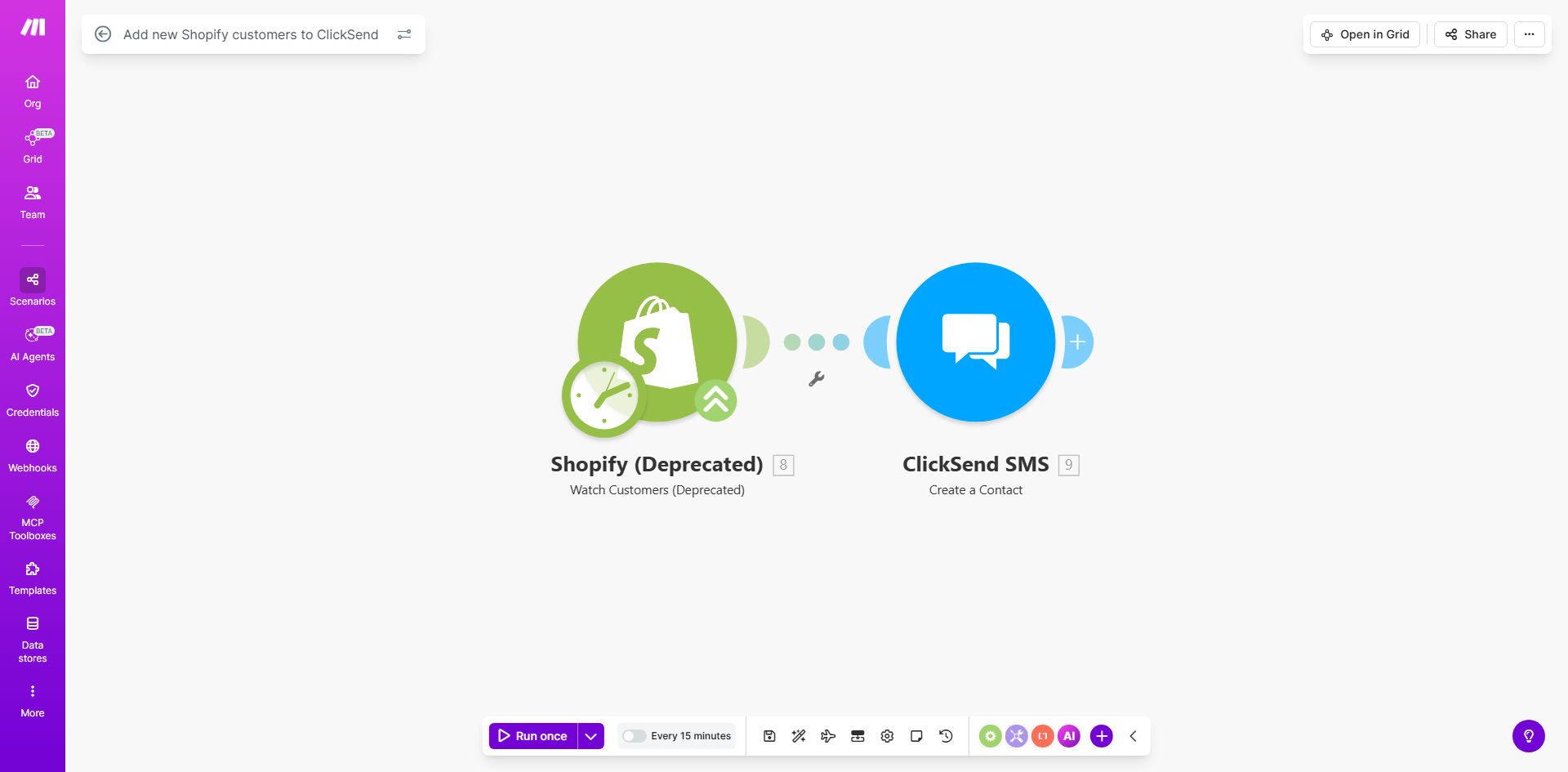
What This Workflow Does
This automation solves the common challenge of manually transferring customer data between Shopify and ClickSend. When running SMS marketing campaigns, having up-to-date customer contact information is crucial, but maintaining synchronized lists across platforms often requires tedious spreadsheet exports and imports.
The workflow automatically creates new ClickSend contacts whenever a customer completes a purchase in Shopify. It captures essential details like phone numbers, email addresses, and order history, ensuring your SMS marketing campaigns can target the right customers with personalized messages based on their purchase behavior.
How It Works
1. New customer trigger
The workflow monitors Shopify for new customer creation events, which occur whenever someone completes their first purchase or creates an account.
2. Data extraction
Key customer information is pulled from Shopify including name, contact details, and order information. The system can be configured to include specific data points relevant to your marketing needs.
3. Contact creation
The extracted data is formatted according to ClickSend's API requirements and a new contact is created in your ClickSend account. The workflow handles all the technical integration details automatically.
Pro tip: Add custom fields in ClickSend to store Shopify-specific data like customer lifetime value or favorite product categories for more targeted messaging.
Who This Is For
This automation is ideal for ecommerce businesses using Shopify that want to:
- Run SMS marketing campaigns through ClickSend
- Reduce manual data entry between platforms
- Send timely post-purchase SMS messages
- Segment customers based on purchase behavior
- Improve marketing ROI with better data synchronization
What You'll Need
- A Shopify store with customer accounts enabled
- An active ClickSend account with API access
- Make.com account (free tier available)
- Basic understanding of Shopify customer data structure
- Clear SMS marketing compliance policies
Quick Setup Guide
- Install the template in your Make.com account
- Connect your Shopify store by authenticating with API credentials
- Connect your ClickSend account using your API key
- Map the Shopify customer fields to ClickSend contact fields
- Test with a new Shopify customer to verify the sync works
- Activate the workflow to run continuously
Key Benefits
Save 5+ hours weekly by eliminating manual customer data transfers between Shopify and ClickSend. The automation handles everything in the background.
Improve campaign effectiveness with real-time customer data. New buyers can be targeted with SMS messages immediately after purchase.
Reduce human errors that occur during manual data entry. The automated transfer ensures 100% accuracy in contact information.
Enhance personalization by including purchase details in ClickSend contact records. Create segments based on products bought or order values.
Scale your marketing without proportional increases in administrative work. The system handles any volume of new customers automatically.