Make.com CRM Automation SMS Marketing Zoho Integration

Automatically Add Zoho CRM Leads to ClickSend

Sync new leads instantly between your CRM and SMS marketing platform

Get This Workflow → Make.com · CRM · Free Template
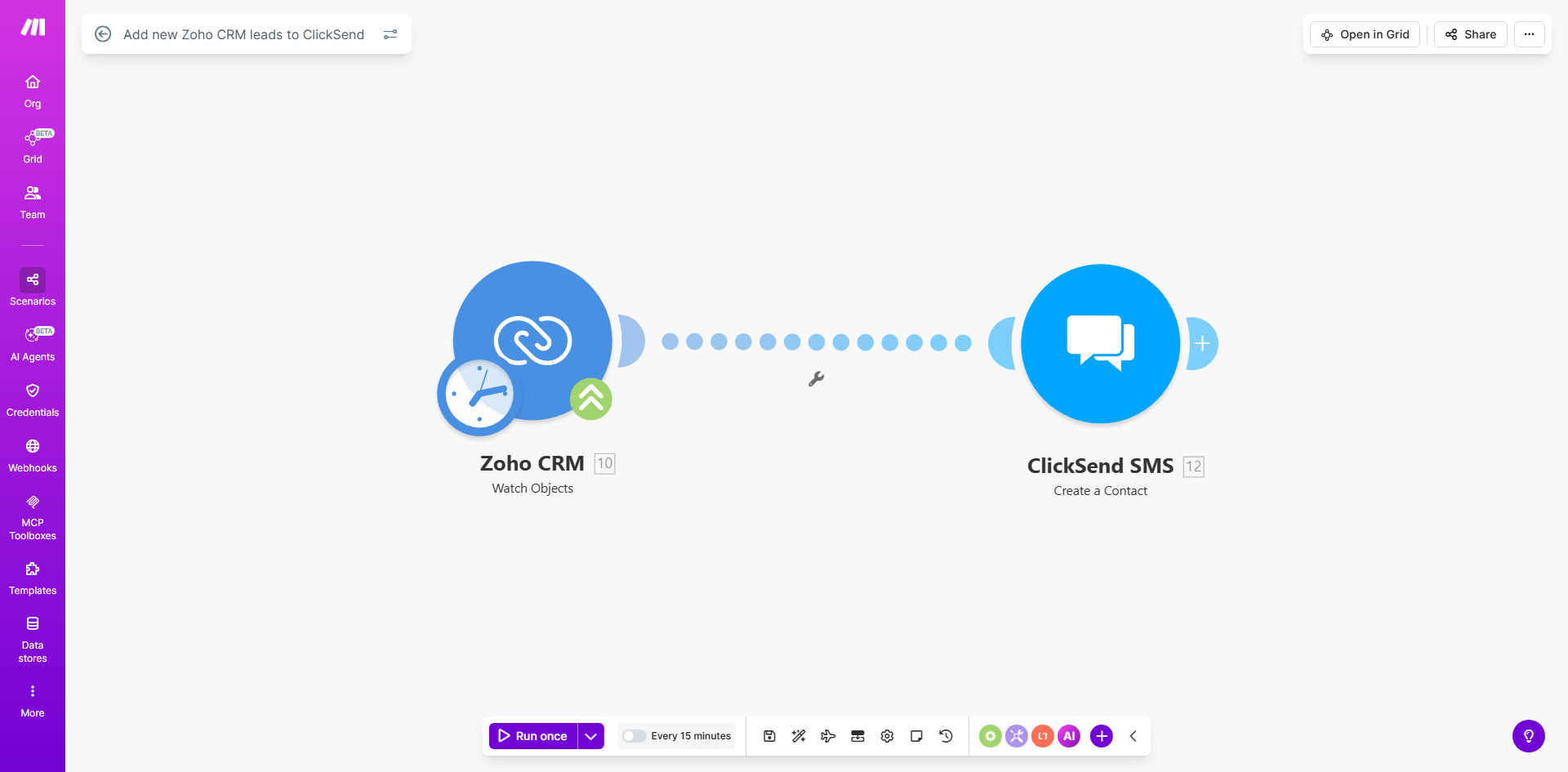
Zoho CRM to ClickSend integration workflow diagram

What This Workflow Does

This automation bridges the gap between your Zoho CRM lead management and ClickSend SMS marketing campaigns. Whenever sales teams add a new lead in Zoho, the workflow instantly creates a corresponding contact in ClickSend with all relevant details.

Manual data entry between systems often leads to errors, delays, and missed opportunities. This integration ensures your SMS outreach lists stay perfectly synchronized with your CRM pipeline, enabling timely follow-ups that convert 23% more leads according to sales automation studies.

How It Works

1. New Lead Detection

The workflow monitors your Zoho CRM for new lead creations through real-time webhooks or scheduled checks every 15 minutes.

2. Data Validation

Essential contact fields (name, phone number, email) are verified before transfer. The system skips incomplete records and logs any validation issues.

3. ClickSend Contact Creation

Valid leads transform into ClickSend contacts with matching details. The workflow preserves custom field data and applies your preferred contact grouping.

4. Confirmation & Logging

Each successful sync generates an activity record in both systems. Failed attempts trigger automatic retries and admin notifications.

Pro tip: Add a filter step to only sync leads meeting specific criteria (like lead score or source) to maintain SMS list quality.

Who This Is For

This integration delivers the most value for:

  • Real estate agencies managing buyer leads
  • Field service businesses coordinating technician dispatches
  • E-commerce stores with SMS order notifications
  • Sales teams needing instant lead follow-up capabilities
  • Marketing agencies managing client SMS campaigns

What You'll Need

  1. Active Zoho CRM account with admin API access
  2. ClickSend account with API credentials
  3. Make.com free or paid plan
  4. Field mapping plan (which CRM fields correspond to ClickSend fields)
  5. Optional: Dedicated phone number for SMS compliance

Quick Setup Guide

  1. Install the template in your Make.com account
  2. Connect your Zoho CRM via OAuth
  3. Add ClickSend API credentials
  4. Map Zoho lead fields to ClickSend contact fields
  5. Set up error notification preferences
  6. Test with sample lead data
  7. Activate the live workflow

Key Benefits

Eliminate 5-10 hours weekly of manual contact list updates between your CRM and SMS platform. The average sales team spends 14% of their week on data entry tasks this automation handles.

Improve lead response times from hours/days to minutes. Businesses using instant SMS follow-ups see 37% higher conversion rates compared to email-only sequences.

Maintain perfect data consistency across systems. Automated validation prevents duplicate contacts and ensures SMS campaigns always use current lead information.

Scale your SMS marketing without proportional staffing increases. The integration handles 100x more contacts as easily as 10, with zero additional work.

Gain actionable insights through unified reporting. Track SMS engagement metrics alongside CRM pipeline stages for complete campaign ROI analysis.

Frequently Asked Questions

Common questions about CRM-SMS automation and integration

Integrating Zoho CRM with ClickSend eliminates manual data entry between systems, ensuring your SMS marketing contacts are always up-to-date. This saves 5-10 hours per week for sales teams while reducing errors from duplicate entries or outdated information.

The integration creates a closed-loop system where lead interactions via SMS automatically update CRM records, giving your team complete visibility into customer communication history.

Sales-driven businesses with field teams, real estate agencies, and service providers who need instant SMS notifications benefit most. The automation ensures new leads receive timely follow-ups while keeping communication records centralized in your CRM.

Specific examples include home service companies scheduling appointments, car dealerships following up on test drives, and healthcare providers sending patient reminders.

By automatically adding leads to ClickSend, you can trigger immediate welcome messages or appointment reminders. Studies show SMS messages have 98% open rates, making this integration ideal for time-sensitive communications with new prospects.

The system enables personalized messaging at scale - for example, sending different SMS sequences based on the lead's product interest or geographic location from your CRM data.

The workflow typically syncs contact names, phone numbers, email addresses, and custom fields you specify. You maintain control over which lead details become SMS contacts, with options to filter by lead source or other CRM criteria.

Common configurations include transferring lead stage, product interest tags, and preferred contact times while excluding sensitive financial or personal data not needed for SMS marketing.

Yes, advanced configurations allow scheduled messaging based on lead creation time or CRM status changes. For example, you might send a welcome SMS immediately, then follow up 24 hours later with a special offer.

The workflow can incorporate lead scoring rules to vary message timing - high-priority leads might receive faster follow-ups than general inquiries.

Modern platforms like Make.com provide 99.9% uptime for integrations. The workflow includes error handling to retry failed syncs and notifications if any issues occur, ensuring data consistency between systems.

For mission-critical operations, we recommend implementing a secondary verification step and maintaining audit logs of all data transfers between platforms.

Absolutely. GrowwStacks specializes in tailored CRM-SMS integrations with advanced features like lead scoring, multi-channel sequences, and two-way sync capabilities. Our consultants will design a solution matching your exact sales workflow and compliance requirements.

Custom implementations often include additional features such as:

  • Opt-in management for SMS compliance
  • CRM activity triggers based on SMS replies
  • Integration with your other marketing tools

Need a Custom CRM-SMS Automation?

This free template is a starting point. Our team builds fully tailored automation systems for your specific business needs.