Make.com Xero ClickSend SMS Marketing Contact Sync

Add new Xero contacts to ClickSend

Automatically sync customer data from your accounting software to SMS marketing campaigns

Get This Workflow Make.com · Xero · Free Template
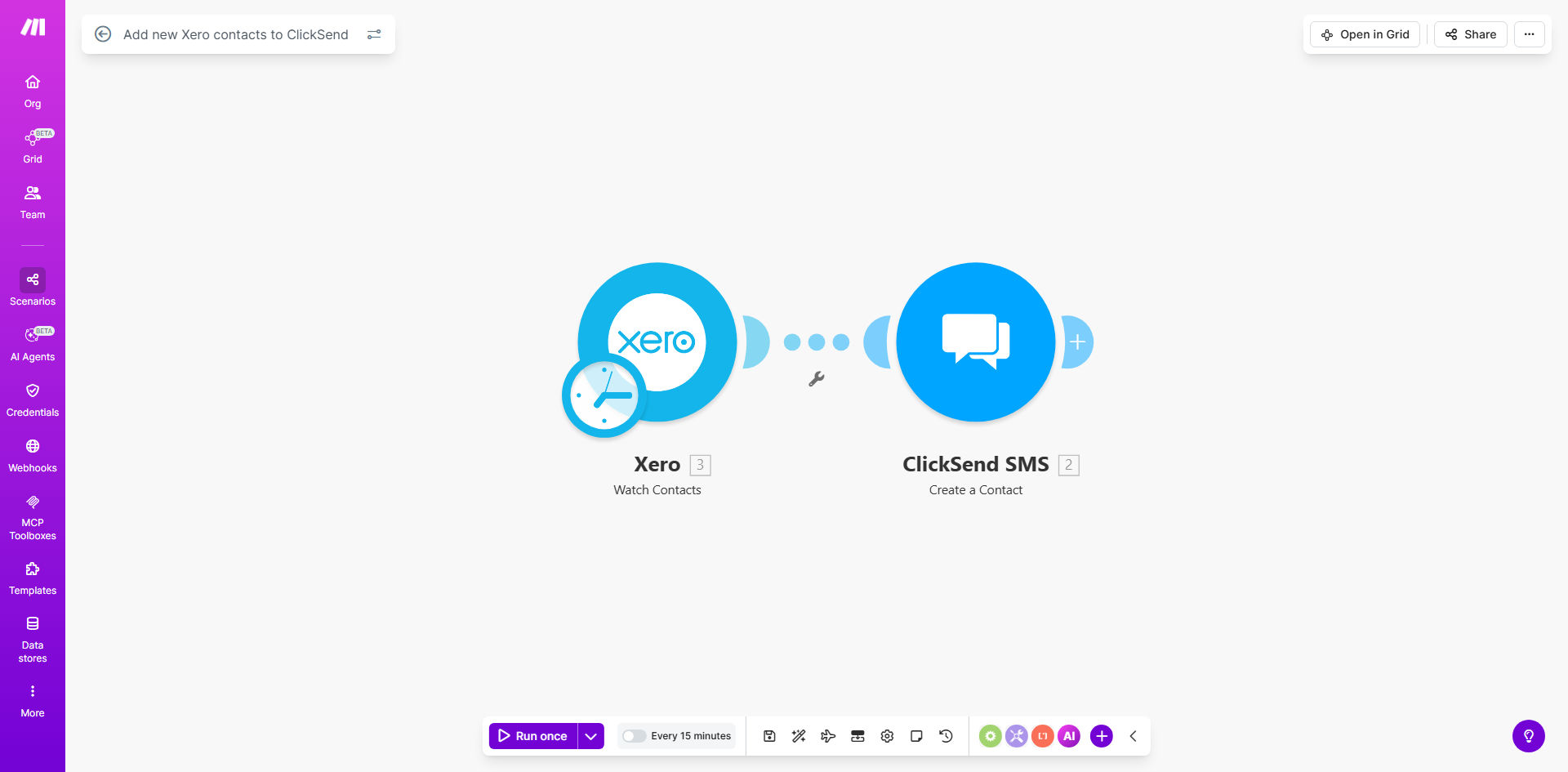
Make.com workflow diagram syncing Xero contacts to ClickSend

What This Workflow Does

This automation solves the manual data transfer problem between Xero accounting software and ClickSend SMS marketing. Every time you create a new customer in Xero, their contact details automatically appear in your ClickSend account - ready for SMS campaigns, appointment reminders, or payment notifications.

Businesses waste hours each week copying phone numbers between systems. This workflow eliminates that repetitive task while reducing human error. The instant sync means new customers can receive timely SMS communications while their purchase is still fresh.

How It Works

1. New contact detection

Make.com monitors your Xero account for newly created contacts. It checks at regular intervals (typically every 5 minutes) or can use instant webhook triggers for premium accounts.

2. Data mapping

The workflow extracts key fields like name, phone number, and optional custom fields. You configure which Xero contact properties map to which ClickSend list columns.

3. Validation & filtering

Before transferring, the system verifies phone numbers are valid and checks against your exclusion rules (like "Do Not SMS" tags). Invalid or filtered contacts skip the sync process.

4. ClickSend integration

Validated contacts get added to your specified ClickSend contact list. The workflow handles API authentication and formats data to ClickSend's requirements.

Who This Is For

This automation delivers the most value for:

  • Accounting firms sending client reminders
  • Ecommerce businesses with Xero integration
  • Service providers using SMS for appointments
  • Marketing teams managing customer communications
  • Businesses with high new customer acquisition

What You'll Need

  1. Active Xero account with admin access
  2. ClickSend account with API credentials
  3. Make.com free or paid plan
  4. Mobile numbers stored in Xero contacts
  5. Existing ClickSend contact list (or permission to create one)

Quick Setup Guide

  1. Install the template from Make.com
  2. Connect your Xero account in Make.com settings
  3. Authorize ClickSend API access
  4. Map Xero fields to ClickSend columns
  5. Set up any desired filters (e.g., exclude test contacts)
  6. Activate the scenario and test with a new Xero contact

Key Benefits

Save 3-5 hours weekly by eliminating manual contact transfers between systems. Staff can focus on higher-value activities instead of data entry.

Improve SMS campaign timing with instant contact availability. New customers receive messages while their purchase is still top of mind.

Reduce human error in contact transfers. Automated syncing prevents typos and missed entries that happen with manual processes.

Maintain compliance by only syncing verified mobile numbers. The workflow automatically skips invalid or incomplete contact records.

Frequently Asked Questions

Common questions about Xero-ClickSend automation and integration

Connecting Xero with ClickSend automates SMS marketing to new customers. When a sale happens in Xero, the contact immediately enters your SMS campaigns without manual transfer. This reduces missed opportunities and ensures timely follow-ups.

SMS achieves higher engagement than email, with 98% open rates versus 20% for email. Automated syncing means you can send welcome messages, order confirmations, or payment reminders while the customer interaction is fresh.

SMS marketing achieves 98% open rates versus 20% for email. For accounting clients, SMS works for payment reminders, appointment confirmations, and service updates. Automated syncing ensures contacts receive messages while their purchase is still fresh.

Accounting firms use SMS to:

  • Send tax deadline reminders
  • Confirm client meetings
  • Notify about document requests
  • Alert when returns are ready

The workflow transfers name, phone number, and optional custom fields. You can map Xero contact fields to ClickSend list columns. Only verified mobile numbers get added to comply with SMS regulations.

Common mapped fields include:

  • Contact name (first/last)
  • Mobile phone number
  • Customer category/tags
  • Custom fields like "Preferred Contact Time"

Yes. Add filters in Make.com to exclude test contacts, specific customer types, or those who opted out. Common filters exclude contacts without mobile numbers or those tagged 'Do Not SMS' in Xero.

Advanced filtering options:

  • Exclude by customer category
  • Skip contacts with specific tags
  • Filter by invoice amount threshold
  • Only sync contacts created after a certain date

Contacts sync within 2-5 minutes typically. Make.com polls Xero every few minutes for new records. For time-sensitive campaigns, you can trigger immediate syncs via Xero webhooks for premium accounts.

Sync speed factors:

  • Standard polling interval: 5 minutes
  • Webhook triggers: Instant
  • API rate limits may cause minor delays
  • Complex filters add processing time

The workflow can either skip duplicates or update existing records. Default behavior adds new contacts only. You can modify this to overwrite fields or tag existing contacts as 'Updated from Xero'.

Duplicate handling options:

  • Skip existing contacts (default)
  • Update matching records
  • Add "Synced from Xero" tag
  • Create separate lists for new vs existing

Absolutely. GrowwStacks specializes in tailored accounting marketing automations. We can build custom workflows with advanced segmentation, multi-step SMS sequences, and bi-directional syncs between Xero and ClickSend.

Our custom solutions include:

  • Conditional messaging based on Xero data
  • Automated SMS sequences for new clients
  • Integration with other tools like your CRM
  • Detailed analytics on SMS campaign ROI

Need a Custom Xero-ClickSend Automation?

This free template is a starting point. Our team builds fully tailored automation systems for your specific business needs.