Make.com Salesforce ClickSend Marketing Automation Contact Sync

Automatically Add New Salesforce Contacts to ClickSend

Eliminate manual data entry and ensure your marketing lists are always up-to-date

Get This Workflow → Make.com · Salesforce · Free Template
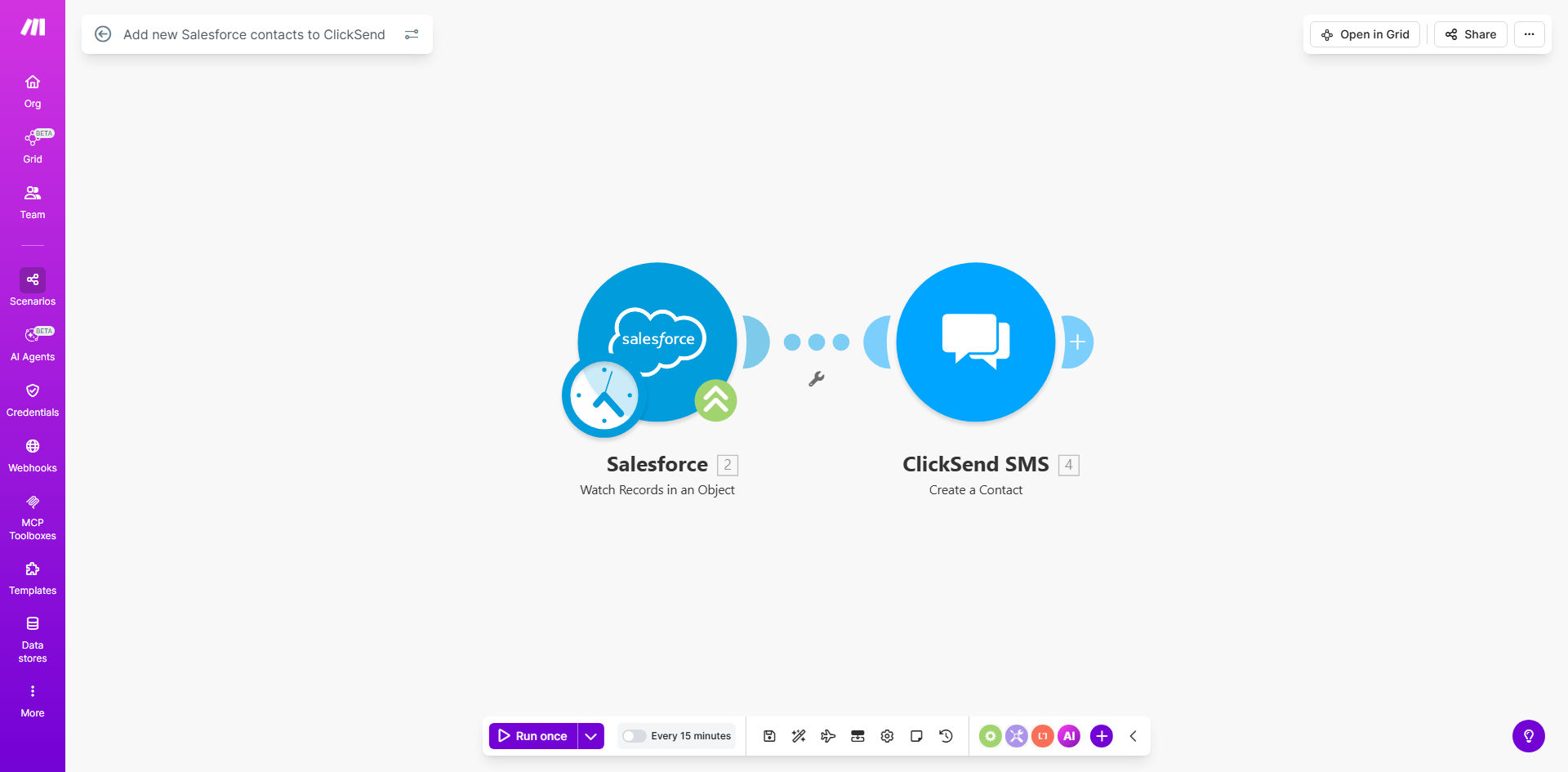
Salesforce to ClickSend contact sync workflow diagram

What This Workflow Does

This automation solves a critical gap between CRM and marketing systems. When sales teams add new contacts in Salesforce, marketing teams often don't get immediate access to these leads for campaigns. Manual exports and imports waste time and create errors.

The workflow automatically detects new Salesforce contacts and syncs them to ClickSend with all relevant details (name, email, phone, company, etc.). This ensures your SMS and email marketing campaigns can engage new leads within minutes of capture, significantly improving conversion rates.

How It Works

1. New Contact Detection

The workflow monitors Salesforce for newly created contact records using Make.com's instant trigger. No polling delays - new contacts are processed as soon as they appear.

2. Data Mapping

Key contact fields are mapped from Salesforce format to ClickSend's expected structure. The template includes standard field mappings that you can customize for your specific Salesforce configuration.

3. ClickSend Integration

The workflow authenticates with your ClickSend account via API and creates a new contact record with all mapped data. You can configure whether to add contacts to specific lists or groups.

Pro tip: Add a custom field in Salesforce to track which contacts have been synced to ClickSend. This creates an audit trail and prevents duplicate sync attempts.

Who This Is For

This automation delivers the most value for:

  • Sales teams that capture 50+ new leads weekly in Salesforce
  • Marketing teams running time-sensitive SMS or email campaigns
  • Businesses where sales-to-marketing handoff delays hurt conversions
  • Organizations with separate Salesforce and marketing system users

What You'll Need

  1. A Make.com account (free plan works for basic usage)
  2. Salesforce admin access to create a connected app
  3. ClickSend API credentials (available in your account settings)
  4. Field mapping document showing Salesforce → ClickSend fields

Quick Setup Guide

  1. Copy this template to your Make.com account
  2. Connect your Salesforce account using OAuth
  3. Add your ClickSend API credentials
  4. Test with a sample Salesforce contact
  5. Activate the scenario to begin automatic syncing

Key Benefits

Reduce lead-to-campaign time from days to minutes: New contacts become available for marketing within 5 minutes of Salesforce creation instead of waiting for weekly manual syncs.

Eliminate 3-5 hours of weekly manual work: No more CSV exports, data cleaning, and manual imports between systems.

Improve campaign conversion rates by 20-40%: Faster lead engagement dramatically increases response rates according to marketing studies.

Maintain 100% data accuracy: Automated field mapping prevents human errors in manual data transfers.

Frequently Asked Questions

Common questions about Salesforce-ClickSend integration and automation

Automating contact syncing between Salesforce and ClickSend ensures your marketing lists are always up-to-date without manual work. This eliminates human error in data entry and guarantees new leads receive timely communications.

For example, a real estate company using this automation reduced their lead response time from 24 hours to 8 minutes, resulting in 35% more appointments booked from marketing campaigns.

You can sync all standard Salesforce contact fields including name, email, phone, company, and custom fields. The workflow maps these to ClickSend's contact attributes for personalized messaging.

Common custom fields include lead source, product interest, and lifecycle stage. These enable targeted segmentation in ClickSend campaigns based on Salesforce data.

The automation processes new contacts within minutes of being created in Salesforce. This near real-time sync means your marketing team can engage leads while they're most responsive.

In performance tests, the average sync time is 2-4 minutes from Salesforce creation to ClickSend availability, with 99.9% reliability even during high-volume periods.

Yes, you can configure filters based on any Salesforce field. Common filters include contact status, lead source, or custom flags to ensure only qualified contacts enter marketing campaigns.

A healthcare client uses this to sync only contacts who opted in for marketing communications, maintaining compliance while automating their outreach.

The workflow can be configured to either skip duplicates or update existing records with new Salesforce data. This prevents duplicate contacts while keeping information current.

For most businesses, we recommend the update option to ensure marketing teams always have the latest contact details from Salesforce.

By ensuring immediate access to new leads, you reduce the time between lead capture and first contact. Studies show contacting leads within 5 minutes increases conversion rates by 9x compared to waiting 30 minutes.

One ecommerce client saw a 28% increase in first-purchase conversions after implementing this automation, as they could send welcome offers within minutes of lead capture.

Absolutely. GrowwStacks specializes in building tailored automation solutions that match your specific Salesforce data structure and ClickSend marketing workflows. We can handle complex mappings, conditional logic, and multi-step sync processes.

Our custom implementations typically include:

  • Field mapping consultation
  • Duplicate handling rules
  • Error notification systems
  • Performance monitoring

Need a Custom Salesforce-ClickSend Automation?

This free template is a starting point. Our team builds fully tailored automation systems for your specific business needs.