SMS Archiving ClickSend Evernote Make.com

Add new incoming ClickSend messages to Evernote as notes

Automatically save important SMS communications in a searchable, organized format

Get This Workflow → Make.com · Free Template
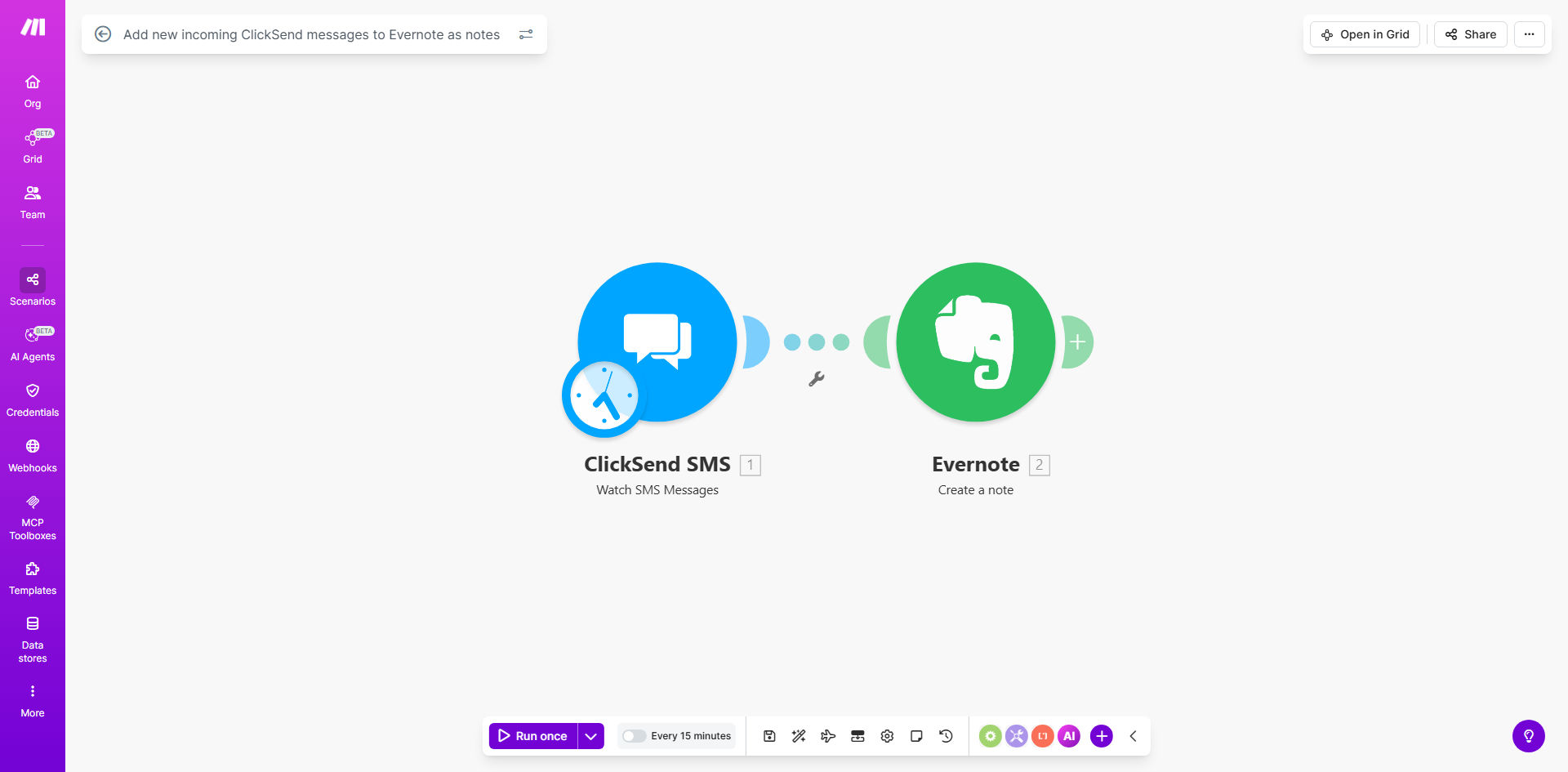
Make.com workflow diagram showing ClickSend to Evernote automation

What This Workflow Does

This automation solves the problem of losing important business SMS messages in crowded phone inboxes. Every time your ClickSend number receives a new text message, the workflow automatically creates a corresponding note in your Evernote account with the message content, sender information, and timestamp.

Unlike manual forwarding or screenshots, this solution preserves the original message data in a searchable format. Evernote's powerful organization features let you tag, categorize, and retrieve these messages months later when you need to reference customer requests, delivery confirmations, or other critical communications.

How It Works

1. Message Trigger

The workflow monitors your ClickSend account for new incoming SMS messages in real-time. Each new message serves as the trigger to start the automation process.

2. Data Extraction

Make.com extracts key details from each message including the sender's number, message content, and timestamp. This data is formatted for clean integration with Evernote.

3. Note Creation

The workflow creates a new Evernote note containing all message details. You can customize the note format to include specific fields or additional context that helps with organization.

Pro tip: Configure the workflow to add automatic tags based on keywords in the message or specific sender numbers for better organization.

Who This Is For

This automation delivers the most value for businesses that:

  • Receive customer service requests via SMS
  • Need to maintain records of SMS-based transactions
  • Use ClickSend for appointment reminders or notifications
  • Require compliance documentation for text communications

What You'll Need

  1. An active ClickSend account with SMS capabilities
  2. Evernote account (Free or Premium)
  3. Make.com account (Free plan or higher)
  4. The phone number you want to monitor configured in ClickSend

Quick Setup Guide

  1. Click the "Get This Workflow" button to open the template in Make.com
  2. Connect your ClickSend account in the first module
  3. Connect your Evernote account in the note creation module
  4. Select the target notebook for saved messages
  5. Test with a sample message to confirm proper operation

Key Benefits

Never lose important messages: Unlike phone texts that can get deleted or buried, Evernote provides permanent, searchable storage for critical communications.

Save hours of manual work: Automating what would normally require screenshots or manual note-taking saves significant time for staff handling customer communications.

Improve compliance: Maintain organized records of SMS interactions for industries requiring communication documentation.

Enhanced searchability: Find any message instantly using Evernote's powerful search across all your archived texts.

Frequently Asked Questions

Common questions about SMS archiving automation

Saving SMS messages to Evernote creates a searchable archive of important communications. Unlike texts that get buried in your phone, Evernote organizes messages with tags, notebooks, and full-text search capabilities. This is particularly valuable for customer service logs, appointment reminders, or business transactions conducted via SMS.

For example, a medical practice could archive patient appointment confirmations sent via ClickSend, then quickly retrieve them when verifying visit histories or resolving scheduling disputes.

ClickSend provides reliable SMS delivery with features like scheduling and two-way messaging. By connecting it to Evernote, you create a permanent record of all SMS communications that can be referenced later for compliance, customer service follow-ups, or business analytics without relying on phone storage.

The integration turns temporary text messages into structured business data that can be analyzed for trends or used as evidence in disputes.

Prioritize archiving SMS messages containing important information like customer requests, delivery notifications, appointment confirmations, or payment reminders. These messages often contain details you may need to reference weeks or months later when the original text would normally be lost in your message history.

Consider creating different Evernote notebooks for different message types (e.g., Customer Service, Logistics, Payments) to maintain organization as your archive grows.

Yes, the Make.com workflow can be configured to automatically apply Evernote tags based on message content, sender, or keywords. For example, you could tag messages from specific customers or containing certain phrases for easy retrieval later.

Advanced configurations can even route messages to different notebooks based on rules you define, creating a completely automated filing system for your SMS communications.

Both ClickSend and Evernote use enterprise-grade encryption. The automation only transfers message content you specify, and Evernote provides additional security options like notebook encryption for sensitive information. Always ensure your Make.com account uses two-factor authentication.

For industries with strict compliance requirements, the workflow can be modified to redact sensitive information before archiving while maintaining an audit trail of communications.

The workflow can be modified to monitor multiple ClickSend numbers or sender IDs. Each can be saved to different Evernote notebooks or tagged differently based on the source number, making it easy to organize messages from different departments or business lines.

This is particularly useful for businesses with separate numbers for sales, support, and operations, allowing each stream to be archived and managed independently while using the same automation framework.

Absolutely. GrowwStacks specializes in building tailored automation solutions that match your specific SMS archiving needs. We can customize everything from filtering rules to Evernote organization structure based on your business workflows.

Our team will work with you to understand your compliance requirements, message volume, and retrieval needs to design an automation system that saves time while ensuring critical communications are always accessible.

  • Custom filtering for sensitive information
  • Multi-number support with intelligent routing
  • Integration with other business systems

Need a Custom SMS Archiving Automation?

This free template is a starting point. Our team builds fully tailored automation systems for your specific business needs.