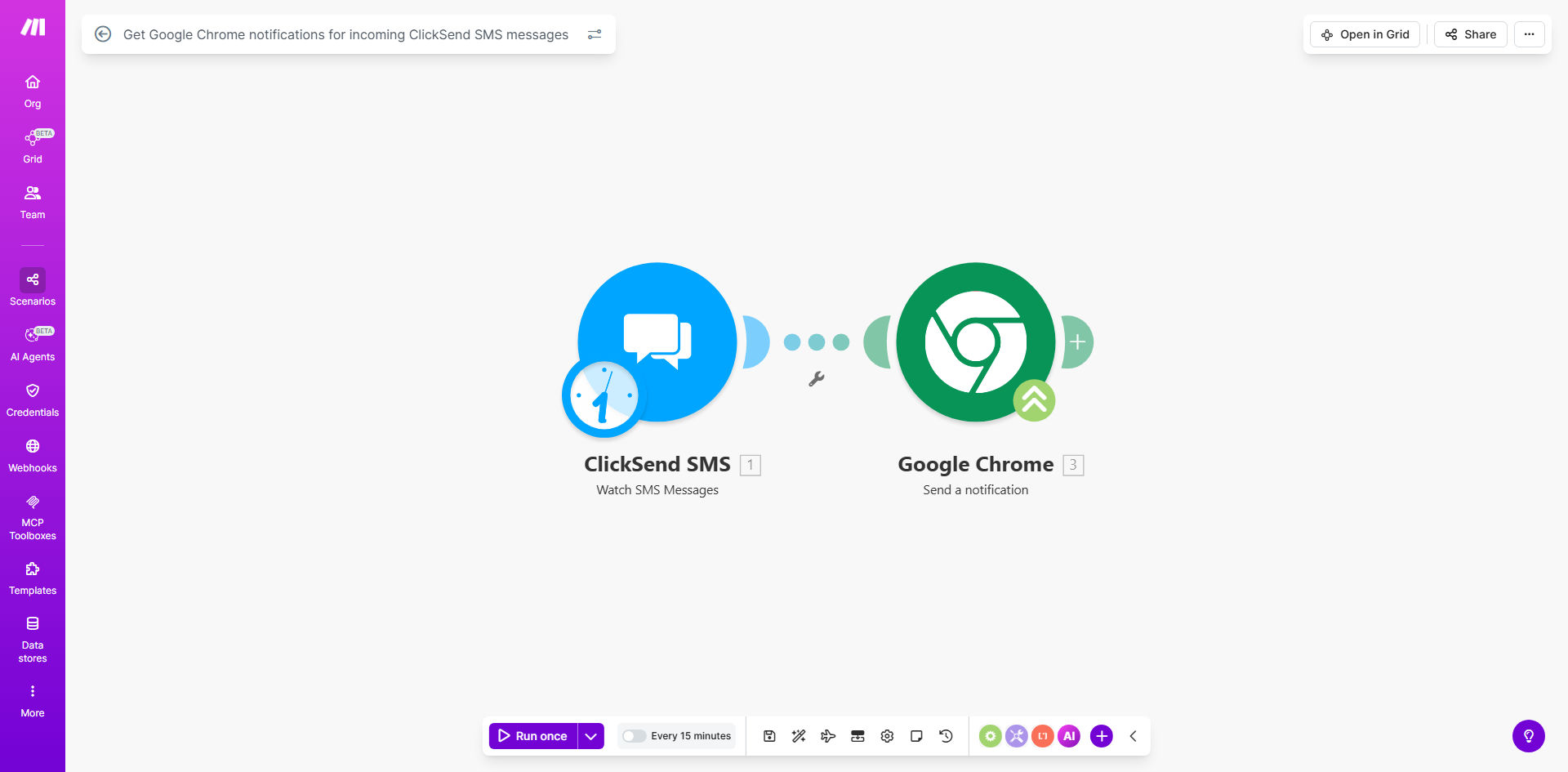
What This Workflow Does
This automation solves the common problem of missing important SMS messages when you're working at your computer. Many businesses rely on ClickSend for customer communication, but constantly checking your phone for new messages disrupts workflow and slows productivity.
The solution connects ClickSend's SMS platform with Chrome's notification system through Make.com. Whenever a new message arrives in your ClickSend account, you'll receive an instant desktop notification with the message content, allowing you to respond immediately without switching devices.
How It Works
1. ClickSend receives an SMS message
The workflow starts when ClickSend's API detects an incoming SMS message to your account. This triggers the Make.com scenario automatically.
2. Make.com processes the message
Make retrieves the message details including content, sender number, and timestamp. You can configure filters to only notify for certain numbers or message types if needed.
3. Chrome notification is triggered
Make sends the formatted notification to your Chrome browser through a webhook. The notification appears instantly on your desktop with the key message details.
Pro tip: Add sender identification to notifications by configuring Make to lookup contact names from your CRM when available numbers match existing records.
Who This Is For
This workflow is ideal for any business that relies on SMS communication with customers or team members. Customer support teams benefit from instant visibility of support requests. Sales professionals can respond faster to prospect inquiries. Service businesses like plumbers or electricians won't miss appointment confirmations.
It's particularly valuable for teams where multiple people might need to see incoming messages but don't all have access to the same mobile device. The notifications ensure everyone stays informed without sharing phones or logins.
What You'll Need
- A ClickSend account with SMS capabilities
- Make.com account (free plan works)
- Google Chrome browser installed
- Basic understanding of Make.com scenarios
Quick Setup Guide
- Install the template from Make.com
- Connect your ClickSend account in Make
- Configure which Chrome browser should receive notifications
- Test with a sample SMS message to verify delivery
- Optionally customize notification content and formatting
Key Benefits
Never miss important messages: Get instant visibility of incoming SMS without constantly checking your phone, reducing response times by up to 90% for time-sensitive communications.
Improved productivity: Stay focused on computer work while remaining responsive to SMS inquiries, eliminating disruptive device switching that can cost hours per week.
Team visibility: Multiple team members can receive notifications from shared ClickSend numbers without sharing mobile devices or login credentials.
Customizable alerts: Filter notifications by sender, keyword, or message type to reduce notification fatigue for less urgent messages.