Make.com Telegram ClickSend SMS Automation Message Forwarding

Send ClickSend SMS messages for new Telegram messages

Automatically forward important Telegram communications to SMS recipients with reliable delivery tracking

Get This Workflow → Make.com · Telegram · Free Template
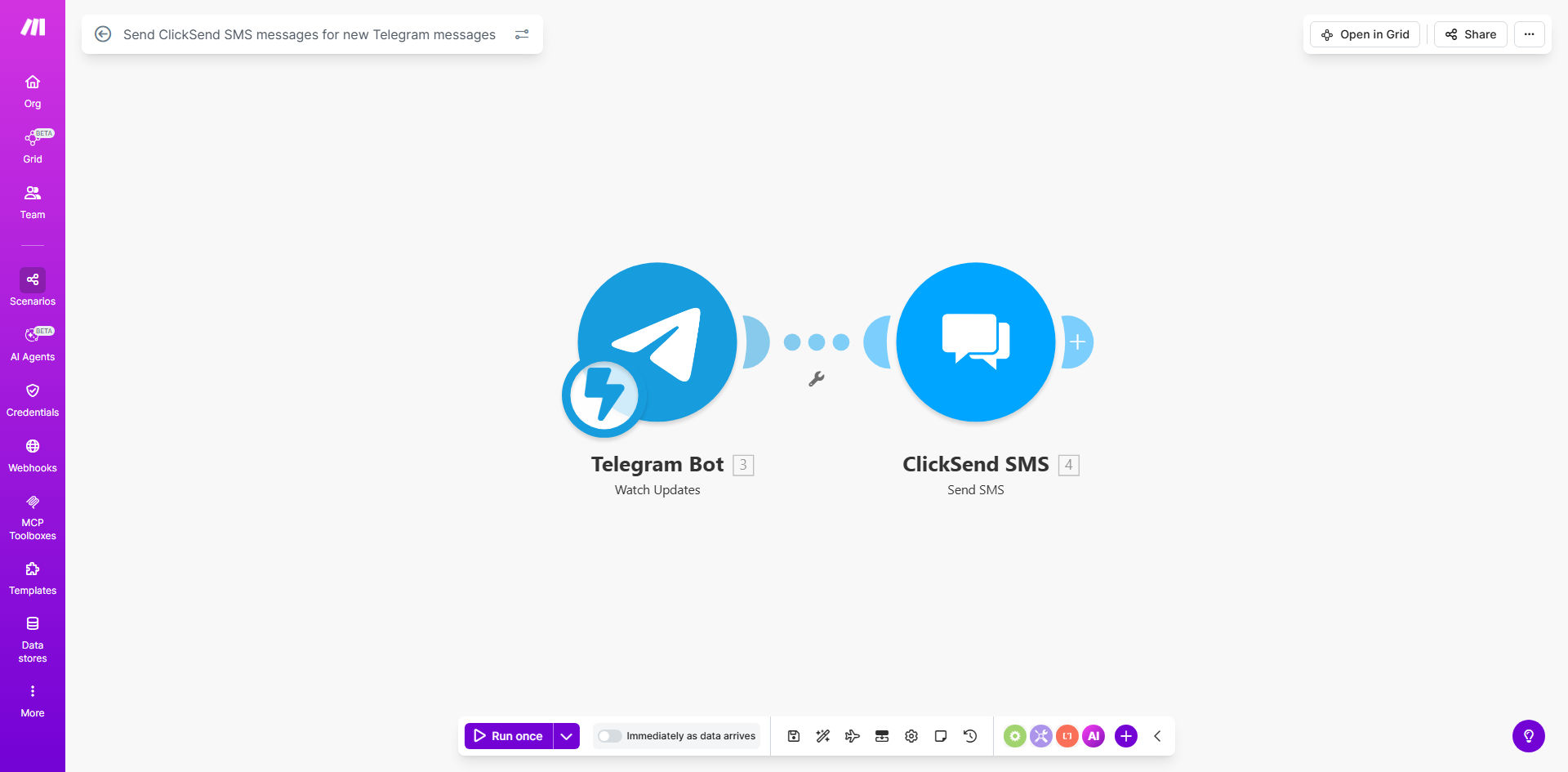
Make.com workflow diagram showing Telegram to ClickSend SMS integration

What This Workflow Does

This automation solves the communication gap between Telegram users and recipients who rely on traditional SMS. Many businesses and organizations use Telegram for internal communications but need to reach customers, field staff, or older demographics who don't use messaging apps. The workflow automatically bridges this gap by forwarding Telegram messages as SMS texts via ClickSend's reliable delivery network.

Key functionality includes real-time forwarding of Telegram messages (including group messages and channels), customizable message formatting for SMS, delivery confirmation tracking, and the ability to filter which messages get forwarded based on content or sender. This ensures critical communications reach all intended recipients regardless of their preferred communication method.

How It Works

1. Telegram message trigger

The workflow starts whenever a new message arrives in your configured Telegram chat, group, or channel. Make.com's Telegram bot integration captures the message content and metadata in real-time.

2. Message processing

The system can optionally filter messages based on your criteria (keywords, sender, etc.) and format the content for SMS transmission, including truncating long messages to fit SMS character limits.

3. SMS transmission via ClickSend

Processed messages are sent through ClickSend's API to deliver as SMS to your specified recipients. The workflow handles all API communication and error recovery automatically.

4. Delivery confirmation

ClickSend's delivery reports are captured and can be logged to your database or trigger notifications if messages fail to deliver after retries.

Who This Is For

This automation is ideal for:

  • Field service businesses communicating between office staff (Telegram) and technicians (SMS)
  • Healthcare providers needing to forward appointment reminders from admin channels to patients
  • Community organizations serving populations with mixed digital access
  • Businesses with international operations where SMS remains the most reliable communication method
  • Emergency response teams requiring redundant communication channels

What You'll Need

  1. A Make.com account with available connections
  2. Telegram bot API credentials (can be created through @BotFather)
  3. ClickSend API credentials (username and API key from your account)
  4. A list of destination phone numbers or a system to dynamically determine recipients

Quick Setup Guide

  1. Clone the template from Make.com and open it in your account
  2. Connect your Telegram account by authenticating with your bot token
  3. Configure your ClickSend connection with API credentials
  4. Set your destination phone number(s) - can be static or pulled from another system
  5. Customize message formatting if needed (default sends Telegram message text as-is)
  6. Test with sample messages and verify SMS delivery

Pro tip: For high-volume forwarding, consider adding a delay between messages to avoid SMS carrier rate limits and potential blocking.

Key Benefits

Bridge communication gaps between modern messaging apps and traditional SMS users without manual forwarding efforts.

Reduce response delays by automating what would otherwise require staff to manually copy-paste messages between systems.

Improve reliability with ClickSend's global SMS delivery network and automatic retries for failed messages.

Maintain message records through built-in logging of all forwarded communications with delivery status.

Scale effortlessly as your recipient list grows without additional administrative overhead.

Frequently Asked Questions

Common questions about Telegram to SMS automation and integration

Many businesses use Telegram for team communication but need to reach customers or field staff who only have SMS capability. This automation ensures important messages reach all recipients regardless of their preferred communication channel.

For example, a delivery company might coordinate drivers via Telegram group chat but need to send pickup notifications to customers who only have basic phones. The automation handles this seamlessly without requiring dispatchers to send duplicate messages.

ClickSend provides reliable global SMS delivery with competitive pricing and detailed delivery reports. It's particularly useful for businesses needing to send SMS internationally or at scale with delivery confirmation.

Compared to carrier-specific SMS gateways, ClickSend offers better deliverability across multiple carriers and countries. Their API also simplifies integration with automation tools like Make.com while providing enterprise-grade features.

  • Global coverage with local numbers
  • Detailed delivery reports
  • Scalable for high volume

When properly configured through Make.com, the forwarding is extremely reliable with near real-time delivery. The automation includes error handling to retry failed SMS sends and can notify admins of any delivery issues.

In production environments, this setup typically achieves 99%+ successful delivery rates. The remaining cases are usually due to recipient phone issues (full inbox, turned off device) rather than technical failures in the forwarding process.

Yes, Make.com allows you to set conditions to only forward messages matching specific criteria like keywords, sender IDs, or message types. This prevents unnecessary SMS costs for non-critical messages.

Common filtering approaches include checking for hashtags (#alert), specific senders (management team), or message content containing urgent keywords. You can implement multiple filters to create sophisticated forwarding rules.

The process typically completes within 5-15 seconds from Telegram receipt to SMS delivery. International SMS may take slightly longer depending on carrier routing.

Performance can be optimized by hosting your Make.com scenario in a region geographically close to your ClickSend account location. Most users find the sub-20-second latency perfectly acceptable for business communications.

ClickSend provides detailed delivery reports that can be logged in your CRM or database. The Make.com scenario can also trigger notifications for failed deliveries or store status updates in your preferred system.

For comprehensive tracking, you can extend the template to log each forwarded message along with its ClickSend message ID and final delivery status. This creates an audit trail for compliance or customer service purposes.

Yes, GrowwStacks specializes in building tailored Telegram-to-SMS automation solutions with custom routing rules, message formatting, and integration with your existing business systems.

Our team can create advanced implementations that integrate with your CRM to dynamically determine SMS recipients, apply business-specific message transformations, or trigger follow-up actions based on message content and delivery status.

  • Custom routing logic
  • CRM integration
  • Advanced error handling

Need a Custom Telegram-SMS Automation?

This free template is a starting point. Our team builds fully tailored automation systems for your specific business needs.