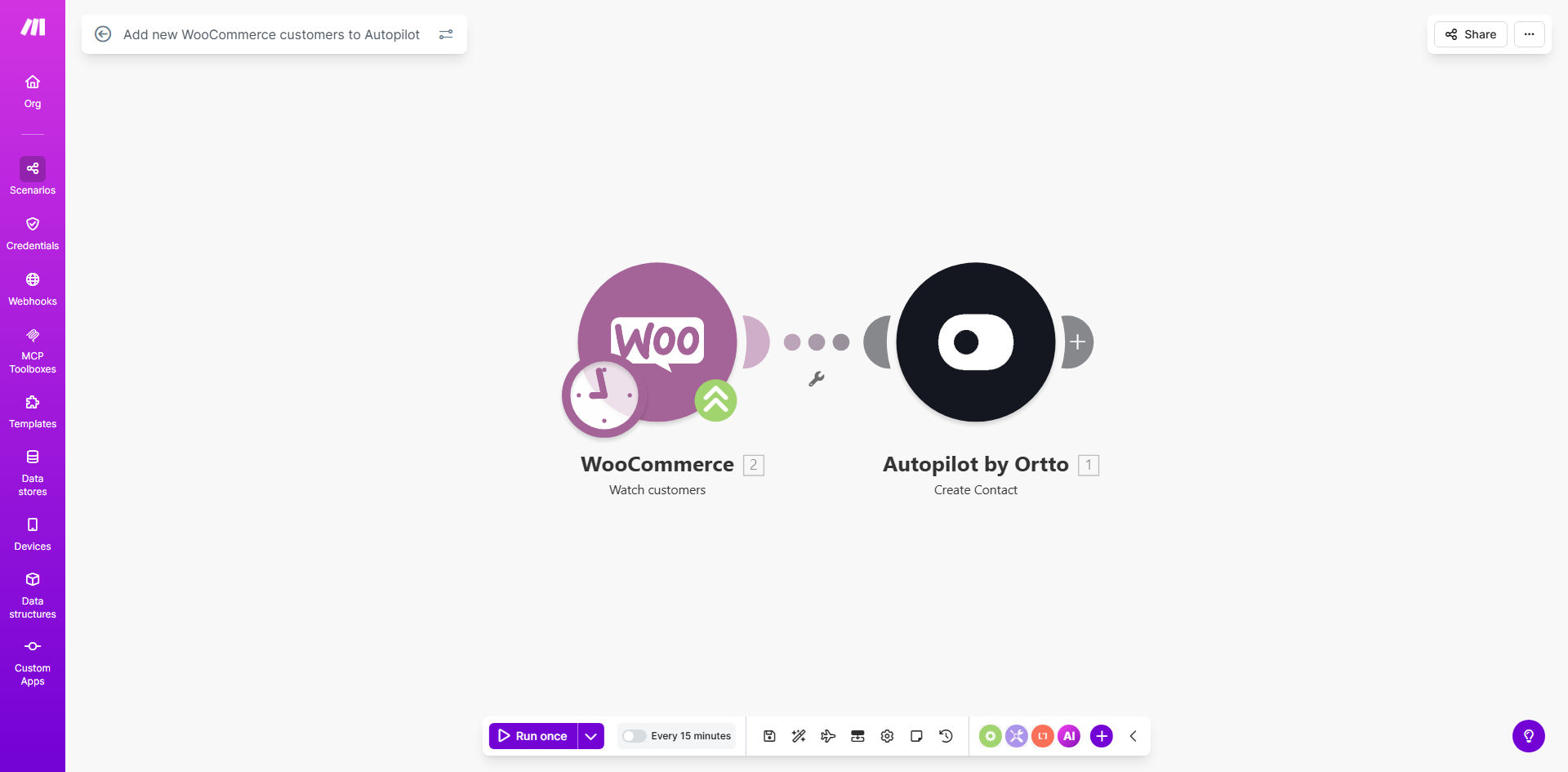
What This Workflow Does
This automation solves the common challenge of manually transferring customer data between your eCommerce store and marketing platform. Every time a new customer makes a purchase in WooCommerce, their complete profile - including contact details, order history, and purchase behavior - is automatically added to Autopilot as a new contact or updated if they already exist.
The integration ensures your marketing team has immediate access to fresh customer data without CSV exports, manual imports, or data entry delays. This enables timely, personalized marketing campaigns from the moment a customer makes their first purchase.
How It Works
1. New customer trigger
The workflow monitors your WooCommerce store for new customer registrations or guest checkouts. Each new customer record triggers the automation.
2. Data extraction
Make.com retrieves all available customer data including name, email, phone, billing address, and initial order details from WooCommerce.
3. Contact verification
The system checks Autopilot to see if a contact with the same email already exists, preventing duplicate entries.
4. Contact creation/update
If new, a complete contact profile is created in Autopilot. If existing, their profile is updated with the latest purchase information.
5. List assignment
The contact is automatically added to designated Autopilot lists for segmentation and campaign targeting.
Pro tip: Add custom fields in Autopilot to capture specific WooCommerce data points like lifetime spend, product categories purchased, or subscription status for more advanced segmentation.
Who This Is For
This workflow is ideal for WooCommerce store owners who use Autopilot for marketing automation. It's particularly valuable for:
- Ecommerce businesses with high order volumes where manual data transfer is impractical
- Marketing teams running time-sensitive welcome sequences or post-purchase campaigns
- Stores with recurring revenue models that benefit from automated customer lifecycle marketing
- Businesses that want to personalize communications based on purchase history and behavior
What You'll Need
- A WooCommerce store with customer accounts enabled
- An active Autopilot account with API access
- A Make.com account (formerly Integromat)
- Admin access to both WooCommerce and Autopilot for API connection setup
Quick Setup Guide
- Clone the template in your Make.com account
- Connect your WooCommerce store using API credentials
- Authenticate with your Autopilot account
- Map WooCommerce fields to corresponding Autopilot contact fields
- Specify which Autopilot lists new contacts should be added to
- Test with a new test order in WooCommerce
- Activate the scenario for live use
Key Benefits
Eliminate manual data entry: Save 5-10 hours per week typically spent exporting/importing customer data between platforms.
Faster campaign activation: New customers enter marketing sequences within minutes instead of waiting for batch imports.
Improved data accuracy: Automated sync reduces human errors in data transfer by 90% compared to manual processes.
Enhanced personalization: Access to complete, real-time purchase history enables more relevant messaging.
Scalable solution: Handles any volume of new customers without additional staff time or resources.