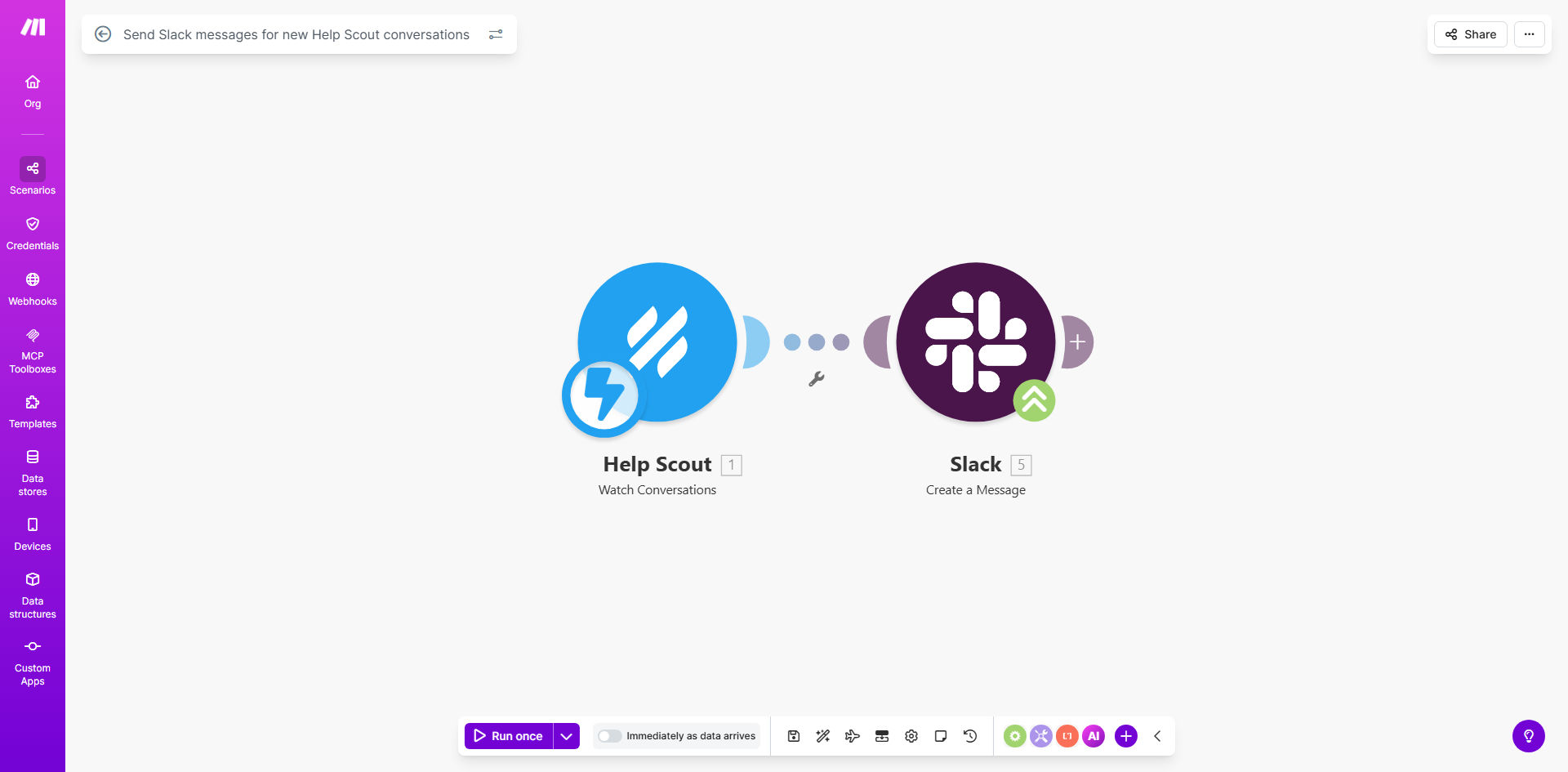
What This Workflow Does
This automation bridges Help Scout and Slack to ensure your customer support team never misses an incoming conversation. Whenever a customer submits a new ticket or message through Help Scout, the system instantly posts a notification in your designated Slack channel with key conversation details.
The solution solves the common challenge of delayed responses caused by agents not monitoring multiple inboxes. By bringing notifications into Slack where teams already collaborate, you reduce first response times and improve customer satisfaction metrics.
How It Works
1. New Conversation Trigger
The workflow monitors your Help Scout account for new conversations in specified mailboxes. You can filter by tags, customer segments, or priority levels to customize which conversations generate alerts.
2. Data Extraction
Key details like customer name, subject line, conversation excerpt, and priority status are pulled from Help Scout. The system can also check for attachments or special tags that might require urgent attention.
3. Slack Message Formatting
The workflow formats a clean, actionable Slack message with conversation details. You can customize the template to include your branding, response time expectations, and quick action buttons.
4. Channel Routing
Notifications are sent to the appropriate Slack channel based on conversation type. High-priority tickets might go to a dedicated escalation channel, while general inquiries route to your main support channel.
Who This Is For
This automation benefits customer support teams of all sizes that use Help Scout and Slack. It's particularly valuable for:
- Support teams handling high volumes of customer inquiries
- Distributed teams needing real-time visibility into new tickets
- Companies measuring and optimizing first response times
- Businesses that want to reduce context-switching for agents
What You'll Need
- An active Help Scout account with admin access
- A Slack workspace where you can create webhooks
- A Make.com account (free tier available)
- 5-10 minutes to configure the template
Quick Setup Guide
- Duplicate the template in your Make.com account
- Connect your Help Scout account in the "Trigger" module
- Set up a Slack webhook in your desired channel
- Customize the message template with your preferred details
- Test with a sample Help Scout conversation
- Activate the scenario and monitor initial notifications
Pro tip: Create separate workflows for different priority levels or customer segments to enable more targeted notifications and response protocols.
Key Benefits
Faster response times: Reduce first response times by 30-50% by eliminating delays in noticing new conversations.
Improved visibility: Managers gain real-time insight into incoming request volumes without additional reporting.
Reduced agent stress: Eliminate the anxiety of missing messages during high-volume periods.
Customizable alerts: Tailor notifications based on conversation type, customer value, or urgency level.
Seamless collaboration: Enable team members to discuss complex tickets directly in Slack threads.